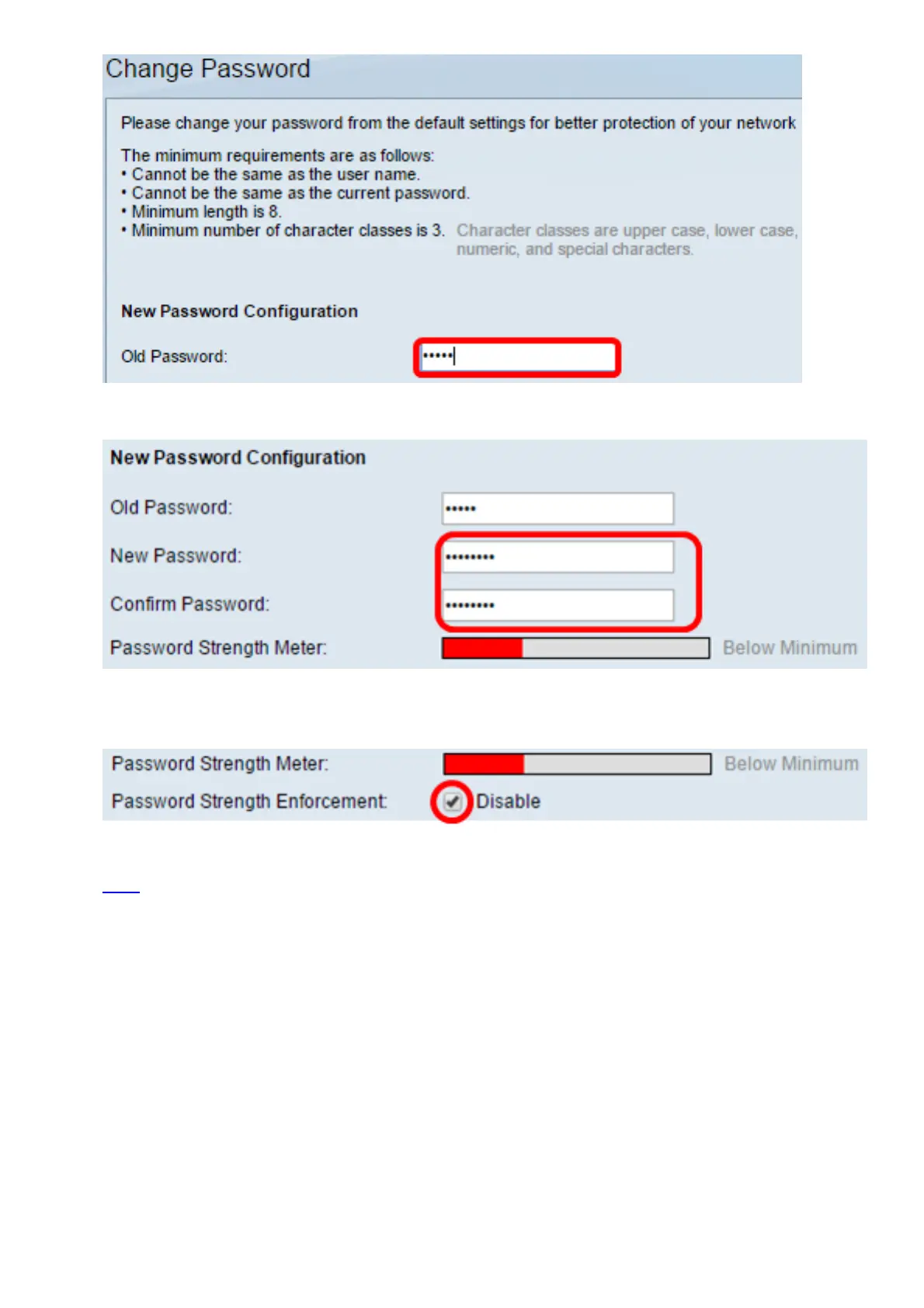
Step 9. Enter the new password in the New Password and Confirm Password fields.
Step 10. (Optional) Check the Disable Password Complexity Enforcement check box to
bypass the password strength requirements.
Note: To learn how to configure the Password Strength security feature of the switch, click
here for instructions.
Step 11. Click Apply to apply the configuration.
Step 12. Choose Administration > Stack Management.
The switch should display the configured settings on the Master switch.



 To Next Page