Port Management
Port Settings
Cisco Small Business SLM Series Smart Switches Administration Guide 15
2
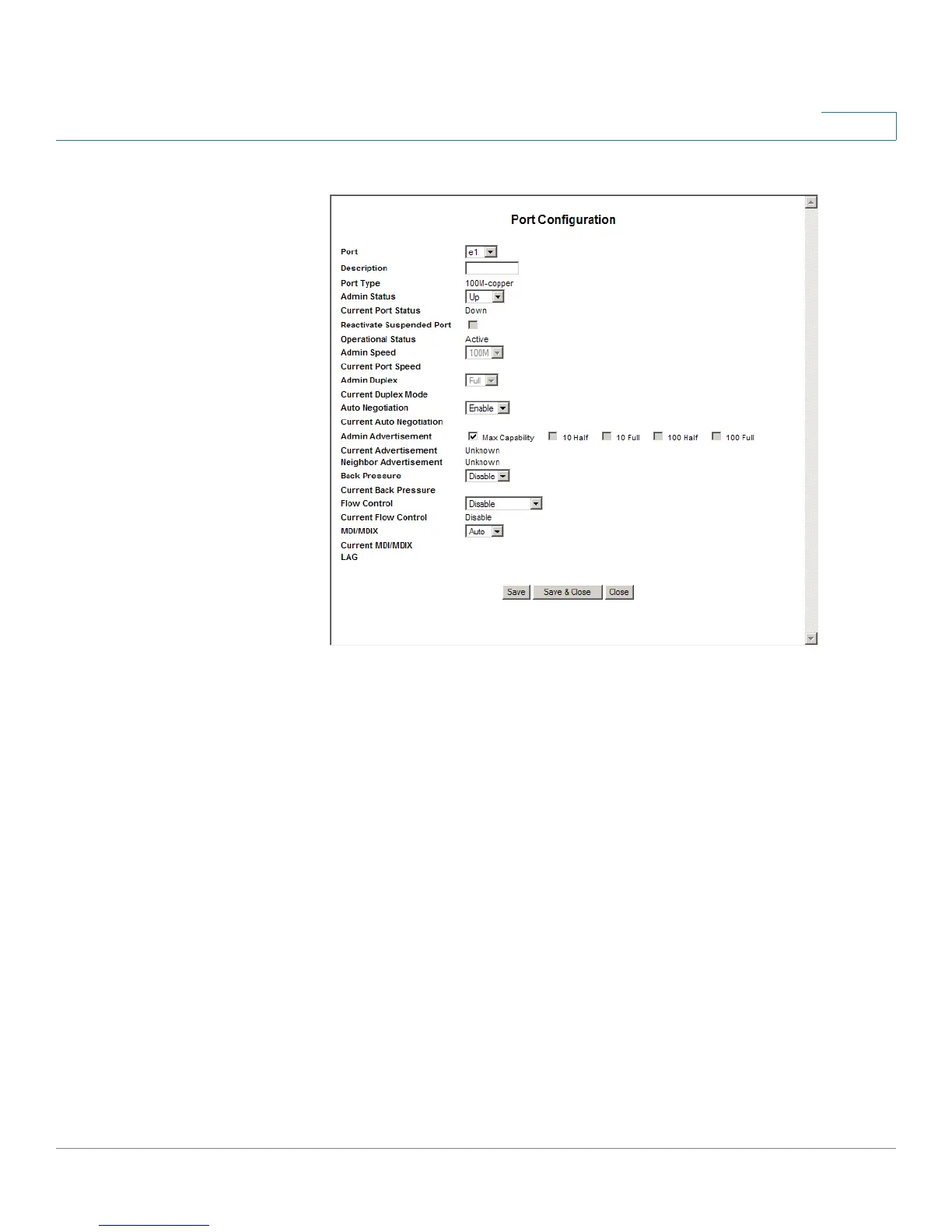
Port Configuration
• The
Port Configuration
window includes the following fields:
• Port — Displays the port number.
• Description — Defines the device port user-defined description.
• Port Type — Displays the port type. The possible field values are:
-
Copper
— Indicates the port has a copper port connection and displays
the copper speed.
-
Fiber —
Indicates the port has a fiber optic port connection. Both port
types run at speeds of 10, 100, and 1000.
• Admin Status — Enables or disables traffic forwarding through the port.
• Current Port Status — Displays the port connection status.
• Reactivate Suspended Port — Reactivates a port if the port has been
disabled through the locked port security option.
• Operational Status — Displays whether the port is currently operational or
non-operational.


 To Next Page