Need help?
Do you have a question about the Cisco SPA 508 Series and is the answer not in the manual?
Learn the fundamental methods for initiating and receiving calls on the Cisco SPA 508 IP phone.
Instructions for making calls to internal extensions within the gTalk PBX system.
Guidance on dialing external telephone numbers and making calls outside the organization.
Procedures for terminating an active call using the handset, speakerphone, or headset.
How to dismiss an incoming call without answering it using the 'Ignore' soft-key.
Methods for transferring calls, including attended and unattended transfer procedures.
Steps to redial the last called number or select another number from the call history.
How to view your missed calls and return them using the phone's interface.
Instructions for initiating and managing conference calls with multiple participants.
Enabling and disabling the Do Not Disturb feature to manage incoming call alerts.
Steps to access your voicemail messages, including hearing, listening, and deleting.
How to transfer callers or calls to a specific extension's voicemail.
Activating and deactivating call forwarding to redirect incoming calls to another number.
Guidance on downloading and installing the gTalk PBX mobile application on smartphones.
Overview of the features and intuitive usage of the gTalk mobile application.
This document describes the Cisco SPA 508 Series IP Phone, a device designed for efficient communication within a gTalk® PBX system. It outlines the various components of the phone, their functions, and how to use them for common telephony tasks, as well as advanced features like call forwarding and conferencing. The manual also introduces the gTalk PBX Mobile App, extending the phone's functionality to mobile devices.
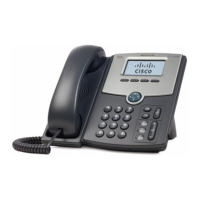
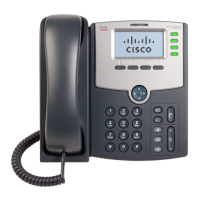
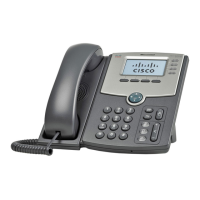
The Cisco SPA 508 IP Phone features a standard handset for traditional call handling. A prominent Message Waiting Indicator light serves a dual purpose: it glows solid red to signal a new voicemail message and flashes red during an incoming call, ensuring users are promptly alerted to new communications. The LCD Screen is central to the user experience, displaying essential information such as the current date and time, the phone's station name, line extensions, and contextual soft-key options that change based on the phone's state.
Line keys are crucial for managing calls, with their illumination indicating the status of each phone line:
Soft-key buttons are dynamic, performing actions shown on the LCD screen directly above them, adapting to the current call context or menu.
The Navigation button allows users to scroll left, right, up, or down through items displayed on the LCD screen, facilitating menu navigation and list browsing. The Messages button provides quick access to the voicemail system. The Hold button is used to place an active call on hold. The Setup button opens a menu for configuring various features and preferences, including directories, speed dials, call history, and call forwarding settings.
For call management, the Mute button allows users to mute or unmute the phone's microphone; it glows red when muted. A flashing mute button indicates a network connection issue. The Headset button toggles headset functionality on or off, glowing green when active. The Volume button adjusts the volume for the handset, headset, speaker (when the handset is off-hook), or ringer (when the handset is on-hook). The Speaker button activates or deactivates the speakerphone, glowing green when on. The Keypad is used for dialing outbound calls, entering letters, and selecting menu items.
The manual details several methods for placing and answering calls, offering flexibility based on user preference and situation.
Answering a Call:
Placing a Call:
Internal (Extension) Calls:
Outbound Calls:
Ending a Call:
Ignoring an Incoming Call:
Transferring a Call: The phone supports two types of call transfers:
Attended Transfer:
Unattended (Blind) Transfer:
Redialing a Number:
Viewing and Returning Missed Calls: The LCD screen notifies users of missed calls.
Placing a Three-Way Conference Call:
Setting Do Not Disturb (DND): This feature prevents incoming calls from ringing the phone, though the screen still indicates an incoming call. Unanswered calls are handled according to normal settings.
Accessing Voicemail:
Transfer to Voicemail: This allows transferring a caller or a called person directly to a specific extension's voicemail.
Call Forwarding: This feature forwards all incoming calls to a specified number.
The gTalk PBX system extends its functionality through a feature-rich mobile application compatible with Android and iPhone devices.
Installation:
Usage: The gTalk mobile app is designed to be user-friendly and intuitive, replicating many functions of the gTalk IP Phone sets. Key features include:
This comprehensive guide ensures users can effectively utilize their Cisco SPA 508 IP Phone within the gTalk PBX environment, whether through the physical device or the integrated mobile application.
 General
| Power over Ethernet | Yes (802.3af) |
|---|---|
| Speakerphone | Yes |
| Ethernet Ports | 2 (10/100 Mbps) |
| Audio Codecs | G.729a, G.729ab |
| Headset Port | Yes, 2.5 mm |
| Protocols | SIP |


 To Next Page