EasyManua.ls Logo

Cisco SRP527W - User Manual

Cisco SRP527W
27 pages
Print Icon
To Next Page IconTo Next Page
Loading...
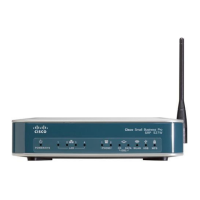
Cisco SRP527W Router
DOT (Digital Office Technology)™
User Guide
July 2013

Questions and Answers

  • A
    aaronsimpsonAug 20, 2025
    How to fix Cisco Network Router when internet is not working at all?
    • D
      Daniel JonesAug 20, 2025
      First, ensure the router power supply reads 'Output 12V'; otherwise, it won't function correctly. Check if the 'Power/SYS' light is on. If not, ensure the power cable is securely plugged in and both the router and power point are switched on. Also, make sure all cables to and from the router are securely plugged into the wall and other devices. If the issue persists, turn the router off for about 30 seconds, then switch it back on.
  • C
    Cynthia CruzAug 22, 2025
    What to do if internet is not working on some computers (wireless) with Cisco SRP527W?
    • M
      Megan GomezAug 22, 2025
      If a wireless device has lost its connection while the rest of your service is working, turn off the device and the router, wait 15-30 seconds, and then turn them back on. Ensure the device is close enough to the router to receive a signal and is not obstructed by thick walls. Consult your wireless device's documentation for further assistance.
  • L
    Larry BarberAug 25, 2025
    How to fix Cisco SRP527W Network Router when internet is not working on some computers (wired)?
    • D
      Daniel ThomasAug 25, 2025
      If most of your service is working, but one computer can’t access the Internet, ensure the cable connecting your computer to the router is securely plugged into both the computer and one of the yellow LAN or WAN ports on the router. Try a different yellow port or a different Ethernet cable. Power cycle both the computer and the router by turning them off, waiting 30 seconds, and then turning them back on.
  • K
    kbrooksAug 26, 2025
    What to do if I can’t receive calls on Cisco SRP527W?
    • V
      vstewartAug 27, 2025
      First, check that the phone is registered and displays the user's phone number on the LCD screen. If it's not registered, all incoming calls are diverted to Voicemail. If a dial tone is present, log in to CommPilot to check the settings for 'Call Forward Always', 'Call Forward No Answer', and 'Simultaneous Ringing', ensuring they are turned OFF or have an increased number of rings. If there's no dial tone, check the LAN cable connection between the phone and the router, and ensure the router is switched ON with ADSL broadband connectivity.
  • A
    Allison LiAug 28, 2025
    Why is my Cisco Network Router signal strength weak?
    • M
      madison53Aug 28, 2025
      Move other electronic equipment away from the router, especially halogen lamps, cordless phone bases, and other devices sending or receiving radio waves. If the Broadband Backup modem is connected to the router, move the router away from thick walls and towards a window with a clear view of the sky.
  • K
    Kyle BrandtAug 29, 2025
    What to do if Cisco SRP527W phone rings once and when you pick up no-one is there?
    • M
      maycalvinAug 29, 2025
      Log in to CommPilot, navigate to the 'Call Forwarding Always' menu, and ensure that 'Play Ring Reminder when call is forwarded' is not selected.
  • M
    markswansonSep 1, 2025
    What to do if Cisco SRP527W calls are always coming through to your mobile?
    • H
      Heather GloverSep 1, 2025
      Log in to CommPilot and go to the 'Call Forward Always' menu. Check if the feature is configured to forward calls to your mobile number, and if so, switch the feature OFF.
  • M
    Michael LangSep 2, 2025
    What to do if my Cisco Network Router headset doesn’t work?
    • Q
      qwattsSep 2, 2025
      Ensure the headset is plugged into the headset port on the phone. Press the SETUP button on the phone, select Preferences, select Preferred Audio Device (option 8), and change the display to headset.
  • F
    fgonzalezSep 4, 2025
    Why is my Cisco Network Router phone not ringing, however indicator light flashes?
    • R
      rnelsonSep 4, 2025
      Check that the Ring Type is NOT set to “No Ring”. Press the SETUP button on the phone, select Ring Tone (option 4), press the change soft key, scroll onto another Ring type, and press the select soft key.
  • K
    Kenneth EdwardsSep 6, 2025
    How to fix Cisco Network Router when Broadband Backup is not working?
    • A
      alexis72Sep 6, 2025
      If the router has been moved since the original setup, move it back. Ensure the Broadband Backup device is securely plugged into the router. Verify the router is plugged in, turned on, and getting power. Unplug the Broadband Backup device from the router, then plug it back in and wait for it to restart. Turn the router off and then back on again and wait for it to restart.

Summary

Setting Up Your System

IMPORTANT INFORMATION

Crucial details on using the Self-Install CD and system requirements for setup.

Running the Self-Install CD

Instructions for inserting and initiating the Self-Install CD on Windows and Mac.

Installing Your Router

Guidance on router installation and understanding its front panel lights.

Remote Working

Set-up Remote Working on the Router for your Business

Steps to configure remote working on the router using the Self-Install CD.

Set-up Remote Working Client on individual PCs

Instructions for individually configuring each PC to enable Remote Working.

Using Remote Working

Procedures for using the Remote Working client after setup for both Windows and Mac.

Troubleshooting

Internet Not Working on Some Computers (Wired)

Steps to resolve internet connectivity issues for wired computers.

Internet Not Working on Some Computers (Wireless)

Steps to resolve internet connectivity issues for wireless computers.

Internet is Not Working at All

Comprehensive troubleshooting for complete internet outage scenarios.

Cisco SRP527W Specifications

General IconGeneral
Device TypeWireless Router
LAN Ports4 x 10/100 Mbps
Maximum Wireless Data Rate54 Mbps
Frequency Band2.4 GHz
FirewallYes
VPN SupportYes
WAN Ports1
Wireless StandardsIEEE 802.11b/g
Firewall ProtocolSPI
Security FeaturesWEP, WPA, WPA2

Related product manuals