EasyManua.ls Logo

Citizen CT-S281 - User Manual

Citizen CT-S281
42 pages
Print Icon
To Next Page IconTo Next Page
Loading...
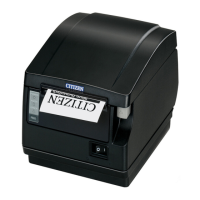
LINE THERMAL PRINTER
MODEL CT-S281
User’s Manual

Other manuals for Citizen CT-S281

Questions and Answers

  • K
    Kristin JenkinsSep 12, 2025
    What to do if my Citizen CT-S281 Printer displays a head overheat error?
    • D
      derricksullivanSep 12, 2025
      If the Citizen Printer shows a head overheat error, allow the printer to cool down. Printing will resume automatically once the head temperature has lowered.
  • K
    Kristen RussellSep 13, 2025
    What to do if Citizen CT-S281 is waiting for cutting label?
    • M
      melissa25Sep 13, 2025
      If your Citizen Printer is waiting for cutting label, press the FEED SW button to return to the print start position and restore the printer to its normal state.
  • C
    Christina DuncanSep 15, 2025
    What to do if Citizen Printer shows a paper-end error?
    • L
      Lori SosaSep 15, 2025
      If your Citizen Printer indicates a paper-end error, replace the paper roll.

Citizen CT-S281 Specifications

General IconGeneral
TypeThermal Printer
Print MethodDirect Thermal
Print Resolution203 dpi
Paper TypeThermal Paper
Paper Thickness0.06 - 0.08 mm
Serial InterfaceRS-232C
Printing MethodLine Thermal Printing
Print Width72 mm
Paper Width80 mm
InterfaceUSB, Serial
CutterAutomatic Cutter
Dimensions140 x 210 x 150 mm
Power SupplyAC 100-240V, 50/60Hz
Power Consumption60W

Related product manuals