7.22
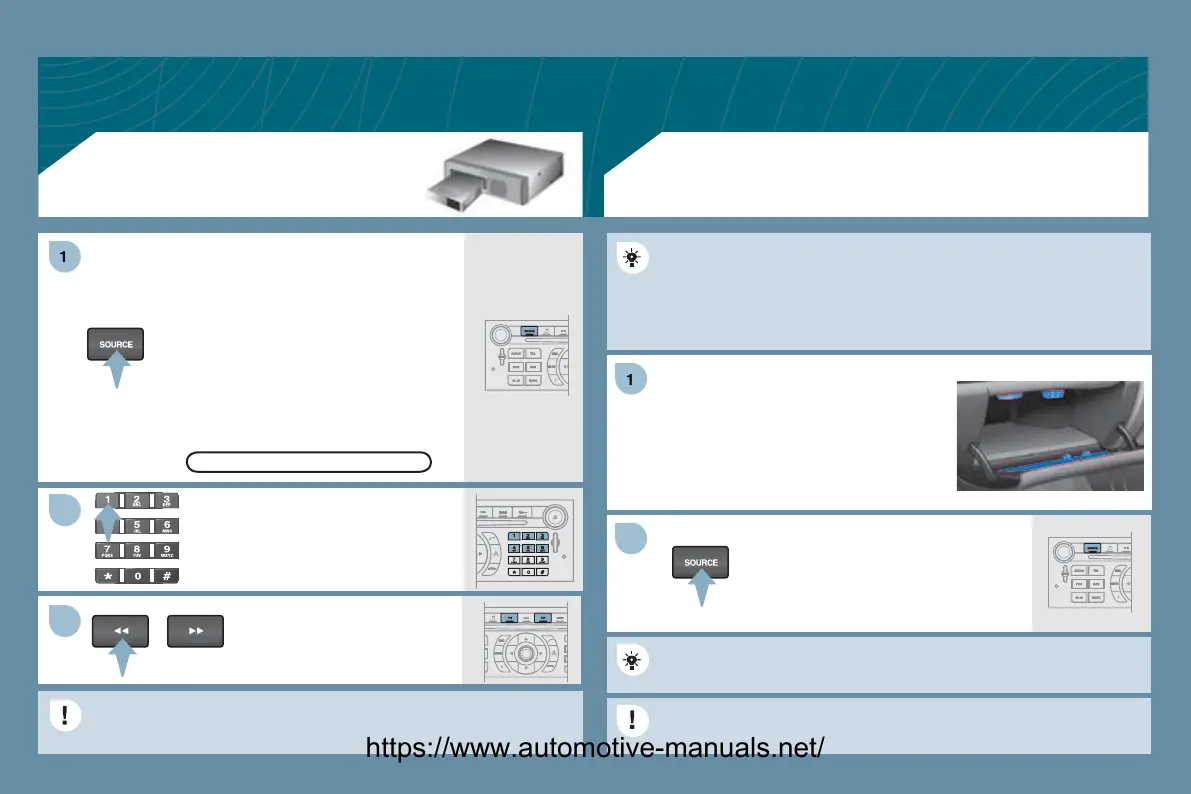
Press the MENU button then select the
NFI
URATI
N
unction,
then
UND
, then A
TIVATE AUXILIARY
UR
E to activate
the audio equipment auxiliar
input.
Connect the
ortable e
ui
ment
MP3 player…
to the JA
K socket or
to the audio sockets
white and red,
A t
pe
located in the
love box usin
t
.
Press the
UR
E button several
times in succession and select A
X.
The displa
in
and mana
ement o
the commands takes place via
t
e porta
e equ
pment.
It is not possible to cop
the
les onto the hard disc
rom the auxiliar
nput.
SING THE AUXILIARY INPUT
AUX
JACK/RCA AUDIO CABLE NOT SUPPLIED
AUDIO CD CHANGER
PLAYING A CD
Insert the CDs in a multi-slot chan
e
not MP3 compatible
one b
one.
n a sin
le slot chan
er
MP3
ompatible
, press L
AD, select the
number of the CD, then insert the CD,
or press and hold L
AD and insert
the CDs one b
one.
Press the
R
E button several
times in succession and select
D
HAN
ER.
Pr
n
th
tt
n
n th
lphanumeric ke
pad to select the
orrespondin
D.
Pr
n
f th
tt
n
t
elect a track on the
D.
It is not possible to cop
the fi les onto the hard disc from the CD
han
er.
CD CHANGER
https://www.automotive-manuals.net/



 To Next Page