7.45
AUDIO
Pr
th
R
E
tt
n
v
r
l
t
m
n
n
n
t t
i
.
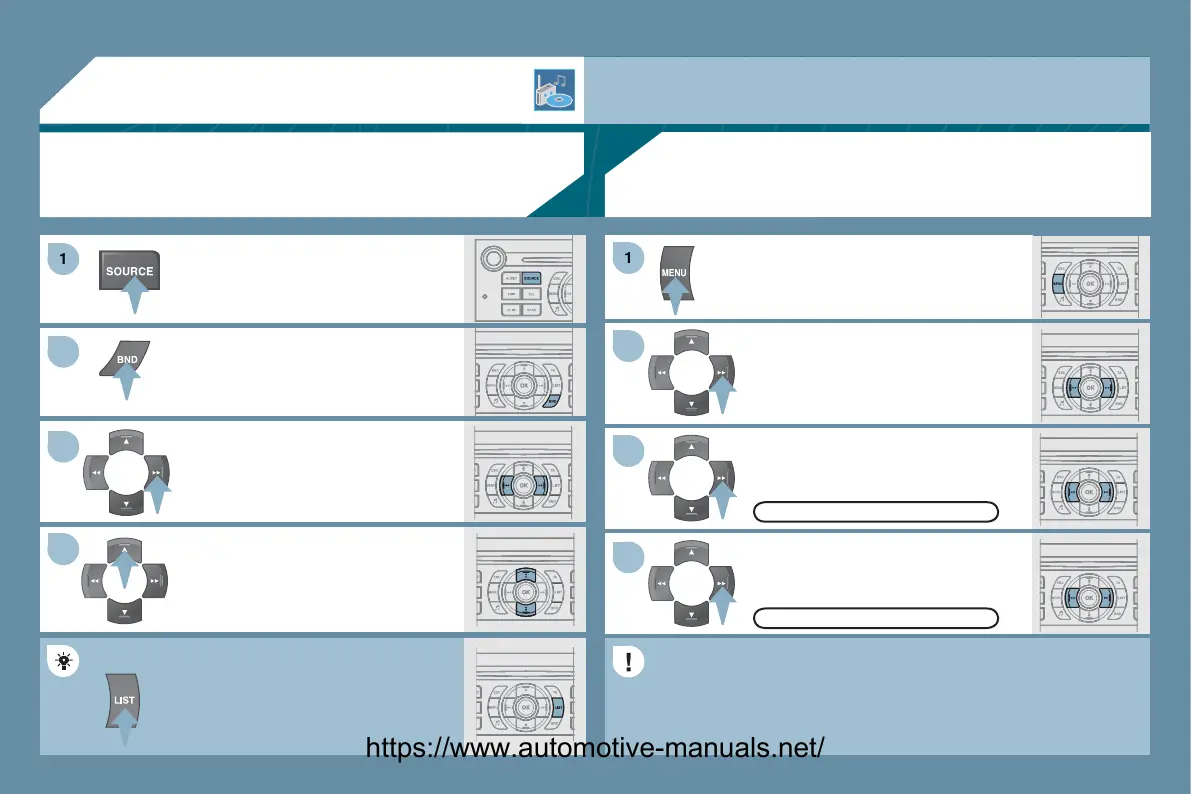
Pr
th
BAND A
T
tt
n t
l
t
a waveband: FM1, FM2, FMast, AM.
Briefl
press one of the buttons to
arry out an automatic search o
th
r
i
t
ti
n
.
Press one of the buttons to carr
out a
n
l
r
h
th
r
i
t
ti
n
.
Pr
th
LI
T REFRE
H
tt
n t
displa
the list o
stations received
locall
30 stations maximum
.
To update this list, press
or more than
tw
n
.
Select ACTIVATE FRE
UENCY
F
LL
WIN
RD
then press
K.
RDS appears on the displa
.
elect the FM WAVEBAND
REFEREN
E
function then
ress
K.
l
t A
DI
F
N
TI
N
th
n
ress
K.
Pr
th
MEN
tt
n.
FM WAVEBAND PREFERENCE
ACTIVATE FREQUENCY FOLLOWING
RDS
The external environment
hills, buildin
s, tunnels, basement car parks
ma
block reception, includin
in RDS mode. This is a normal effect of the way in which radio waves are transmitted and does not
indicate an
ailure o
the audio equipment.
RDS
The RD
, i
displa
ed, enables
ou to continue listenin
to the same
station b
automatic retunin
to alternative frequencies. However, in
ertain conditions, covera
e o
an RD
station ma
not be assured
throu
hout the countr
as radio stations do not cover 100
o
the territor
. This explains the loss of reception of the station durin
a
ourne
.
RADIO
SELECTING A STATION
https://www.automotive-manuals.net/



 To Next Page