7.50
5
USB
USING THE USB SOCKET
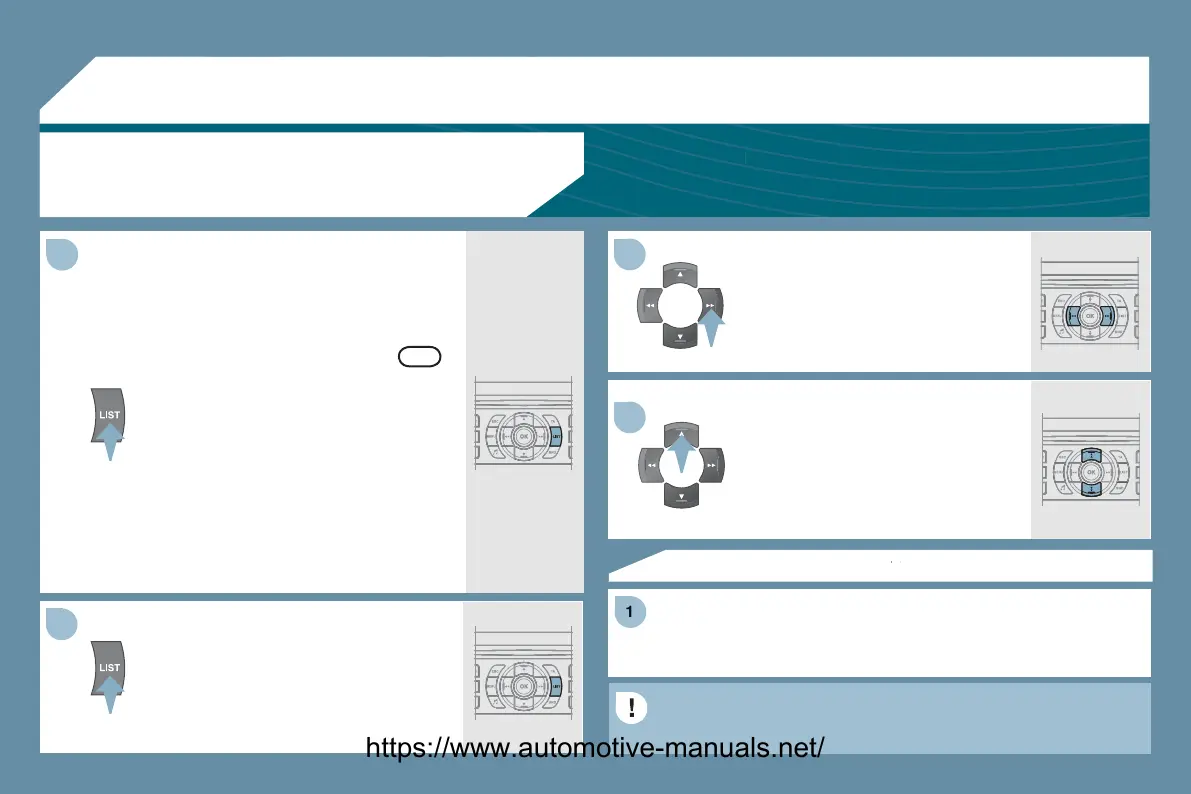
Press LI
T brie
to displa
the list
of Folders/Genres/Artists/Pla
lists on
the U
B equipment.
Navi
ate throu
h the list usin
the
e
t
right and up
down buttons.
Confi rm the selection b
pressin
K.
The lists available are Artist, Genre and Pla
list
as de
ned on the iPod
.
election and Navi
ation are described in steps 1 to 5 above.
Do not connect a hard disc or U
B devices other than audio
quipment to the USB socket. This could dama
e
our installation.
Press one o
these buttons to
ain
access to the
revious/next track on
the classi
cation list currently being
la
ed.
Pr
n
h
l
n
th
tt
n
r
fast forward or backward pla
.
Press one o
these buttons to
ain
access to the previous/next Genre,
older, Artist or Pla
list on the
lassi
cation list currentl
bein
la
ed.
Press and hold LIST to displa
the
i
r
nt
l
i
ti
n
.
Select b
Folder/Artist/Genre/Pla
list,
ress
K to select the classi
cation
equired, then press
K
a
ain to confi rm.
- b
Folder: all folders containin
audio
les recognised on the peripheral
device, classifi ed in alphabetical order
without
ollowin
the
ow chart.
- b
Artist: all of the artist names
de
ned in the ID3 Ta
s, classi
ed in
a
p
a
et
ca
or
er.
- b
Genre: all of the
enres defi ned in
the ID3 Ta
s.
- b
Pla
list: in accordance with the
laylists recorded on the U
B device.
OK
https://www.automotive-manuals.net/



 To Next Page