CLA-VAL CV-Log-35
Communicating Data Logger
CLA-VAL Europe www.cla-val.ch cla-val@cla-val.ch 17 - CLOG35UE A 07/22
© Copyright CLA-VAL Europe - Specifications subject to change without notice - no contractual illustrations. Reduce your waste - Sort your rubbish
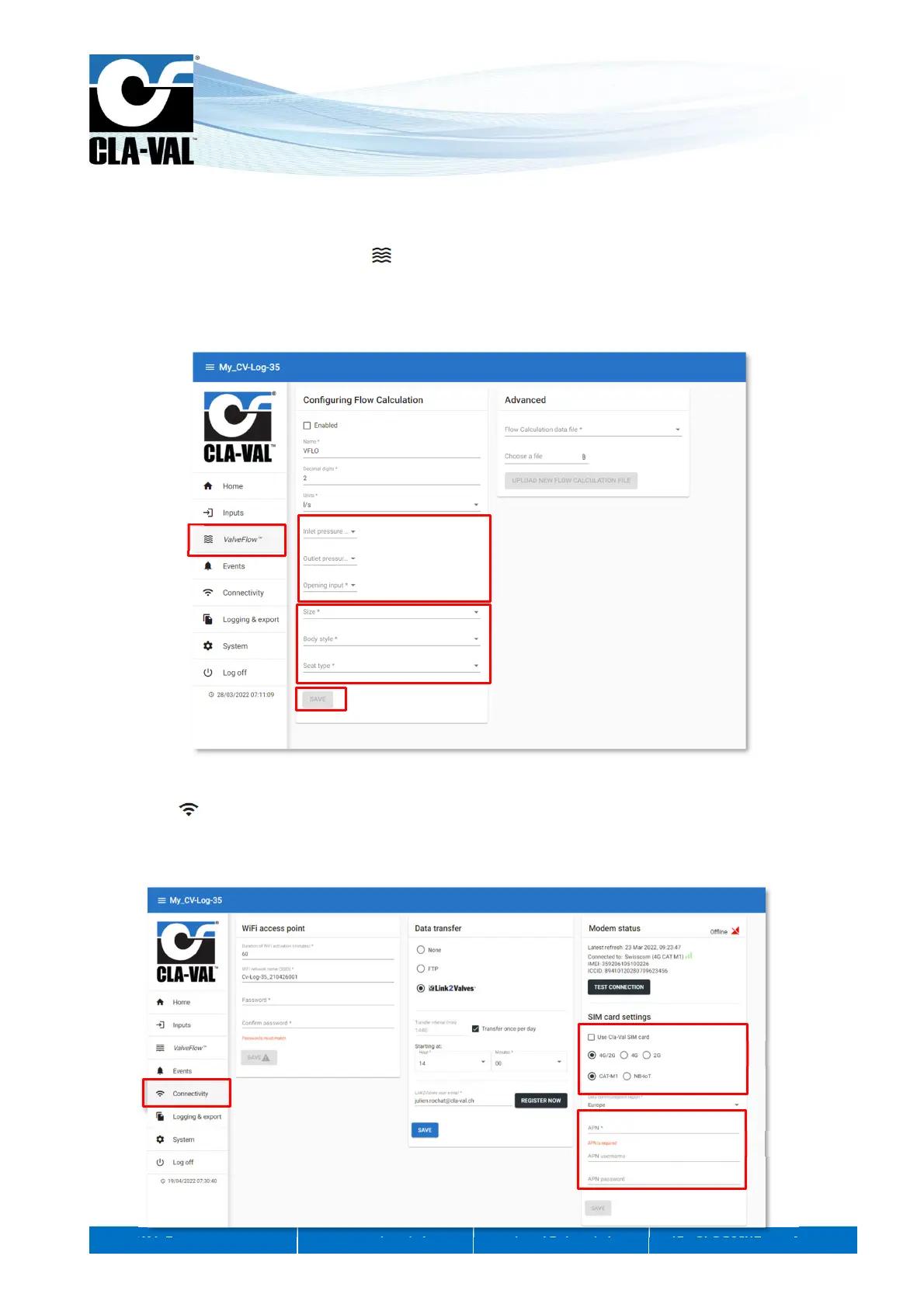
9.6 VALVEFLOW™ SETTING (OPTION)
The ValveFlow
TM
allows calculating the flow througt the valve, thanks to inlet pressure, outlet pressure, and valve opening.
1. Configure the ValveFlow by clicking on " ValveFlow
TM
".
2. Select the inputs corresponding to the inlet/outlet pressure, as well as the opening.
3. Select the type of valve installed.
4. Click "SAVE" to apply the changes.
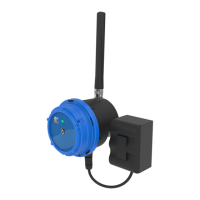
9.7 CUSTOM SIM CARD (COMMUNICATION OPTION)
1. Click on " Connectivity".
2. Enter the information corresponding to the APN of your SIM card (provided by your operator).
3. Choose whether you want to communicate in 4G / 2G (Fallback in 2G in case of unavailability of 4G), 4G only, or 2G
only and the 4G technology (CAT-M1 or NB-IoT)
1.
2.
3.
4.
1.
2.
3.



 To Next Page