CLA-VAL CV-Log-35
Communicating Data Logger
CLA-VAL Europe www.cla-val.ch cla-val@cla-val.ch 18 - CLOG35UE A 07/22
© Copyright CLA-VAL Europe - Specifications subject to change without notice - no contractual illustrations. Reduce your waste - Sort your rubbish
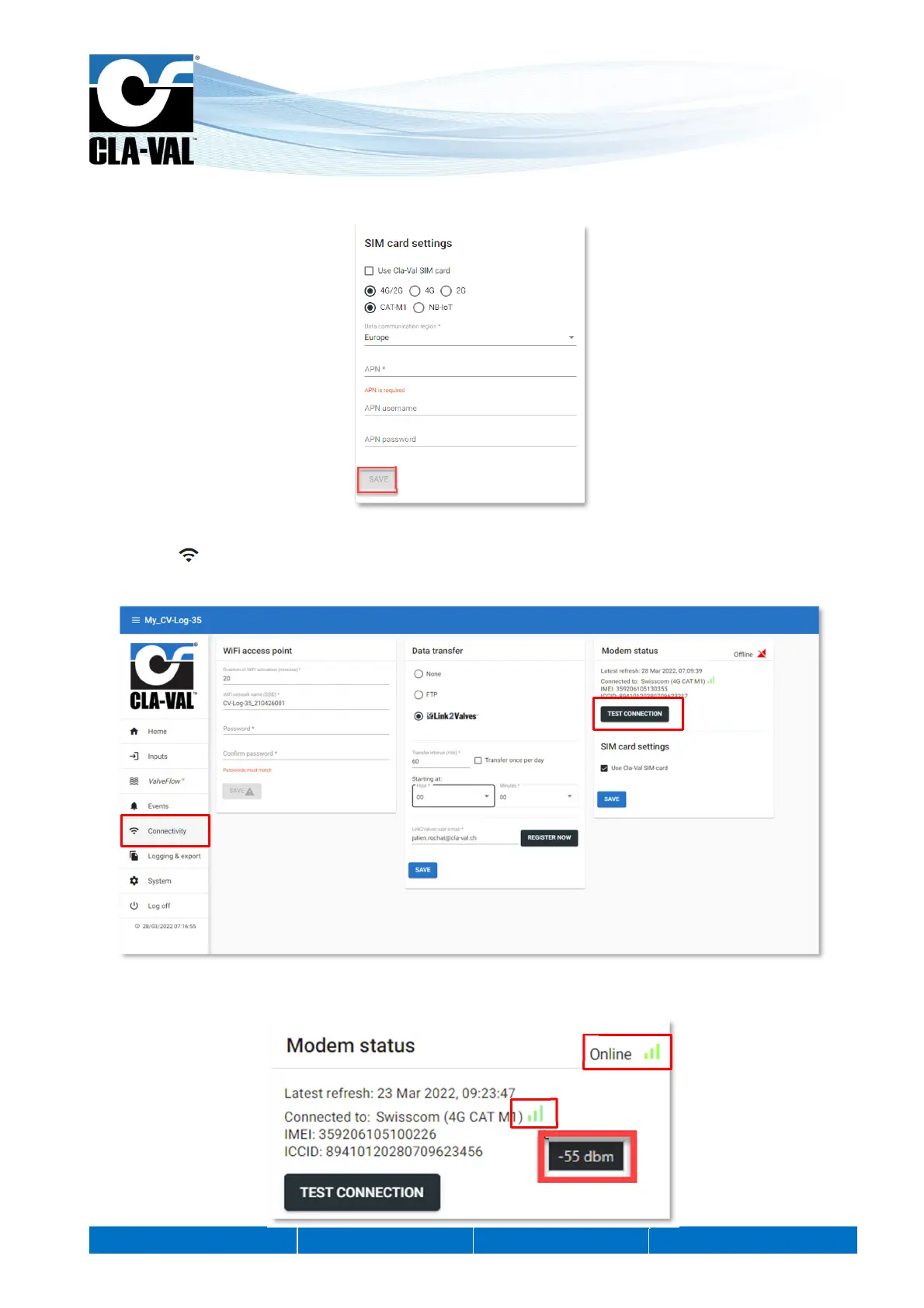
4. Click the "SAVE" button in the "SIM Card Settings" section to apply the configuration.
9.8 CHECKING THE QUALITY OF THE NETWORK (COMMUNICATION OPTION)
1. Click on " Connectivity".
2. Click on the button "TEST CONNECTION".
3. Wait until the mode is online and refresh the page (F5).
4. Check the dBm value by hovering over the network quality icon.
4.
1.
2.
3.
4.



 To Next Page