CLA-VAL CV-Log-35
Communicating Data Logger
CLA-VAL Europe www.cla-val.ch cla-val@cla-val.ch 14 - CLOG35UE A 07/22
© Copyright CLA-VAL Europe - Specifications subject to change without notice - no contractual illustrations. Reduce your waste - Sort your rubbish
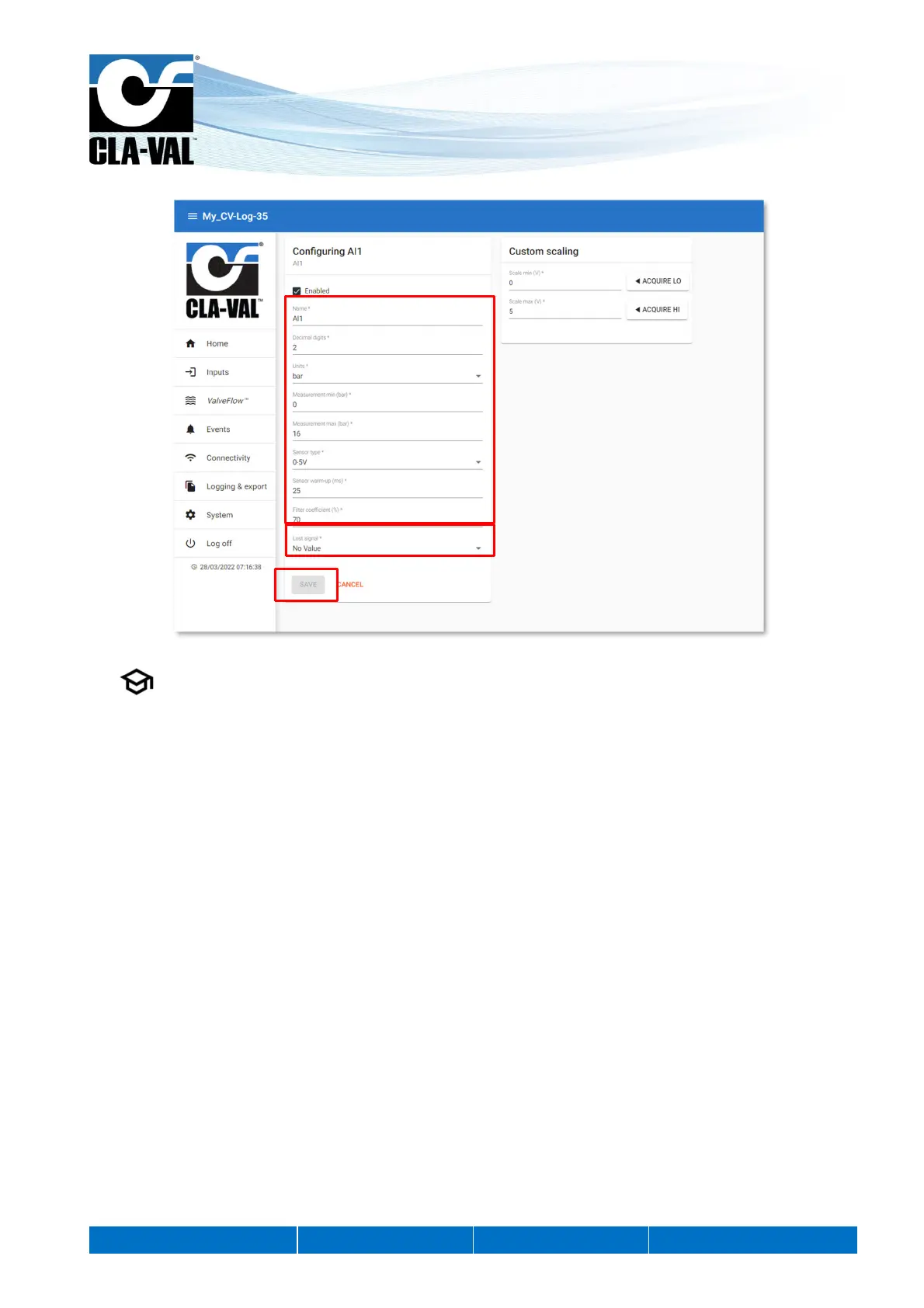
4. On the configuration page of the desired input, you can change the name and configure the sensor settings.
5. , "Lost Signal" drop-down menu allows to configure an action when the sensor signal is lost. For example, when
the ratiometric sensor voltage is less than 0.5 V.
You have the choice between:
- No Value
- A default Value
- The last Value
6. When done, click "SAVE" to apply your changes.
5.
4.
6.


 To Next Page