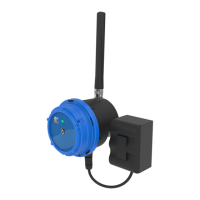
CLA-VAL CV-Log-35
Communicating Data Logger
CLA-VAL Europe www.cla-val.ch cla-val@cla-val.ch 9 - CLOG35UE A 07/22
© Copyright CLA-VAL Europe - Specifications subject to change without notice - no contractual illustrations. Reduce your waste - Sort your rubbish
5.3.5 NETWORK QUALITY BETWEEN -80 dBm and -95 dBm
If the signal quality at the valve level is between -80 dBm and -95 dBm, check if the CV-Log-35 can be installed closer to the
well opening, while maintaining a maximum distance of 1.5 m to the pressure sensors. If this is not possible, an antenna
extension with optional CLA-VAL antenna extension cables might be necessary.
5.3.6 NETWORK QUALITY LESS THAN -95 dBm
If the signal quality at the valve level is lower than -95 dBm, it is required to deport the antenna outside of the well.
Please contact CLA-VAL for more information.
6 CONNECTION
The cable glands are designed for cables between 4 mm and 6 mm diameter. Water intrusion may occur if sensors
with cable diameters outside of this range are used.
6.1 PULSE COUNTING
Note:
Refer to the meter manufacturer’s product information for complete information about functionality and connectivity
information.
The counter contact ("Normally Open" or "Normally Closed") must be connected between Tx/Cnt and GND (refer to
CVLog3500 wiring diagram).
7 SIM CARD
7.1 PREPARING THE SIM CARD
A 3FF/Micro-SIM format SIM card is necessary for data communication compatible with LTE cat-M1, NB-IoT, or GPRS.
CLA-VAL can optionally provide SIM card. If another SIM card than the one supplied by CLA-VAL is used refer to chapter
9.7 « Custom SIM Card » for configuration.
7.2 INSERTING THE SIM CARD
Insert the SIM card with the golden contacts downwards into the card holder. Refer to Figure 2 - Chapter 2 « CV-Log-35
Characteristics » and the symbol printed on the CV-Log-35 for correct SIM card orientation. The SIM card must be
completely inserted into the card holder. If the card is overlapping the card holder after insertion, remove it and check the
card’s orientation.
8 STARTING OPERATION
If the CV-Log-35 model implements an internal battery, ensure it is connected to the battery connector on the electronic card
(Figure 2 - Chapter 2 «CV-Log-35 Characteristics»).



 To Next Page