CLA-VAL CV-Log-35
Communicating Data Logger
CLA-VAL Europe www.cla-val.ch cla-val@cla-val.ch 20 - CLOG35UE A 07/22
© Copyright CLA-VAL Europe - Specifications subject to change without notice - no contractual illustrations. Reduce your waste - Sort your rubbish
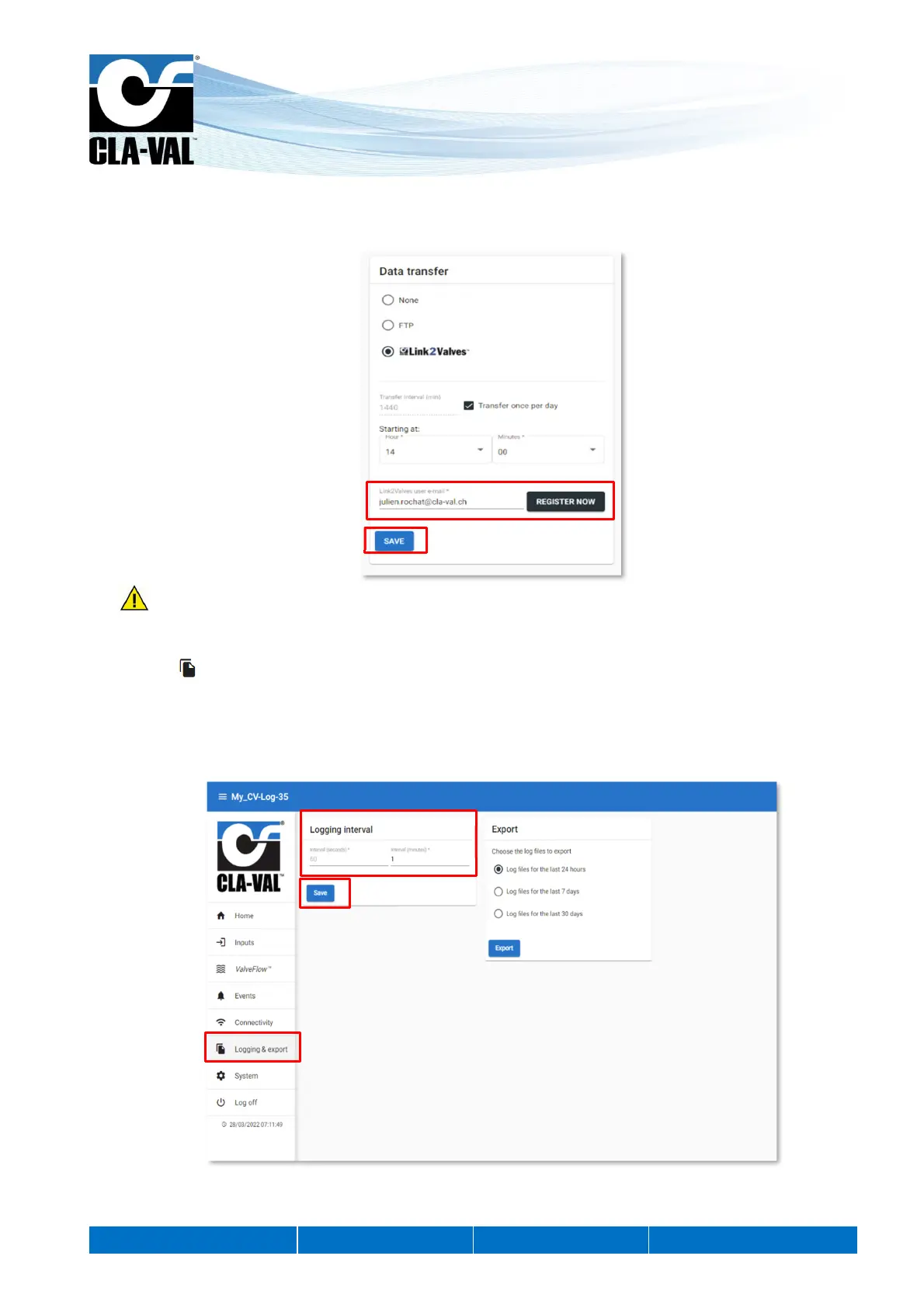
4. Associate the CV-Log-35 unit with your Link2Valves user account. First, enter the email address of your Link2Valves
account. If you do not have one, please contact CLA-VAL to get one for free. Then click on "REGISTER NOW" and wait
for the message "Success! ".
5. Don't forget to click "SAVE" for your changes to take effect.
9.10 LOGGING SETTING
1. Click on " Logging & export" menu to access the corresponding configuration page.
2. Choose a recording interval. This interval manages the periodic recording of all activated inputs.
3. Click "Save" to apply the changes.
1.
2.
3.
4.
5.



 To Next Page