49
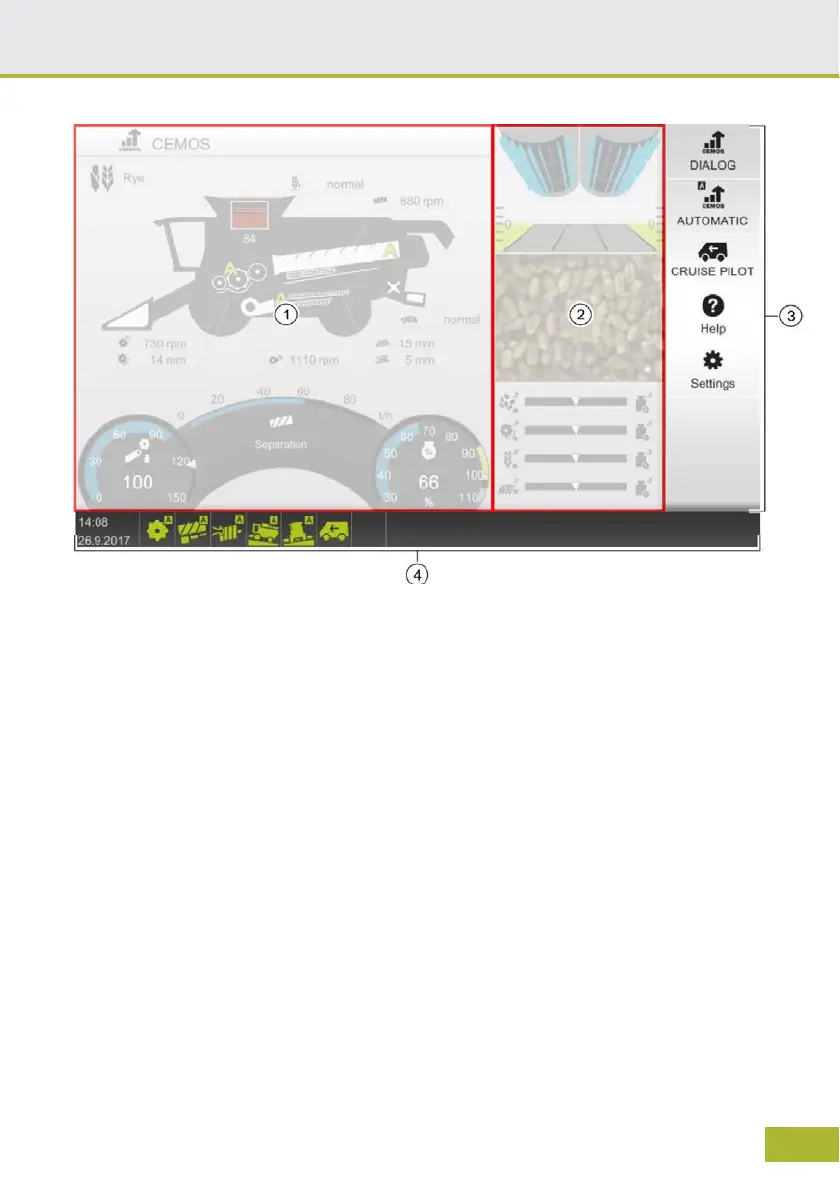
1. Main display
2. Additiondisplay
3. Main menu
4. Status bar
Touch the screen in thee area to be selected. Once
selected the function is displayed
Displays various machine parameters. If a function
is selected then the function contents are displayed.
Select the menu to be adjusted
What is active and not active
EASY: CEMOS CONTROLS


 To Next Page