EasyManua.ls Logo

Clack Valves WS1.5 - User Manual

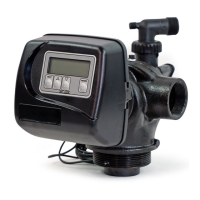
Clack Valves WS1.5
52 pages
Print Icon
To Next Page IconTo Next Page
Loading...
Water Specialist
1.5”, 2” and 2”QC Control Valve
Drawings and Service Manual
HYDROCARBONS SUCH AS KEROSENE, BENZENE, GASOLINE, ETC., MAY DAMAGE
PRODUCTS THAT CONTAIN O-RINGS OR PLASTIC COMPONENTS. EXPOSURE TO
SUCH HYDROCARBONS MAY CAUSE THE PRODUCTS TO LEAK. DO NOT USE THE
PRODUCT(S) CONTAINED IN THIS DOCUMENT ON WATER SUPPLIES THAT CONTAIN
HYDROCARBONS SUCH AS KEROSENE, BENZENE, GASOLINE, ETC.

Questions and Answers

  • J
    Jamie RussellAug 22, 2025
    How to troubleshoot no display on Clack Valves WS1.5 PC board?
    • Y
      ymortonAug 22, 2025
      If there is no display on the PC Board of your Clack Valves Water System, consider the following: * There might be no power at the electric outlet. Repair the outlet or use a working one. * The control valve Power Adapter might not be plugged into the outlet or the power cord end might not be connected to the PC board connection. Plug the Power Adapter into the outlet or connect the power cord end to the PC Board connection. * There might be an improper power supply. Verify that the proper voltage is being delivered to the PC Board. * The Power Adapter might be defective. Replace it. * The PC Board might be defective. Replace it.
  • D
    Diana SanchezAug 25, 2025
    Why does my Clack Valves WS1.5 Water System regenerate at the wrong time?
    • M
      Michelle SpearsAug 25, 2025
      If your Clack Valves Water System control valve regenerates at the wrong time, here's what to check: * A power outage may have occurred. Reset the time of day. If the PC Board has a battery back up, the battery may be depleted. * The time of day might not be set correctly. Reset it to the correct time. * The time of regeneration might be set incorrectly. Reset the regeneration time. * The control valve might be set at "on 0" (immediate regeneration). Check the programming setting and reset to NORMAL (for a delayed regen time). * The control valve might be set at "NORMAL + on 0" (delayed and/ or immediate). Check the programming setting and reset to NORMAL (for a delayed regen time).
  • F
    fredmorenoAug 26, 2025
    What causes excessive water in Clack Valves WS1.5 regenerant tank?
    • B
      Bianca JohnsonAug 27, 2025
      If you find excessive water in the regenerant tank of your Clack Valves Water System, consider the following: * Improper program settings. Check the refill setting. * A plugged injector. Remove the injector and clean or replace it. * The drive cap assembly not tightened properly. Re-tighten the drive cap assembly. * A damaged seal/ stack assembly. Replace the seal/ stack. * A restricted or kinked drain line. Check the drain line for restrictions or debris, and/or un-kink the drain line. * A plugged backwash flow controller. Remove the backwash flow controller and clean or replace it. * A missing refill flow controller. Replace the refill flow controller.
  • K
    Kerry BarnettAug 28, 2025
    Why is my Clack Valves Water System control valve using too much regenerant?
    • S
      sarah54Aug 28, 2025
      If the control valve of your Clack Valves Water System is using too much regenerant, consider the following: * Improper refill setting. Check the refill setting. * Improper program settings. Check the program settings to make sure they are specific to the water quality and application needs. * The control valve regenerates frequently. Check for leaking fixtures that may be exhausting capacity, or the system is undersized.
  • T
    Terry AtkinsonAug 29, 2025
    Why doesn't my Clack Valves WS1.5 Water System PC board display the correct time?
    • J
      Jeffrey RobertsAug 29, 2025
      If the PC Board of your Clack Valves Water System isn't showing the correct time, here's what could be wrong: * The Power Adapter might be plugged into an electric outlet controlled by a light switch. Use an uninterrupted outlet. * A breaker switch and/or GFI might have tripped. Reset the breaker switch and/or GFI switch. * There may have been a power outage. Reset the time of day. If the PC Board has a battery back up, the battery may be depleted. * The PC Board might be defective. Replace the PC Board.
  • K
    Kyle FlynnAug 31, 2025
    Why is water constantly running to drain in my Clack Valves Water System?
    • V
      Valerie AcostaAug 31, 2025
      If water is constantly running to the drain in your Clack Valves Water System, it could be due to: * A power outage during regeneration. Once power is restored, the control will finish the remaining regeneration time. Reset the time of day. * A damaged seal/ stack assembly. Replace the seal/ stack assembly. * Piston assembly failure. Replace the piston assembly. * The drive cap assembly not tightened properly. Re-tighten the drive cap assembly.
  • S
    Sabrina AndersonSep 2, 2025
    What causes a Clack Valves Water System control valve to fail to draw in regenerant?
    • A
      alisha36Sep 2, 2025
      If your Clack Valves Water System's control valve isn't drawing in regenerant, check these potential causes: * The injector is plugged. Remove the injector and clean or replace it. * The regenerant piston is faulty. Replace the regenerant piston. * There's a leak in the regenerant line connection. Inspect the regenerant line for an air leak. * The drain line has a restriction or debris causing excess back pressure. Inspect the drain line and clean to correct the restriction. * The drain line is too long or too high. Shorten the length and/or height. * The water pressure is low. Check the incoming water pressure – it must remain at a minimum of 25 psi.
  • B
    Brian BruceSep 4, 2025
    Why is my Clack Valves Water System delivering residual regenerant?
    • R
      Rachel WrightSep 4, 2025
      If your Clack Valves Water System is delivering residual regenerant to the service, consider the following: * Low water pressure. Check the incoming water pressure – it must remain at a minimum of 25 psi. * Incorrect injector size. Replace the injector with the correct size for the application. * Restricted drain line. Check the drain line for restrictions or debris and clean it.
  • W
    William JonesSep 5, 2025
    Why does my Clack Valves Water System display not indicate water flow?
    • M
      Monica GonzalezSep 5, 2025
      If the display on your Clack Valves Water System isn't showing that water is flowing, check these items: * The bypass valve is in the bypass position. Turn the bypass handles to place the bypass in the service position. * The meter isn't connected to the meter connection on the PC Board. Connect the meter to the three-pin connection labeled METER on the PC Board. * The meter turbine is restricted or stalled. Remove the meter and check for rotation or foreign material. * The meter wire isn't installed securely into the three-pin connector. Verify the meter cable wires are securely installed into the three-pin connector labeled METER. * The meter is defective. Replace the meter. * The PC Board is defective. Replace the PC Board.
  • K
    Keith BeanSep 12, 2025
    What does error 1004 mean on Clack Valves WS1.5 Water System?
    • T
      taylorderrickSep 12, 2025
      If your Clack Valves Water System displays error Err – 1004 or Err – 104, indicating the control valve motor ran too long trying to reach the home position, check the following: * Ensure the drive bracket is snapped in properly so that the reduction gears and drive gear interface correctly. Snap the drive bracket in properly, then press the NEXT and REGEN buttons for 3 seconds to resynchronize the software with the piston position, or disconnect the power supply from the PC Board for 5 seconds and then reconnect.

Summary

General Specifications and Pre-Installation Checklist

Installation

General Installation & Service Warnings

General warnings and safety precautions for installation and service of control valves.

System Startup

Service Instructions

Drive Assembly Disassembly and Inspection

Detailed steps for disassembling, inspecting, and reassembling the drive assembly.

Drive Cap Assembly Disassembly and Inspection

Steps for disassembling and inspecting drive cap assemblies for 1.5" and 2" valves.

Main Piston and Regenerant Piston Disassembly and Inspection

Procedure for removing and inspecting main and regenerant pistons.

Injector Cap, Screen, Injector Plug and Injector

Disassembly and inspection guide for injector components.

Troubleshooting Procedures

WS1.5 Regenerant Components

WS1.5 Gen 2 Regenerant Components

WS2 Injector Valve Body, Refill Flow Control and Injector

Injector Details and Specifications

WS1.5 GEN 1 Refill Flow Control Assembly and Refill Port Plug

Injector Flow Rate Graphs (Violet & Red)

Injector Flow Rate Graphs (White, Blue, Yellow)

Injector Flow Rate Graphs (Green, Orange, Gray)

WS2 Injector Flow Rate Graphs (US Units)

WS2 Injector Flow Rate Graphs (Metric Units)

Drain Line Flow Controls

Drain Line Flow Control Washers

Meter Assembly for WS1.5 and WS2 Valves

Motorized Alternating Valve Piston Style Applications

Clack Valves WS1.5 Specifications

General IconGeneral
ModelWS1.5
TypeWater Softener Valve
Operating Pressure20-125 psi
Max Operating Pressure125 psi
Max Operating Temperature110 °F
Valve Body MaterialNoryl
MaterialNoryl
Rinse Flow Rate5 gpm
MeterYes
Connection Size1.5 inches
Meter Size1.5 inches
Drain Line3/4 inches NPT
Brine Line3/8"
Distributor Pilot1.05 inches OD
Valve TypePiston
Backwash Flow Rate25 gpm
Service Flow Rate37 gpm
BypassAvailable
Flow Rate37 gpm
Inlet/Outlet1.5" NPT

Related product manuals