10 ADB340MP/ADB341MP
280-7740-00
Radio Operations
FM reception
For enhanced FM performance the
tuner includes signal actuated
stereo control and Multipath noise reduction cir-
cuits.
Listening to the radio
1. Press the [FNC] button and select the radio
mode.
2. Press the [BND] button and select the radio
band. Each time the button is pressed, the
radio reception band changes in the follow-
ing order:
FM1 ➜ FM2 ➜ FM3 ➜ AM ➜ FM1...
3. Press the [ ] or [ ] button to tune in the
desired station.
Tuning
There are 3 types of tuning mode available, seek
tuning, manual tuning and preset tuning.
Seek tuning
1. Press the [BND] button and select the desired
band (FM or AM).
∗ If “ ” is lit in the display, press and hold
the [BND] button for 1 second or longer. “ ”
in the display goes off and seek tuning is now
available.
2. Press the [ ] or [ ] button to automati-
cally seek to the next station.
When the [ ] button is pressed, the sta-
tion is sought in the direction of higher fre-
quencies; if the [ ] button is pressed, the
station is sought in the direction of lower fre-
quencies.
Manual tuning
There are 2 ways available: Quick tuning and step
tuning.
When you are in the step tuning mode, the fre-
quency changes one step at a time. In quick tun-
ing mode, you can quickly tune the desired fre-
quency.
1. Press the [BND] button and select the desired
band (FM or AM).
∗ If “ ” is not lit in the display, press and hold
the [BND] button for 1 second or longer. “ ”
lights in the display and manual tuning is now
available.
2. Tune into a station.
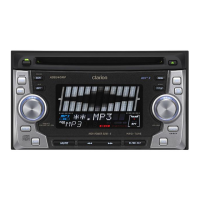
Setting EQ effects to ON/OFF
∗ The factory default setting is “ON”.
1. Press and hold the [EQ] button for 1 second
or longer to turn off the EQ effect. “ ”
goes off in the display.
2. Press and hold the [EQ] button for 1 second
or longer to turn on the EQ effect. “ ”
lights in the display.
Switching the spectrum analyzer
display patterns
You can select one out of 9 patterns or set it to
off.
∗ The factory default setting is “SND BEAT”.
1. Each time you press the [SPE/ANA] button,
the spectrum analyzer display pattern
changes in the following order:
SND BEAT ➜ SND WAVE ➜ SND RISE ➜
SND SNOW ➜ CROSS ➜ EXPAND ➜ HO-
RIZON ➜ SHADOW ➜ S/A SCAN ➜ S/A OFF
➜ SND BEAT...
Note:
The spectrum analyzer display is unavailable dur-
ing these operations below;
• Seek tuning and auto store in radio mode.
• Pause.
• When “NO DISC”, “NO CASS” or an error mes-
sage appears in the display.
• When fast-forwarding, fast-backwarding or paus-
ing the tape in tape mode.
Basic Operations
ADB340/341009-020.Eng 03.12.17, 0:08 PM10



 To Next Page
 Loading...