EasyManua.ls Logo

Clarion M303 - User Manual

Clarion M303
24 pages
Print Icon
To Next Page IconTo Next Page
Loading...
Owner•s
manual
& Installation manual
Mode
d•emploi
et
manuel d
1
installation
Manual
de
instrucciones
y
de
instalaci6n
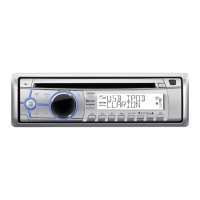
M303
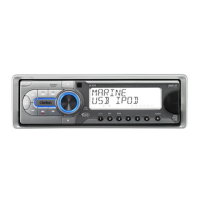
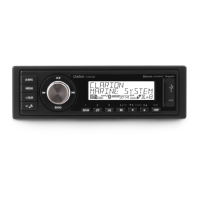
MARINE
Bluetooth®
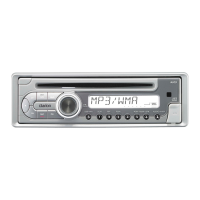
CD/USB/MP3/WMA
RECEIVER
lECTEUR
MARINE
Bluetooth®
CD/USB/MP3/WMA
RECEPTOR
MARINO
Bluetooth®
CD/USB/MP3/WMA

Other manuals for Clarion M303

Questions and Answers

  • V
    Vanessa PerezAug 21, 2025
    Why can't I pair my Bluetooth device with my Clarion Marine Equipment audio system?
    • J
      Joshua SuttonAug 21, 2025
      If you're unable to pair your Bluetooth device with the Clarion Marine Equipment audio system, it could be due to the device not supporting the profiles required for the system. Try connecting with another device. Also, ensure that the Bluetooth function of your device is enabled by referring to its user manual.
  • R
    Roger WongAug 23, 2025
    What to do if my Clarion Marine Equipment unit cannot power on?
    • N
      normanlauraAug 23, 2025
      If your Clarion Marine Equipment unit doesn't power on, the unit fuse or the boat battery fuse may have blown. Replace the blown fuse with a new fuse of the correct rating.
  • E
    Eric AvilaAug 26, 2025
    Why is there no or low audio output from my Clarion M303 Marine Equipment?
    • C
      clayton13Aug 26, 2025
      If you're experiencing no or low audio output from your Clarion Marine Equipment, consider the following: * Check and correct any improper audio output connections. * Increase the volume level if it's set too low. * Replace damaged speakers. * Adjust the channel balance to the center position if it's heavily biased. * Insulate all speaker wiring connections if they are in contact with any metal part of the boat.
  • J
    Jennifer Dunn MDAug 27, 2025
    What to do if the USB device is not recognized by my Clarion M303 Marine Equipment?
    • H
      Hannah PopeAug 27, 2025
      If your Clarion Marine Equipment isn't recognizing the USB device, the USB device might be damaged. Disconnect and reconnect the USB device. If it's still not recognized, try using a different USB device.
  • J
    John MoodyAug 30, 2025
    How to fix poor sound quality or distortion on Clarion Marine Equipment?
    • T
      Thomas MorenoAug 30, 2025
      If you are experiencing poor sound quality or distortion on your Clarion Marine Equipment, there might be several reasons: * If you are using a non-standard disc, use a standard disc. * If the speaker power rating does not match the unit, replace the speakers. * If there are wrong connections, check wiring and correct. * If the speaker is shorted, check wiring and correct.
  • A
    Arthur SpencerSep 1, 2025
    Why is the audio quality poor after connecting to a Bluetooth device on my Clarion M303 Marine Equipment?
    • G
      garcialisaSep 1, 2025
      If the audio quality is poor after connecting a Bluetooth device to your Clarion Marine Equipment, the microphone may not be correctly positioned. Adjust the microphone's position, such as sticking it onto the dashboard close to the driver. Additionally, poor Bluetooth reception could be the cause. Try moving the device closer to the audio system or remove any obstacles between them.
  • J
    Jennifer LopezSep 3, 2025
    What to do if the USB device cannot be inserted into Clarion Marine Equipment?
    • K
      kristenpageSep 3, 2025
      If the USB device cannot be inserted into your Clarion Marine Equipment, it may be because the USB device has been inserted in the wrong direction. Try reversing the connection direction of the USB device and try again. If that doesn't work, the USB connector might be broken; replace it with a new USB device.
  • D
    David PayneSep 5, 2025
    What to do if my Clarion Marine Equipment unit cannot power on and nothing happens when buttons are pressed?
    • B
      Brenda HendersonSep 5, 2025
      If your Clarion Marine Equipment unit cannot power on, nothing happens when buttons are pressed, and the display is not accurate, the microprocessor may have malfunctioned due to noise. Turn off the power and remove the DCP. Press the [RESET] button with a thin rod. Note: When the [RESET] button is pressed, turn off the ACC power. When the [RESET] button is pressed, frequencies of radio stations, titles, etc. stored in memory are cleared.
  • S
    Seth MelendezSep 7, 2025
    What to do if the Clarion M303 display shows “No File” and no sound is heard?
    • V
      vmillerSep 8, 2025
      If your Clarion Marine Equipment displays “No File” and no sound is heard, it means that no MP3/WMA file is stored in the USB device. Store these files properly in the USB device.
  • S
    Samantha FarmerSep 9, 2025
    Why does the sound skip or is noisy on my Clarion Marine Equipment when playing MP3/WMA files?
    • T
      terrytylerSep 9, 2025
      If the sound skips or is noisy on your Clarion Marine Equipment when playing MP3/WMA files, it might be because the MP3/WMA files are not encoded properly. Use MP3/WMA files encoded properly.

Summary

1. FEATURES

2. PRECAUTIONS

General Safety and Operation Precautions

Provides essential safety guidelines for operating the unit and preventing damage.

3. CONTROLS

Operational Panel and Button Descriptions

Illustrates the unit's operational panel and provides detailed descriptions of all buttons.

4. CAUTIONS ON HANDLING

5. OPERATIONS

Basic Operations

Covers fundamental functions like power, volume, source selection, display, and reset.

System Setup

Details how to configure various settings including clock, radio, AUX, and Bluetooth.

Audio Setup

Radio Operations

SiriusXM Satellite Radio Operations

SiriusXM Replay Function

Details the function to pause, rewind, and replay live SiriusXM Satellite Radio.

CD;MP3;WMA Operations

USB Operations

iPod & iPhone Operations

Pandora Internet Radio Features

Guides on listening to Pandora, station selection, navigation, thumbs, and bookmarking.

Bluetooth Operations

Call Management and Phonebook

Covers making calls, receiving calls, redialing, call transfer, and phonebook access.

6. TROUBLE SHOOTING

General Problems and Solutions

Addresses common issues like power, display, audio output, and unit resets.

Disc Player Troubleshooting

Provides solutions for disc loading errors, skipping, and noisy playback.

7. ERROR DISPLAYS

Troubleshooting Error Messages

Explains common error codes like ERROR 3 and ERROR 5 and their solutions.

8. SPECIFICATIONS

9. INSTALLATION; WIRE CONNECTION GUIDE

Installation Preparation and Cautions

Covers pre-installation steps, package contents, and general installation cautions.

Installing the Source Unit

Step-by-step instructions for installing the main unit into the vehicle dashboard.

Wiring and Connections

CLARION GARANTIE LIMITÉE DE 1 AN CLARION

Warranty Conditions and Limitations

Outlines the terms, conditions, and limitations of the limited warranty for Canada and USA.

CLARION 1 YEAR LIMITED WARRANTY

Warranty Terms and Conditions

Details the limited warranty for USA and Canada, including coverage and exclusions.

Clarion M303 Specifications

General IconGeneral
TunerAM/FM
BluetoothYes
Display TypeLCD
CD PlayerNo
MP3 PlaybackYes
WMA PlaybackYes
USB InputYes
Auxiliary InputYes
CompatibilityiPod/iPhone
Conformal Coated PCBYes
TypeMarine Stereo
RCA Output2 Channel
Power Output200W (50W x 4)

Related product manuals