EasyManua.ls Logo

Clarion CMD6 - User Manual

Clarion CMD6
45 pages
Print Icon
To Next Page IconTo Next Page
Loading...
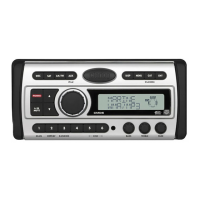
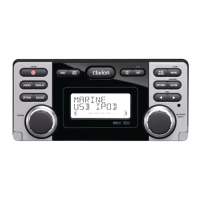
WATERTIGHT MARINE CD/USB RECEIVER
WITH CeNET CONTROL
LECTEUR MARINE ÉTANCHE CD/USB AVEC
COMMANDE CeNET
RECEPTOR CD/USB MARINO CON CONTROL
CeNET, HERMÉTICO
LETTORE CD/RICEVITORE USB MARINO IMPERMEABILE
CON COMANDO CeNET
CMD6
Owner’s manual
Mode d’emploi
Manual de instrucciones
Istruzioni per l’uso

Other manuals for Clarion CMD6

Questions and Answers

  • M
    Melissa RobertsAug 19, 2025
    What to do if there is no sound heard from my Clarion CMD6 Marine Equipment?
    • T
      trujilloaprilAug 19, 2025
      If your Clarion Marine Equipment isn't producing sound, first, reduce the sound volume. This issue can occur when the speaker protection circuit is activated. If this doesn't work, try turning the power off and on again. Note that the speaker volume reduces automatically when the speaker protection circuit operates. If the sound is still muted, it is recommended to consult our service department.
  • M
    Michelle LeeAug 21, 2025
    How to fix a Clarion Marine Equipment when the power does not turn on?
    • D
      David ThomasAug 21, 2025
      If your Clarion Marine Equipment isn't turning on and you're not getting any sound, it could be due to a blown fuse. Replace the fuse with one of the same amperage. If the fuse blows again, it's recommended to consult your store of purchase. Another possible cause is incorrect wiring, in which case you should also consult your store of purchase.
  • M
    mooreglendaAug 23, 2025
    What to do if my Clarion CMD6 Marine Equipment doesn’t recognize a device?
    • D
      David HughesAug 25, 2025
      If your Clarion Marine Equipment is not recognizing the device, disconnect it and reconnect it. If it is still not recognized, try replacing it with a different device. This may be due to the device being damaged, loose connectors, or a communication fault caused by the operation of the device.
  • M
    mclarkAug 26, 2025
    Why is there no sound output from my Clarion Marine Equipment with amplifiers or power antenna?
    • M
      Megan ChaseAug 26, 2025
      If you are experiencing no sound output from your Clarion Marine Equipment when using amplifiers or a power antenna, the power antenna lead may be shorted to ground, or excessive current may be required for remote-on the amplifiers or power antenna. Here’s what to do: 1. Turn the unit off. 2. Remove all wires attached to the power antenna lead and check each wire for a possible short to ground using an ohm meter. 3. Turn the unit back on. 4. Reconnect each amplifier remote wire to the power antenna lead one by one. If the amplifiers turn off before all wires are attached, use an external relay to provide remote-on voltage.
  • D
    daviscourtneyAug 28, 2025
    Why does my Clarion CMD6 have no sound when playing a disc?
    • P
      Patricia LevyAug 28, 2025
      If your Clarion Marine Equipment isn't playing sound and you suspect it's due to the files on a disc, ensure that you write MP3/WMA/AAC files onto the disc properly. Also, verify that the files are encoded properly as MP3/WMA/AAC files. Lastly, confirm that you are using ISO9660 level 1, 2 or JOLIET or Romeo or APPLE ISO file system.
  • J
    Jordan ColeAug 30, 2025
    How to fix sound skips or noise in my Clarion CMD6?
    • R
      Robert PerkinsAug 30, 2025
      If your Clarion Marine Equipment is skipping or producing noisy sound, the compact disc may be dirty. Clean the compact disc with a soft cloth. If the compact disc is heavily scratched or warped, replace it with one that has no scratches.
  • T
    tlivingstonSep 1, 2025
    Why is my Clarion Marine Equipment showing the wrong filename?
    • K
      Kathy MartinSep 1, 2025
      If your Clarion Marine Equipment displays the wrong filename, it may be due to an incorrect file system. Use ISO9660 level 1, 2 or JOLIET or Romeo or APPLE ISO file system.
  • C
    Colleen FisherSep 3, 2025
    Why is there no sound from my Clarion Marine Equipment when using a device?
    • C
      Curtis LeeSep 3, 2025
      If your Clarion Marine Equipment has no sound and you're using a device, make sure you record MP3/WMA/AAC files properly to the device and use only properly encoded MP3/WMA/AAC files. Also, check the connectors to ensure they are securely connected. If you're using a USB portable music player, it may be consuming too much current, causing the unit’s overcurrent protection circuit to stop playback; in this case, check the operation of the portable music player.
  • S
    Samuel CampbellSep 5, 2025
    What causes interrupted or noisy sound in Clarion CMD6?
    • M
      Mark MaciasSep 5, 2025
      If the sound from your Clarion Marine Equipment is interrupted or has noise, it may be because the MP3/WMA/AAC files are improperly encoded. Ensure that you use only properly encoded MP3/WMA/AAC files.
  • W
    William JoyceSep 8, 2025
    Why does my Clarion CMD6 sound bad right after I turn it on?
    • J
      Jamie AyalaSep 8, 2025
      If the sound quality from your Clarion Marine Equipment is poor immediately after turning it on, it may be due to water droplets forming on the internal lens in a humid environment. Let the unit dry for about 1 hour with the power on.

Summary

Product Features

Safety and Regulatory Precautions

Safety and Compliance Warnings

Covers essential safety warnings, laser product classification, and FCC compliance.

Unit Controls and Button Functions

Remote Control Operation

Basic Unit Operations

Basic Operation Guide

Covers fundamental operations like power, mode selection, volume, and display.

Radio Tuning and Management

SIRIUS Satellite Radio Functions

CD;MP3;WMA;AAC File Operations

File Compatibility and Creation Precautions

Details requirements for MP3/WMA/AAC files and precautions for creating them.

Accessories and USB;MTP Operations

USB;MTP Device Operation

Explains how to operate USB memory and MTP devices.

iPod Connectivity and Operations

XM Satellite Radio Guide

Troubleshooting Common Issues

General Troubleshooting Guide

Addresses common issues like no power, no sound, and display errors.

Error Display Codes

Error Code Explanations and Solutions

Lists common error displays and their causes and solutions.

Technical Specifications

Product Specifications Summary

Provides detailed technical data for tuners, CD player, audio, and general features.

Installation Guide: Before You Begin

Initial Installation Preparations

Provides initial instructions and cautions before installing the unit.

Installing the Main Unit

Wiring Cautions and System Diagrams

Wire Connections and Rear Layout

Rear Layout and Cable Mapping

Shows rear panel connections and a detailed table of wire functions.

Clarion CMD6 Specifications

General IconGeneral
BrandClarion
ModelCMD6
CategoryMarine Equipment
LanguageEnglish

Related product manuals