EasyManua.ls Logo

Clarion CMD6 - User Manual

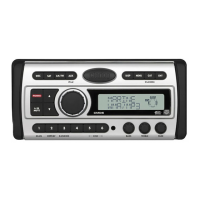
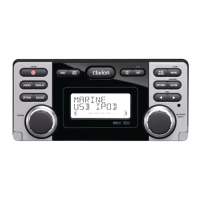
Clarion CMD6
45 pages
Print Icon
To Next Page IconTo Next Page
Loading...
WATERTIGHT MARINE CD/USB RECEIVER
WITH CeNET CONTROL
LECTEUR MARINE ÉTANCHE CD/USB AVEC
COMMANDE CeNET
RECEPTOR CD/USB MARINO CON CONTROL
CeNET, HERMÉTICO
LETTORE CD/RICEVITORE USB MARINO IMPERMEABILE
CON COMANDO CeNET
CMD6
Owner’s manual
Mode d’emploi
Manual de instrucciones
Istruzioni per l’uso

Other manuals for Clarion CMD6

Questions and Answers

  • B
    Brandon GarciaSep 9, 2025
    Why does my Clarion CMD6 Marine Equipment cut or skip sound, or generate noise?
    • S
      Stephen ThomasSep 10, 2025
      If your Clarion Marine Equipment is cutting or skipping sound, or generating noise, it might be because the MP3/WMA/AAC files are not encoded properly. Make sure to use MP3/WMA/AAC files encoded properly.
  • A
    alex35Sep 12, 2025
    What to do if buttons don't work and the display is inaccurate on my Clarion CMD6?
    • M
      Michael HudsonSep 12, 2025
      If nothing happens when you press the buttons on your Clarion Marine Equipment and the display is inaccurate, the microprocessor may have malfunctioned due to noise or other factors. Turn off the power, then press the [OPEN] button Reset and remove the DCP. Press the reset button for about 2 seconds with a thin rod. If the RESET button is pressed when a disc is loaded, please eject the disc and load it once again before attempting to play it.
  • M
    Mrs. Ashley GonzalezSep 14, 2025
    Why can’t I insert the device into my Clarion Marine Equipment?
    • J
      Joseph StoneSep 14, 2025
      If you can’t insert the device into your Clarion Marine Equipment, it may be because the device has been inserted improperly. Try reversing the connection direction of the device (usually the brand name surface should be facing left). If the connector is broken, replace it with a new device.
  • G
    Gregory WhiteSep 16, 2025
    How to clean DCP or main unit connectors on Clarion Marine Equipment?
    • J
      Jessica FitzgeraldSep 16, 2025
      To clean dirty DCP or main unit connectors on your Clarion Marine Equipment, wipe the dirt off with a soft cloth moistened with cleaning alcohol.

Summary

Product Features

Safety and Regulatory Precautions

Safety and Compliance Warnings

Covers essential safety warnings, laser product classification, and FCC compliance.

Unit Controls and Button Functions

Remote Control Operation

Basic Unit Operations

Basic Operation Guide

Covers fundamental operations like power, mode selection, volume, and display.

Radio Tuning and Management

SIRIUS Satellite Radio Functions

CD;MP3;WMA;AAC File Operations

File Compatibility and Creation Precautions

Details requirements for MP3/WMA/AAC files and precautions for creating them.

Accessories and USB;MTP Operations

USB;MTP Device Operation

Explains how to operate USB memory and MTP devices.

iPod Connectivity and Operations

XM Satellite Radio Guide

Troubleshooting Common Issues

General Troubleshooting Guide

Addresses common issues like no power, no sound, and display errors.

Error Display Codes

Error Code Explanations and Solutions

Lists common error displays and their causes and solutions.

Technical Specifications

Product Specifications Summary

Provides detailed technical data for tuners, CD player, audio, and general features.

Installation Guide: Before You Begin

Initial Installation Preparations

Provides initial instructions and cautions before installing the unit.

Installing the Main Unit

Wiring Cautions and System Diagrams

Wire Connections and Rear Layout

Rear Layout and Cable Mapping

Shows rear panel connections and a detailed table of wire functions.

Clarion CMD6 Specifications

General IconGeneral
BrandClarion
ModelCMD6
CategoryMarine Equipment
LanguageEnglish

Related product manuals