EasyManua.ls Logo

Clarion CMD8 - User Manual

Clarion CMD8
19 pages
Print Icon
To Next Page IconTo Next Page
Loading...
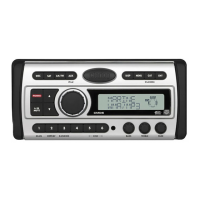
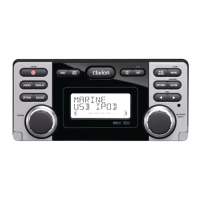
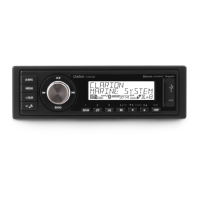
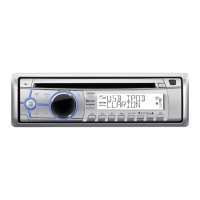
WATERTIGHT MARINE CD/USB/MP3/WMA RECEIVER
LECTEUR MARINE ÉTANCHE CD/USB/MP3/WMA
RECEPTOR CD/USB/MP3/WMA MARINO, HERMÉTICO
Owner's manual & Installation manual
Mode d'emploi et manuel d'installation
Manual de instrucciones y de instalación
CMD8

Questions and Answers

  • K
    kmacdonaldSep 23, 2025
    Why is the sound bad when my Clarion Marine Audio is first turned on?
    • M
      Mr. Brian Blake DVMSep 23, 2025
      If the sound is bad when the power is first turned on, condensation may have formed on the internal lens. Let the unit dry for about 1 hour with the power on.
  • J
    James CollierAug 23, 2025
    What to do if my Clarion CMD8 unit can't power on?
    • R
      Raymond PetersonAug 25, 2025
      If your Clarion Marine Equipment unit won't power on, start by replacing the unit fuse with a new fuse of the correct rating. If that doesn't solve the issue, check and replace the boat battery fuse with a new one of the correct rating.
  • T
    Thomas MaloneAug 25, 2025
    Why is there no or low audio output from my Clarion Marine Equipment?
    • S
      Sean WalkerAug 26, 2025
      If you're experiencing no or low audio output from your Clarion Marine Equipment, there are several things to check: * Ensure the audio output connection is properly wired and correct any issues. * Increase the volume level if it's set too low. * If the speakers are damaged, replace them. * Adjust the channel balance to the center position if it's heavily biased. * Make sure the speaker wiring isn't in contact with any metal parts of the boat; if it is, insulate the connections.
  • L
    Laurie TrujilloAug 26, 2025
    Why is the sound quality poor or distorted on my Clarion Marine Equipment?
    • L
      lauren55Aug 27, 2025
      If your Clarion Marine Equipment exhibits poor sound quality or distortion, consider these potential causes: 1. The disc used might be non-standard; try using a standard disc. 2. The speaker power rating might not match the unit; consider replacing the speakers. 3. There might be wrong connections or a shorted speaker; in this case, check the wiring and correct any issues.
  • D
    David Smith IIAug 27, 2025
    What to do if sound skips or is noisy on Clarion CMD8 Marine Equipment?
    • B
      Barbara CollinsAug 27, 2025
      If the sound skips or is noisy on your Clarion Marine Equipment, the compact disc may be dirty. Clean the compact disc with a soft cloth. Alternatively, the compact disc may be heavily scratched or warped. Replace it with a compact disc with no scratches.
  • S
    Steve CurrySep 17, 2025
    Why does my Clarion Marine Audio sound skip or is noisy with CDs?
    • I
      itaylorSep 18, 2025
      If the sound skips or is noisy when playing CDs, the compact disc may be dirty. Clean the compact disc with a soft cloth. Alternatively, the compact disc may be heavily scratched or warped; replace it with one that has no scratches.
  • K
    Karina WrightSep 14, 2025
    What to do if my Clarion Marine Audio disc cannot be loaded?
    • W
      Wendy WolfSep 14, 2025
      If a disc cannot be loaded, it may be because another disc is already loaded. Eject the current disc before loading a new one. Alternatively, there may be an object inside the unit; remove it.
  • M
    Maria SheltonSep 15, 2025
    Why won't my Clarion Marine Audio USB device insert?
    • S
      Stephanie HernandezSep 16, 2025
      The USB device may not insert if it is inserted in the wrong direction. Try reversing the connection direction. Also, the USB connector may be broken, in which case you should replace it with a new USB device.
  • M
    Megan BrownSep 6, 2025
    What to do if there is no audio output from my Clarion Marine Audio?
    • P
      paulahardingSep 6, 2025
      If you experience no or low audio output, consider the following: * Check the wiring and correct any improper audio output connections. * Increase the volume level if it is set too low. * Replace the speakers if they are damaged. * Adjust the channel balance to the center position if the volume balance is heavily biased. * Insulate all speaker wiring connections if the speaker wiring is in contact with a metal part of the boat.
  • F
    fpayneSep 3, 2025
    What to do if there is no sound heard with the display “No File” shown on Clarion CMD8?
    • C
      Christine StuartSep 3, 2025
      If you hear no sound and the display shows “No File” on your Clarion Marine Equipment, it's likely that no MP3/WMA files are stored on the USB device. Ensure that these files are properly stored on the USB device.

Summary

Features Overview

Precautions and Warnings

General Safety and Operational Precautions

Covers warnings related to driving, moisture, disc handling, and product care.

Controls and Panel Layout

Operational Panel and Front Panel Cautions

Diagram of controls, front panel generalities, and related safety cautions.

USB Port Information

Details on connecting and using USB memory devices.

Unit Button Descriptions

Detailed descriptions of each button on the unit's operational panel.

Handling and Care

Disc Handling, Storage, and Cleaning

Guidelines for handling, cleaning, and storing discs to prevent damage.

Operations Guide

Basic Operations and Controls

Covers power control, volume adjustment, source selection, and basic functions.

System and Audio Setup

Configuration options for clock, display, sound, equalizer, and audio settings.

Radio Operations

Tuning, storing, and managing radio stations.

SiriusXM Satellite Radio Operations

Instructions for tuning, managing, and using SiriusXM satellite radio.

CD;MP3;WMA Operations

Playback functions for CDs, MP3, and WMA files.

USB Device Operations

Connecting and operating USB devices for music playback.

iPod & iPhone Operations

Connecting and operating iPod and iPhone devices.

AUX Input Operations

Connecting and adjusting external audio sources via AUX input.

Troubleshooting

Troubleshooting Common Issues

Lists common problems and their solutions for general, USB, and SiriusXM issues.

Error Displays and Specifications

Installation and Wiring Guide

Preparation and Safety

Initial steps, battery disconnection, and general cautions before installation.

Installation Cautions and Mounting

Guidelines for mounting the unit, including angle and screw usage.

Wiring and Connection Guide

Instructions for wiring the unit, including sample systems and accessory connections.

Clarion CMD8 Specifications

General IconGeneral
Tuner typeDigital
AM band range530 - 1710 kHz
FM band range87.9 - 107.9 MHz
Supported radio bandsAM, FM
Frequency range20 - 20000 Hz
Optical drive typePlayer
Cassette deckNo
EqualizerYes
Audio formats supportedMP3, WMA
Display typeLCD
Product colorBlack, Silver
Power source-
DC input voltage14.4 V
USB 2.0 ports quantity1
RMS rated power- W
Weight and Dimensions IconWeight and Dimensions
Depth168.3 mm
Width181 mm
Height50.8 mm
Weight2068.38 g

Related product manuals