EasyManua.ls Logo

Clarion CMS20 - User Manual

Clarion CMS20
59 pages
Print Icon
To Next Page IconTo Next Page
Loading...
OWNER’S MANUAL & INSTALLATION MANUAL
MODE D’EMPLOI ET MANUEL D’INSTALLATION
MANUAL DE USUARIO Y MANUAL DE INSTALACIÓN
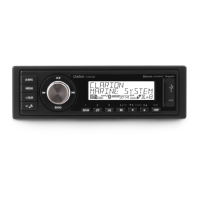
MARINE BLACK BOX SOURCE UNIT WITH DISPLAY CONTROLLER
UNITÉ DE SOURCE DE BOÎTE NOIRE MARINE AVEC CONTRÔLEUR D'AFFICHAGE
UNIDAD DE FUENTE DE CAJA NEGRA MARINA CON CONTROLADOR DE PANTALLA
CMS20

Table of Contents

Questions and Answers

  • B
    Bobby JohnsonAug 2, 2025
    What to do if I cannot pair my Bluetooth device with Clarion CMS20 Marine Equipment?
    • C
      Curtis LoweryAug 2, 2025
      If you're having trouble pairing your Bluetooth device with your Clarion Marine Equipment audio system, here are a couple of things to consider: * First, the device might not support the profiles required for the system, so try using another device to connect. * Second, the Bluetooth function of your device might not be enabled; refer to its user manual for instructions on how to enable it.
  • N
    Nichole DudleyAug 8, 2025
    How to reset Clarion CMS20 Marine Equipment controller that is not responding?
    • M
      Michael SloanAug 8, 2025
      If the controller for your Clarion Marine Equipment is not responding, it could be that the built-in internal processor isn't working correctly. To resolve this, press the RESET button using a ball point pen.
  • E
    Erin ChandlerAug 12, 2025
    Why is there no sound coming from my Clarion CMS20?
    • J
      Jesse RoyAug 12, 2025
      If your Clarion Marine Equipment isn't producing any sound, there might be a couple of things to check. First, make sure the volume isn't set too low; try increasing it to a level you can hear. Also, double-check that all the wiring connections are correct, as improper wiring can also cause a lack of sound.
  • H
    hornekaylaAug 17, 2025
    How to turn on Clarion CMS20 Marine Equipment if it is not powering on?
    • R
      Ryan HartAug 17, 2025
      If your Clarion Marine Equipment unit won't power on, the issue might be with the vessel's accessory switch. If your power supply is correctly connected to the vessel’s accessory terminal, make sure the ignition key is switched to the “ACC” position.
  • C
    Charles RandallAug 23, 2025
    Why is Clarion CMS20 Marine Equipment auto seek not finding stations?
    • M
      Madison LoweAug 23, 2025
      If the auto seek function on your Clarion Marine Equipment isn't finding any stations, it could be due to a couple of reasons. First, check that the antenna cable is securely inserted. If it is, the signals might be too weak, in which case you should try selecting a station manually.
  • A
    Angel RiceAug 27, 2025
    What to do if Clarion Marine Equipment audio quality is poor via Bluetooth?
    • N
      Natalie McculloughAug 28, 2025
      If the audio quality is poor after connecting your Bluetooth-enabled device to your Clarion Marine Equipment, the Bluetooth reception might be weak. Try moving the device closer to the audio system or removing any obstacles between the device and the system.

Summary

Precautions

Controls

Button Functions Explained

Display Controller Button Functions

Detailed explanation of button operations for display controller.

Black Box Button Functions

Detailed explanation of button operations for black box.

Basic Operation

Radio (AM;FM) Operation

Weather Band Operation

SiriusXM Satellite Radio Operations

USB Mode Operation

iPod;iPhone Mode Operation

AUX Operation

Bluetooth Operation

Audio Streaming Operations

Explanation of audio streaming and its operation.

Troubleshooting

General Problems

Common issues and solutions for the unit's general operation.

Bluetooth Problems

Common issues and solutions for Bluetooth connectivity.

SiriusXM Advisory Messages

Explanations of advisory messages from SiriusXM.

Specifications

FM Tuner Specifications

Technical specifications for the FM tuner.

AM Tuner Specifications

Technical specifications for the AM tuner.

Installation and Wire Connection

Installation Cautions

Warnings and considerations during the installation process.

Black Box Installation

Wire Connection

Clarion CMS20 Specifications

General IconGeneral
AmplifierBuilt-in
Impedance4 Ohms
DisplayLCD
BluetoothYes
USB Ports1
Audio Formats SupportedMP3, WMA, AAC
SourceBluetooth, USB, AUX
AUXYes
Mounting Depth3.46" (88mm)

Related product manuals