English
5 RG-9451S
.
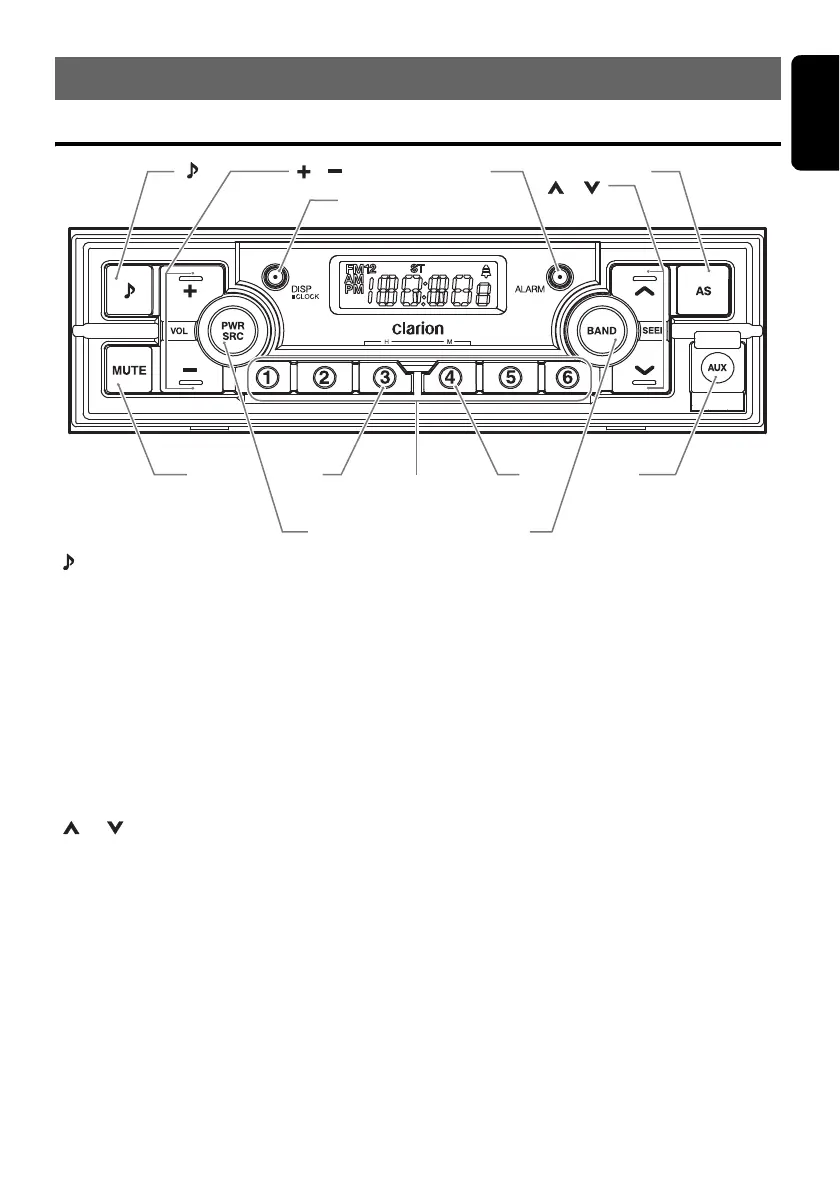
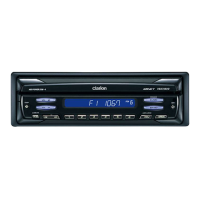
Names of the Buttons and Their Main Functions
[ ] button
• Press to switch to the audio adjust mode.
[+], [–] button
• Press to adjust the volume.
[DISP/CLOCK] button
• Press to switch the display.
• Press and hold (2 sec.) to switch to the clock
setting mode.
[ALARM] button
• Press to turn alarm on/off.
• Press and hold (2 sec.) to switch to the alarm
setting mode.
[], [] buttons
• Press to seek a station manually.
• Press and hold (1 sec.) to seek a station
automatically.
[AS] button
• Press to perform auto store.
[AUX] input jack
• Input jack for connecting external device.
[BAND] button
• Change bands while in radio mode.
[DIRECT] buttons
• Store radio stations in memory or recall it
directly while in radio mode.
[M] button
• Press to set minute while setting clock or
alarm.
[H] button
• Press to set hour while setting clock or alarm.
[PWR/SRC] button
• Turn the power on/off.
• Switch to the operation mode.
[MUTE] button
• Turns mute function on and off.
2. CONTROLS
[]
[MUTE]
[PWR/SRC][BAND]
[M][H]
[DIRECT]
[ ], [ ]
[DISP/CLOCK]
[ALARM][AS]
[AUX]
[ ], [ ]



 To Next Page