EasyManua.ls Logo

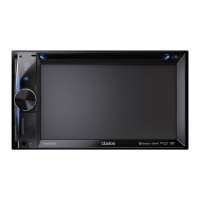
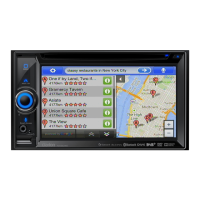
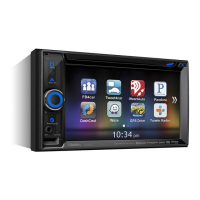
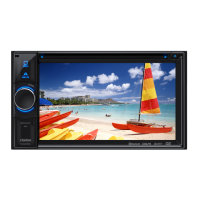
Clarion NX501E - User Manual

Clarion NX501E
154 pages
Print Icon
To Next Page IconTo Next Page
Loading...




































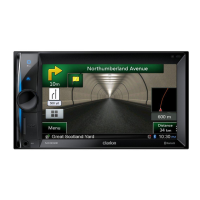
NX501E
N
Z
501E
Owner’s manual & Installation manual
Mode d’emploi et manuel d’installation
Benutzerhandbuch und Montageanleitung
Manuale dell’utente e manuale di installazione
Gebruikershandleiding en installatiehandleiding
Manual de instrucciones y de instalación
Bruksanvisning och installationsanvisning
Podręcznik użytkownika i podręcznik instalacyjny
Εγχειρίδιο λειτουργίας & Εγχειρίδιο εγκατάστασης

Table of Contents

Other manuals for Clarion NX501E

Questions and Answers

  • J
    James GarrettSep 10, 2025
    How to fix a Clarion Car Navigation system when the power does not turn on?
    • Z
      zacharycastilloSep 10, 2025
      If your Clarion Car Navigation system doesn't turn on, and there's no sound, it might be due to a blown fuse. Replace it with a fuse of the same amperage. If it blows again, consult your store of purchase. Another cause could be incorrect wiring, in which case you should consult your installation center.
  • T
    Timothy SimpsonAug 25, 2025
    Why is the audio quality poor after connection with a Bluetooth enabled device to Clarion Car Receiver?
    • C
      Carl TaylorAug 25, 2025
      If the audio quality is poor after connecting a Bluetooth enabled device to your Clarion Car Receiver, the microphone may not be correctly positioned. Use optional external microphone and adjust the position of it. Also, the Bluetooth reception might be poor, so move the device closer to the car audio system or remove any obstacle between the device and the system.
  • D
    Danielle WhiteAug 25, 2025
    Why does my Clarion NX501E Car Receiver power not turn on?
    • J
      John SalazarAug 26, 2025
      If your Clarion Car Receiver doesn't power on, check the fuse. If it's blown, replace it with one of the same amperage. If the fuse blows again, consult your store of purchase. Also, incorrect wiring could be the cause, in which case you should consult your installation center.
  • J
    James IbarraSep 23, 2025
    Why can't I pair my Bluetooth device with my Clarion Car Navigation system?
    • M
      Melissa GarciaSep 23, 2025
      If you cannot pair your Bluetooth enabled device with the Clarion Car Navigation system, the device may not support the profiles required for the system. Use another device to connect. Also, the Bluetooth function of the device may not be enabled. Refer to the user manual of the device for how to enable the function.
  • O
    oacevedoSep 12, 2025
    How to reset Clarion Car Navigation system when buttons don't work?
    • M
      mchavezSep 12, 2025
      If nothing happens when you press the buttons and the display is not accurate on your Clarion Car Navigation system, the microprocessor may have malfunctioned. Press the reset button with a thin rod to turn off the power. Note that doing so will clear stored radio frequencies and titles.
  • A
    Allison SotoSep 15, 2025
    Why won't my Clarion Car Navigation system load a disc?
    • A
      Ashley KnappSep 16, 2025
      If your Clarion Car Navigation system won't load a disc, make sure there isn't one already inside. Eject the disc before loading the new one. Also, check for any foreign matter in the disc slot and remove it, or consult a service station.
  • H
    Hector DavidSep 4, 2025
    Why is there no power on my Clarion NX501E Car Receiver?
    • J
      Jason ThompsonSep 4, 2025
      If your Clarion Car Receiver isn't powering on and no sound is produced, it could be due to a blown fuse. Replace it with a fuse of the same amperage. If it blows again, consult your store of purchase. Another cause might be incorrect wiring, in which case you should consult your installation center.
  • C
    Cindy WalkerSep 5, 2025
    What to do if Clarion NX501E buttons don't work and the display is inaccurate?
    • J
      jwilliamsSep 5, 2025
      If the buttons on your Clarion Car Receiver aren't responding and the display is inaccurate, the microprocessor may have malfunctioned. To fix this, press the reset button with a thin rod. Note that pressing the reset button will turn off the power and clear stored radio frequencies and titles.
  • U
    umelendezSep 23, 2025
    Why is the camera image disturbed on my Clarion Car Navigation system?
    • R
      Robert DavenportSep 23, 2025
      If the image is disturbed when the camera is connected to your Clarion Car Navigation system, the NTSC/PAL setting may be improper. Set the PAL/NTSC properly according to the camera.
  • M
    marilynwatsonAug 30, 2025
    What to do if the Clarion NX501E disc cannot be loaded?
    • L
      lmooreAug 30, 2025
      If your Clarion Car Receiver won't load a disc, it might be because a disc is already loaded. Eject the disc before loading the new one. Alternatively, there could be foreign matter already in the disc slot. Remove the foreign matter, or consult a service station.

Summary

Safety Precautions and Handling

Driving Safety Warnings

Emphasizes driver safety and avoiding distractions while operating the system.

Media Playback Operations

DVD Player Functions

How to operate the DVD player, including disc playback and menu navigation.

USB Audio and Video Playback

How to play audio and video files from a USB memory device.

Device Integration and Connectivity

iPod;iPhone Operations

How to connect and control iPod/iPhone devices via USB.

Bluetooth Audio Player Control

How to connect and play audio from Bluetooth devices.

Bluetooth Telephone Operations

How to use the Bluetooth phone functions for calls and contacts.

Radio and Signal Operations

Radio Operations and Tuning

How to use the radio tuner, including listening, seeking, and storing stations.

System Settings and Configuration

Troubleshooting and Error Resolution

Installation and Wiring Guide

Wiring Connections and Cautions

Detailed wiring diagrams and safety guidelines for connecting the unit.

Clarion NX501E Specifications

General IconGeneral
MP3 playbackYes
Audio formats supportedMP3, WMA
Supported radio bandsAM, FM
Product colorBlack
Audio output channels4.0 channels
Maximum power per channel50 W
Display typeLCD
Display diagonal6.2 \
Bluetooth profilesA2DP, AVRCP, DUN, HFP, HSP, OPP, PBAP
I/O ports1x USB 2x A/V In

Related product manuals