EasyManua.ls Logo

Clarion NX503E - User Manual

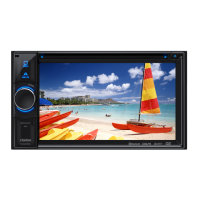
Clarion NX503E
107 pages
Print Icon
To Next Page IconTo Next Page
Loading...
Owner's manual
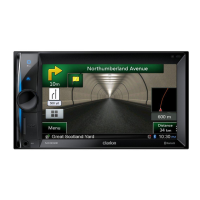
Navigation
N
X
503E

Table of Contents

Other manuals for Clarion NX503E

Questions and Answers

  • C
    Courtney JonesSep 12, 2025
    What to do if iPod audio is not outputting on my Clarion NX503E Car Receiver?
    • J
      Julia NguyenSep 12, 2025
      If iPod audio is not outputting on your Clarion Car Receiver, perform operations from the iPod and switch the settings (audio output) from Bluetooth (CAR-BT) to the Dock connector. Also, remove the iPod from the unit and reconnect it.
  • T
    Tamara ThompsonAug 25, 2025
    How to fix Clarion Car Receiver if GPS reception is not displayed?
    • J
      jessicabrownAug 25, 2025
      If the GPS reception is not displayed on your Clarion Car Receiver, ensure the antenna cable is connected. Also, remove any obstructions that may be blocking the signal. Keep in mind that positioning may be difficult depending on satellite placement, and the display may only appear while the vehicle is moving.
  • B
    brendarossAug 25, 2025
    What to do if my Clarion NX503E Car Receiver has no sound after inserting a disc?
    • E
      Elizabeth TaylorAug 26, 2025
      If your Clarion Car Receiver outputs no sound or immediately ejects the disc, ensure the disc is loaded with the label surface facing up. Note that CD-R/RW discs or copy-protected CDs may not be compatible. Finalize the disc to ensure it can be used. Also, MIX MODE CDs and 8 cm discs are not supported and should be ejected.
  • M
    Michael CastilloSep 23, 2025
    Why the menu cannot be operated on my Clarion NX503E Car Receiver?
    • M
      Matthew LewisSep 23, 2025
      If the menu cannot be operated on your Clarion Car Receiver, stop the vehicle in a safe place and apply the parking brake.
  • J
    Joel WashingtonSep 13, 2025
    Why can't I update the application in the Smartphone linking screen on my Clarion NX503E?
    • J
      Joshua WilliamsSep 13, 2025
      For safety reasons, the application cannot be updated during Smartphone linking on your Clarion Car Receiver. Disconnect the connector cable and update the application on your smartphone.
  • S
    Sarah JohnsonSep 18, 2025
    How do I display the rear camera guidelines on my Clarion NX503E?
    • L
      Leslie MooreSep 18, 2025
      To display the guidelines of the rear camera on your Clarion Car Receiver, stop the vehicle, touch the screen, and then touch Guideline Display.
  • T
    Travis ColonSep 6, 2025
    Why some files or folders cannot be played from USB memory on my Clarion NX503E Car Receiver?
    • J
      Joseph DavisSep 6, 2025
      If some files or folders cannot be played from USB memory on your Clarion Car Receiver, playing is not possible when tunes are recorded to a folder having eight or more layers, or the number of folders exceeds the maximum of 512 (including roots) and the number of files exceeds 8000 (maximum of 255 files in one folder). Use a personal computer to reconfigure the files and folders within their respective limits.
  • E
    Erin PerezSep 6, 2025
    Why can't my Clarion NX503E Car Receiver play MP3/WMA files recorded to a CD Extra?
    • S
      Sierra SampsonSep 6, 2025
      If your Clarion Car Receiver can't play MP3/WMA files recorded to a CD Extra, play a CD to which the MP3/WMA file is written to the 1st session of the CD Extra.
  • J
    Julie WoodardSep 23, 2025
    Why is the screen difficult to view just after turning on my Clarion NX503E Car Receiver?
    • M
      mark97Sep 23, 2025
      If the screen is difficult to view just after turning on your Clarion Car Receiver, this is due to the properties of the LCD panel and is not a malfunction. Please wait.
  • M
    millersherylAug 30, 2025
    What to do if I cannot insert a disc into my Clarion Car Receiver?
    • K
      Karen HoffmanAug 31, 2025
      If you cannot insert a disc into your Clarion Car Receiver, check to see if other discs are already loaded.

Summary

Warnings and Safety Information

Safety Precautions

Essential safety guidelines for operating the navigation system.

Getting Started with Navigation

Interface and Setup Overview

Covers initial setup, screen controls, buttons, and the navigation menu.

Navigation Modes and Features

On-Road Navigation Guide

Detailed guide on selecting destinations, planning routes, and modifying navigation.

Off-Road Navigation

Instructions for using the navigation system in off-road mode.

Reference, Legal, and Copyright

Reference Guide and Concepts

Explanation of core concepts, settings, and features of the navigation software.

Legal and Copyright Information

Includes glossary, end-user license agreement, and copyright notices.

Clarion NX503E Specifications

General IconGeneral
MP3 playback-
DVD Audio playbackYes
Aspect ratio16:9
Display typeTFT
Display diagonal6.2 \
Display resolution800 x 480 pixels
Output power18 W
Product colorBlack
Frequency range20 - 20000 Hz
Disc types supportedDVD+R, DVD+RW, DVD-R, DVD-RW
Signal-to-Noise Ratio (SNR)93 dB
AM band range530 - 1710 kHz
FM band range87.9 - 107.9 MHz
Supported radio bandsAM, FM
BluetoothNo
Line outputs (RCA)2
Weight and Dimensions IconWeight and Dimensions
Dimensions (WxDxH)178 x 157 x 100 mm

Related product manuals