NX501E/NZ501EEnglish55
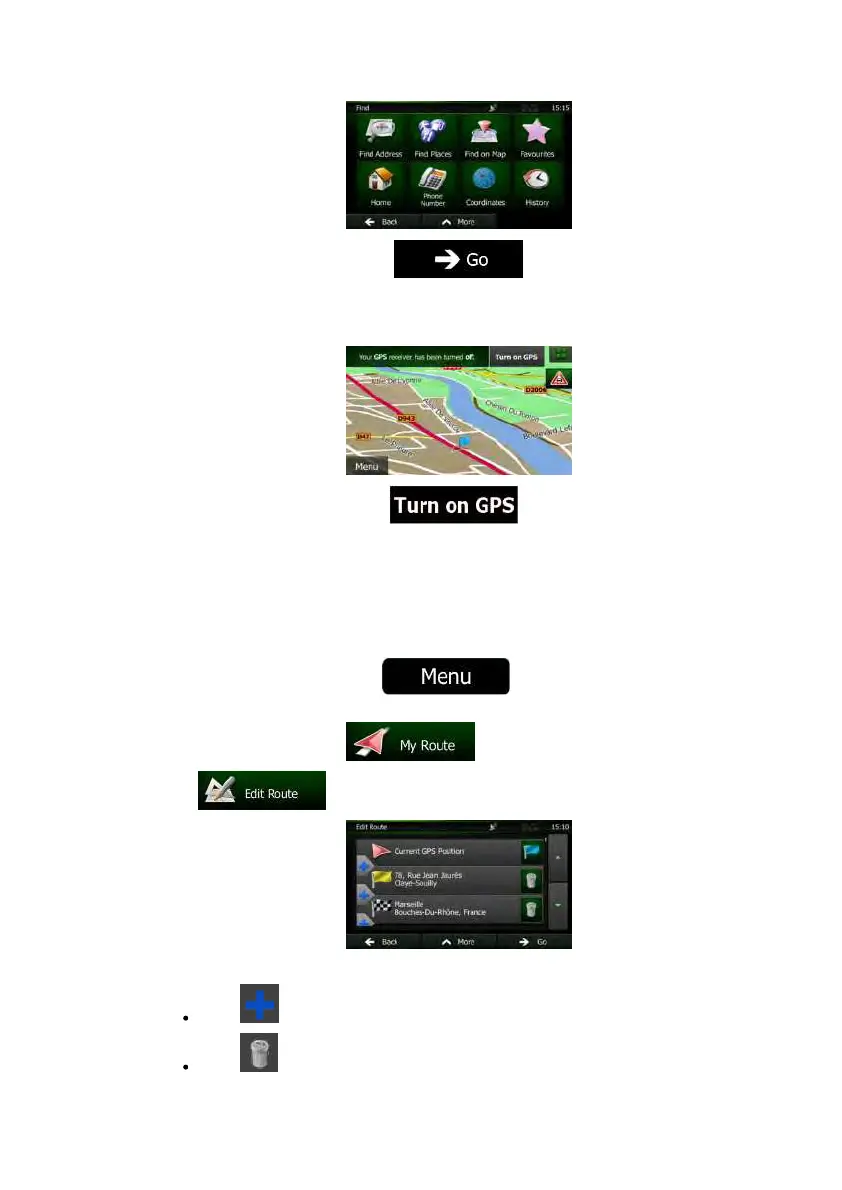
6. Whenthenewstartpointisset,tap .
7. ThemapreturnswithatransparentVehimarker(showingthatthereisnoGPS
reception).Ifanactiveroutealreadyexisted,itisnowrecalculatedstartingfromthe
selectedlocation.
8. Toreturntonormalnavigation,tap .
3.4.3Editingthelistofdestinations(EditRoute)
You c an edit the route by modifying the list of destinations. You can add or remove
destinations,modifythestartpositionorreorderthelist.
1. IfyouareontheMapscreen,tap
toreturntotheNavigation
menu.
2. IntheNavigationmenu,tap
.
3. Tap
.
4. Youhavethefollowingoptions:
Tap toaddanewdestination.
Tap todeleteadestination.


 To Next Page
 Loading...