Need help?
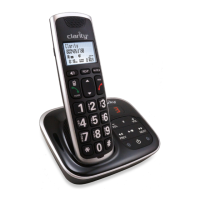
Do you have a question about the Clarity BT914 and is the answer not in the manual?
Essential safety guidelines for using the telephone to prevent hazards and ensure safe operation.
Specific warnings and instructions for the safe handling, use, and disposal of batteries.
Guidelines for selecting an optimal installation location for the base unit to ensure maximum coverage and reduce interference.
Step-by-step instructions for connecting the telephone line and power adapter to the telephone base.
Information on battery indicators, status, and the charging process for optimal performance.
Instructions for setting date, time, answering system, and understanding operating range.
Information on the expected wireless range between the handset and base unit and factors affecting it.
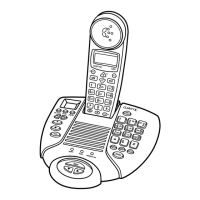
Detailed explanation of the handset's buttons, display, and components and their functions.
Detailed explanation of the base unit's buttons, indicators, and functions.
Instructions for pairing cell phones and headsets with the telephone base via Bluetooth.
Steps to download contact information from a paired Bluetooth cell phone to the phonebook.
Configuration options for the handset, including display language, voicemail number, and dial mode.
Covers adjusting ringers, making/answering calls, and managing call waiting.
Explains redial lists, intercom, call transfers, phonebook, and caller ID functions.
Details setup, operation, and retrieval of messages for the built-in answering system and voicemail.
Guide on adding and registering new handsets to expand the telephone system's capacity.
Instructions on how to remove all registered handsets from the telephone system.
Solutions to common problems encountered when connecting Bluetooth phones or headsets.
Troubleshooting steps for issues with the answering system not answering or recording messages.
Provides solutions to common issues with phone operation, power, and connectivity.
Instructions for activating and deactivating energy-saving charging mode for optimal battery performance.
Guidelines for cleaning, handling, and maintaining the telephone for durability and longevity.
Lists technical specifications, frequency bands, power requirements, and information on ordering additional handsets.
 General
| Brand | Clarity |
|---|---|
| Model | BT914 |
| Category | Cordless Telephone |
| Language | English |

 To Next Page