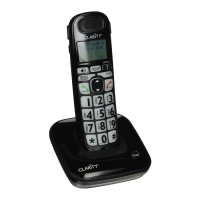
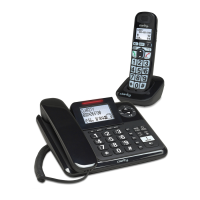
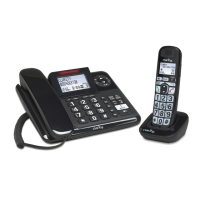
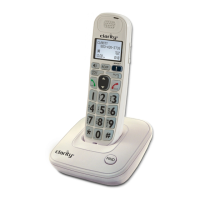
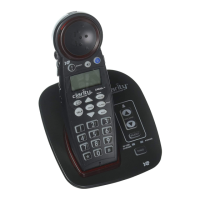
Need help?
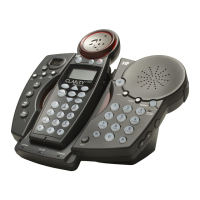
Do you have a question about the Clarity C4230 and is the answer not in the manual?
Guidelines for safe handling and disposal of batteries.
Consult physician before using the product if you have a pacemaker.
Explains the function of numbered keys on the phone.
Details the controls and functions of the answering machine.
Describes handset controls like volume, speaker, and soft keys.
Covers headset, tone, intercom, and ringer settings.
Instructions for charging the handset battery and installing backup batteries.
Guides on connecting the phone and performing calls.
How to answer, make, and use speakerphone for calls.
Adjusting volume, boost levels, and audio tones for clarity.
Using flash, redial, intercom, mute, and pause functions.
Making calls, answering calls, and controlling volume on the base.
Explains Boost, Redial, Flash, Mute, and Page buttons on the base.
Using intercom, setting ringer styles, and understanding visual ringers.
Information on optional accessories and setting ringtones.
Setting keypad tones, visual ringers, and programming the help key.
Steps to set the current date and time on the phone.
Accessing and configuring initial setup parameters like registration.
Configuring auto talk and selecting dialing mode (tone/pulse).
Adjusting screen contrast and selecting the user interface language.
Step-by-step guide to adding names and numbers to the phonebook.
How to modify or delete existing phonebook entries.
Storing caller ID info and searching the phonebook.
How the phone displays incoming call and call waiting information.
Navigating the caller ID log, handling unknown/blocked calls.
Instructions for deleting individual or all caller ID entries.
Understanding message capacity and basic playback controls.
Playing, deleting, and recording outgoing messages.
Interpreting the LED screen and accessing features via handset menu.
Managing answering machine on/off, outgoing messages, and playback speed.
Playing, recording, and changing the outgoing message.
Erasing OGM, setting ring count, and toll saver feature.
How to change the security ID for remote answering machine access.
Steps to access the answering machine remotely and available commands.
Information on memo capacity, recording, and playback.
Solutions for no dial tone, no ringing, or poor call quality.
Fixes for charging issues, call placement, and out-of-range problems.
Lists technical specs for the unit, power, battery, and contact details.
Compliance information related to FCC Part 68 rules.
Compliance details for FCC Part 15, including interference.
Technical specifications applicable to Industry Canada standards.
 General
| Type | - |
|---|---|
| Answering machine | Yes |
| Number of melodies | 4 |
| Dialing | Tone/Pulse |
| Phonebook capacity | 40 entries |
| Backlight color | White |
| Frequency band | 5.8 GHz |
| Mac compatibility | No |
| Mounting type | Desk |
| Product color | Black |
| Battery type | AA |
| Standby time | 144 h |
| Battery technology | Alkaline |
| Number of handsets included | 1 |


 To Next Page