Need help?
Do you have a question about the Clarity E814CC and is the answer not in the manual?
Essential safety guidelines for operating the telephone, covering electrical safety, liquid contact, and proper placement.
Crucial safety precautions for handling, using, and disposing of batteries to prevent hazards.
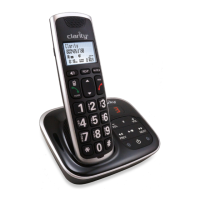
Details the components provided in the phone's packaging, ensuring users have everything.
Offers recommendations for placing the base unit to maximize coverage and minimize interference.
Step-by-step instructions for physically connecting the answering machine base station to power and the phone line.
Guidance on using micro-filters when connecting to a broadband ADSL line to prevent interference.
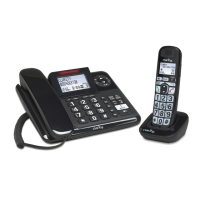
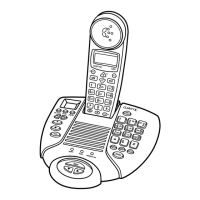
Comprehensive overview of the corded base station's buttons, keys, indicators, and LCD screen functions.
Details the phone's menu structure, navigation, and methods for entering text and digits.
Instructions for making external calls, answering, ending, muting, and using features like memory keys and redial.
How to manage the phone's directory, speed dials, and caller ID records for efficient use.
Options for personalizing the phone, including setting language, date/time, and ringer preferences.
Step-by-step guide for connecting the charging base, installing batteries, and charging the cordless handset.
Overview of handset components, screen icons, menu navigation, and keystroke functions.
Adjusting audio quality, using boost, mute, making calls, answering, and ending calls.
Instructions for managing directory entries, speed dials, and caller ID records on the handset.
Customizing handset settings like language, date/time, ringer, and managing voicemail indicators.
Solutions for common problems related to message recording, remote operation, and dialing tone.
Troubleshooting steps for handset issues, no dial tone, range problems, and sound quality.
Guidance on resolving issues with receiving caller ID and understanding voicemail notifications.
Technical details for the base station, cordless handset, and charger base, including dimensions and power.
 General
| Brand | Clarity |
|---|---|
| Model | E814CC |
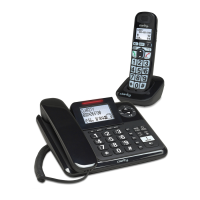
| Type | Cordless Telephone |
| HAC Compliance | Yes |
| Amplification | Up to 50 dB |
| Speakerphone | Yes |
| Caller ID | Yes |
| Answering Machine | Yes |
| DECT 6.0 Technology | Yes |
| Frequency | 1.9 GHz |
| Battery Life | Up to 10 hours talk time |
| Answering Machine (Digital) | Yes |
| Handsets | 1 |
| Expandable | Yes, up to 5 handsets |
| Display | Backlit LCD |
| Volume Control | Yes |
| Headset Jack | Yes |
| Power | AC Adapter |
| Range | Up to 1, 000 feet |

 To Next Page