EasyManua.ls Logo

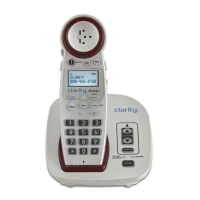
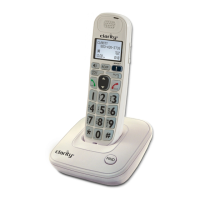
Clarity XLC 3.4 - User Manual

Clarity XLC 3.4
20 pages
Print Icon
To Next Page IconTo Next Page
Loading...
E
S
P
A
~
N
O
L
E
N
G
L
I
S
H
F
R
A
N
Ç
A
I
S
User Guide
Printed In China
Clarity, a Division of Plantronics, Inc.
4289 Bonny Oaks Drive, Chattanooga, TN 37406
Tel: 800-426-3738 Fax: 800-325-8871
E-mail: claritycs@plantronics.com Website: www.clarityproducts.com
©2010 Clarity, a Division of Plantronics, Inc. All rights reserved.
Clarity, Clarity Professional, XLC3.4, XLC3.1, Digital Clarity Power
and the amplified figure are trademarks or registered trademarks
of Plantronics, Inc.
Rev. A (11-10)
Extra Loud Cordless
Speakerphone with
Caller ID
Question and Answer IconNeed help?

Do you have a question about the Clarity XLC 3.4 and is the answer not in the manual?

Summary

IMPORTANT SAFETY INSTRUCTIONS

BATTERY SAFETY INSTRUCTIONS

INSTALLATION

BASE - Quick Reference Guide

HANDSET - Quick Reference Guide

BATTERY INFORMATION

PLACING & ANSWERING CALLS

VOLUME & TONE ADJUSTMENTS

PHONEBOOK

TELEPHONE MENU

MENU - CALLER LIST

View and manage incoming call records.

MENU - PHONEBOOK

View, add, edit, or delete phonebook entries.

MENU - RINGER SETUP

Adjust ringer volume and tone settings.

HANDSET REGISTRATION

TROUBLESHOOTING

WARRANTY INFORMATION

Clarity XLC 3.4 Specifications

General IconGeneral
BrandClarity
ModelXLC 3.4
CategoryCordless Telephone
LanguageEnglish

Related product manuals