Need help?
Do you have a question about the Clarity Cordless Telephone and is the answer not in the manual?
Basic safety precautions for using the telephone, covering usage near water, storms, and cleaning.
Guidelines on placement, electrical hazards, disassembly, and servicing precautions.
Warnings related to installation, environment, and crucial instructions for handling batteries.
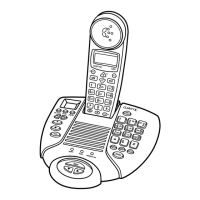
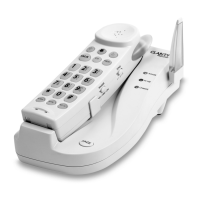
Overview of the functions and controls of the telephone base unit.
Detailed description of the functions and controls of the telephone handset.
Guidance on selecting a location and connecting the telephone system components.
Step-by-step guides for tabletop, desk, and wall mounting the telephone base.
Instructions for installing and connecting the rechargeable battery pack in the handset.
Features like Digital Clarity Power, Boost, volume, tone, and ringer settings for the handset.
Information on using headsets, belt clips, and hearing aid compatibility features.
How to adjust base ringer volume, select ringer styles, and understand visual ringers.
Details on the BOOST ON/OFF switch and setting the Pulse/Tone dialing mode.
Explains Flash, Mute, Redial/Pause buttons and battery back-up installation/replacement.
How to place/answer calls, use redial, program pauses, and temporary tone switching.
Covers temporary tone, keypad, locator, channel, security, and memory storage.
Solutions for common issues like lack of dial tone or the phone not ringing.
Resolving problems with audio interference, static, and the handset not holding a charge.
Steps to resolve difficulties encountered when placing or receiving telephone calls.
 General
| Brand | Clarity |
|---|---|
| Type | Cordless Telephone |
| DECT Technology | Yes |
| Speakerphone | Yes |
| Caller ID | Yes |
| Hearing Aid Compatible | Yes |
| Frequency | 1.9 GHz |
| Battery Life | Up to 10 hours talk time |
| Backlit Keypad | Yes |
| Volume Control | Yes |
| Answering Machine | Yes (on some models) |
| Number of Handsets | 1 |

 To Next Page