EasyManua.ls Logo

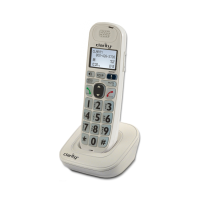
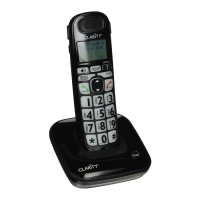
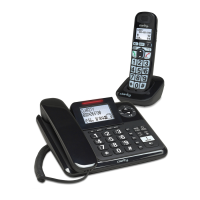
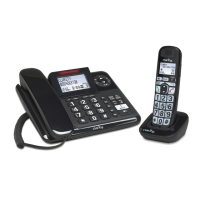
Clarity D712 - User Manual

Clarity D712
30 pages
Print Icon
To Next Page IconTo Next Page
Loading...
User Guide
Big Button Cordless Phone with
Digital Answering Machine
D714™
D712™
Clarity, a Division of Plantronics, Inc.
4289 Bonny Oaks Drive,
Chattanooga,TN 37406
Tel: 800-426-3738 Fax: 800-325-8871
E-mail: claritycs@plantronics.com
Website: www.clarityproducts.com
©2011 Clarity, a Division of Plantronics, Inc.All rights reserved.
Clarity, D714, D712, D702HS, D704HS are trademarks or
registered trademarks of Plantronics, Inc.
Rev.A (04-08)
PRINTED IN CHINA

Table of Contents

Question and Answer IconNeed help?

Do you have a question about the Clarity D712 and is the answer not in the manual?

Summary

Important Safety Instructions

Battery Safety Instructions

Installing Your Phone

Connecting the Base Station

Steps to connect the telephone base station to power and phone line.

Installing and Charging Batteries

Installing and Charging Handset Batteries

Procedure for inserting and charging the rechargeable handset batteries.

Using Your Phone

Making and Answering Calls

Steps for initiating calls, answering incoming calls, and ending conversations.

Ending a Phone Call

Methods to end an active call using the handset or base station.

Using Your Phone (Continued)

Caller ID Display

Caller ID Display (Continued)

Registering and Deregistering Handsets

Answering System Features

Playing and Deleting Messages

Steps to listen to, delete, and manage recorded messages and announcements.

Turning Answering System On;Off

Instructions to enable or disable the answering system feature.

Answering System Features (Continued)

Recording and Playing Announcements

How to record, play, and delete custom greetings for callers.

Answering System Settings

Answering System Settings (Continued)

Remote Access Code and Operation

Setting a remote access code and instructions for remotely accessing messages.

Troubleshooting

Troubleshooting: Phone Not Working and No Dial Tone

Steps to resolve issues when the phone is unresponsive or lacks a dial tone.

Troubleshooting (Continued)

Troubleshooting: Handset Performance and Range Issues

Addressing common problems with handset operation, range, and power.

Troubleshooting: Sound Quality and Interference

Resolving issues with poor speakerphone sound and interference from other devices.

Clarity D712 Specifications

General IconGeneral
TypeDECT telephone
Answering machineYes
Microphone sensitivity30 dB
Mac compatibility-
Phonebook capacity- entries
Backlight colorWhite
Display number of colorsMonochrome
Mounting typeDesk

Related product manuals