41
GETTING TO KNOW YOUR CORDLESS HANDSET
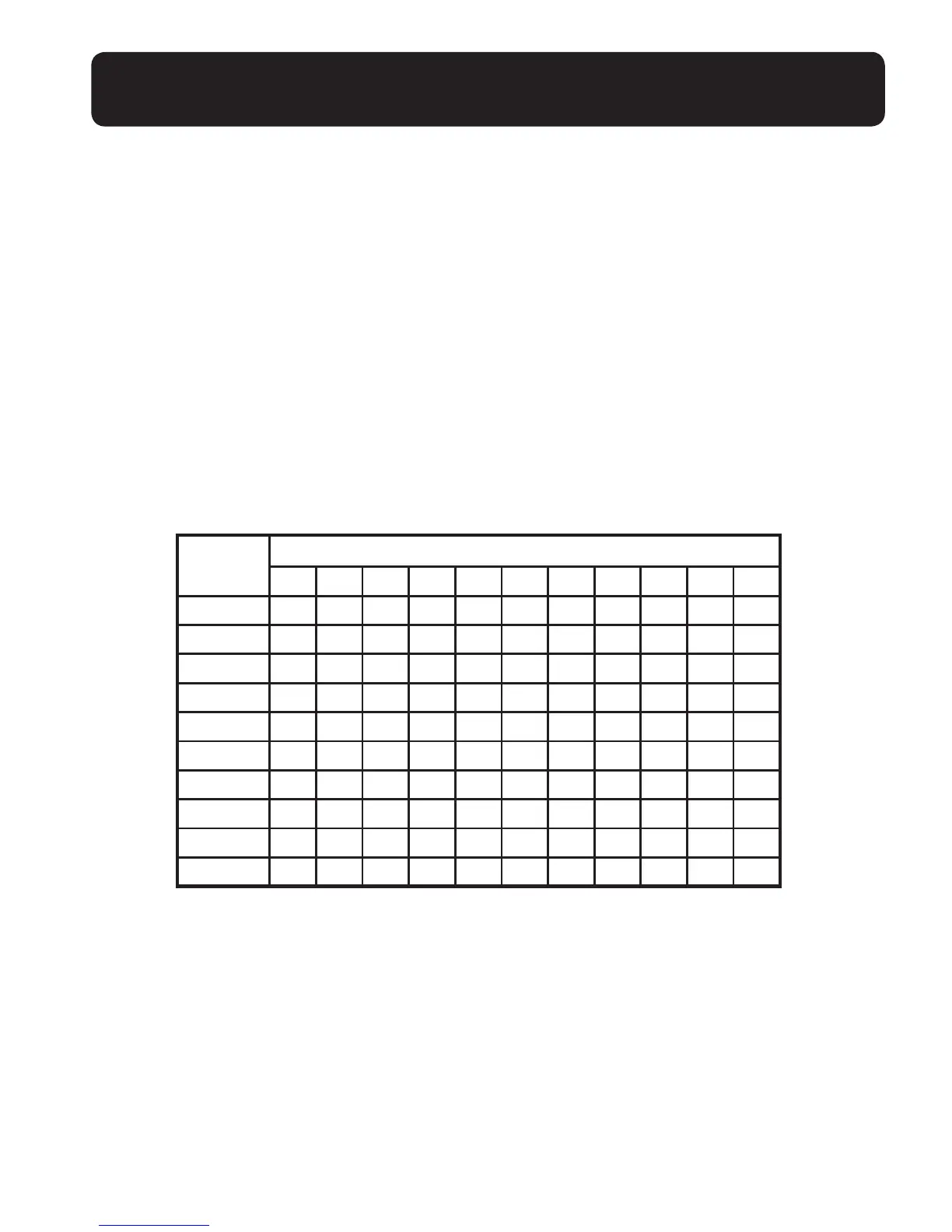
The following table shows you where each letter and punctuation character can be
found. This will be helpful when storing a name in the directory.
In editing mode, a cursor is displayed to indicate the current text entry position. It is
positioned at the right of the last character entered.
Writing Tips:
1. Once a character is selected, the cursor will move to the next position after a
short pause.
2. You can move the cursor within the text by <UP/DOWN> to amend the text entry.
3. Press <MUTE/X> to delete the last character / digit.
4. Press and hold <MUTE/X> to delete the entire text string.
Keystroke table
NOTE:
When entering a name in the directory, the rst letter of each word will be
automatically capitalized.
Number
key
Characters by number of key presses
1 2 3 4 5 6 7 8 9 10 11
1 1 . - ' ( ) * # & / ,
2 A B C a b c 2
3 D E F d e f 3
4 G H I g h i 4
5 J K L j k l 5
6 M N O m n o 6
7 P Q R S p q r s 7
8 T U V t u v 8
9 W X Y Z w x y z 9
0
Space
0


 To Next Page