40
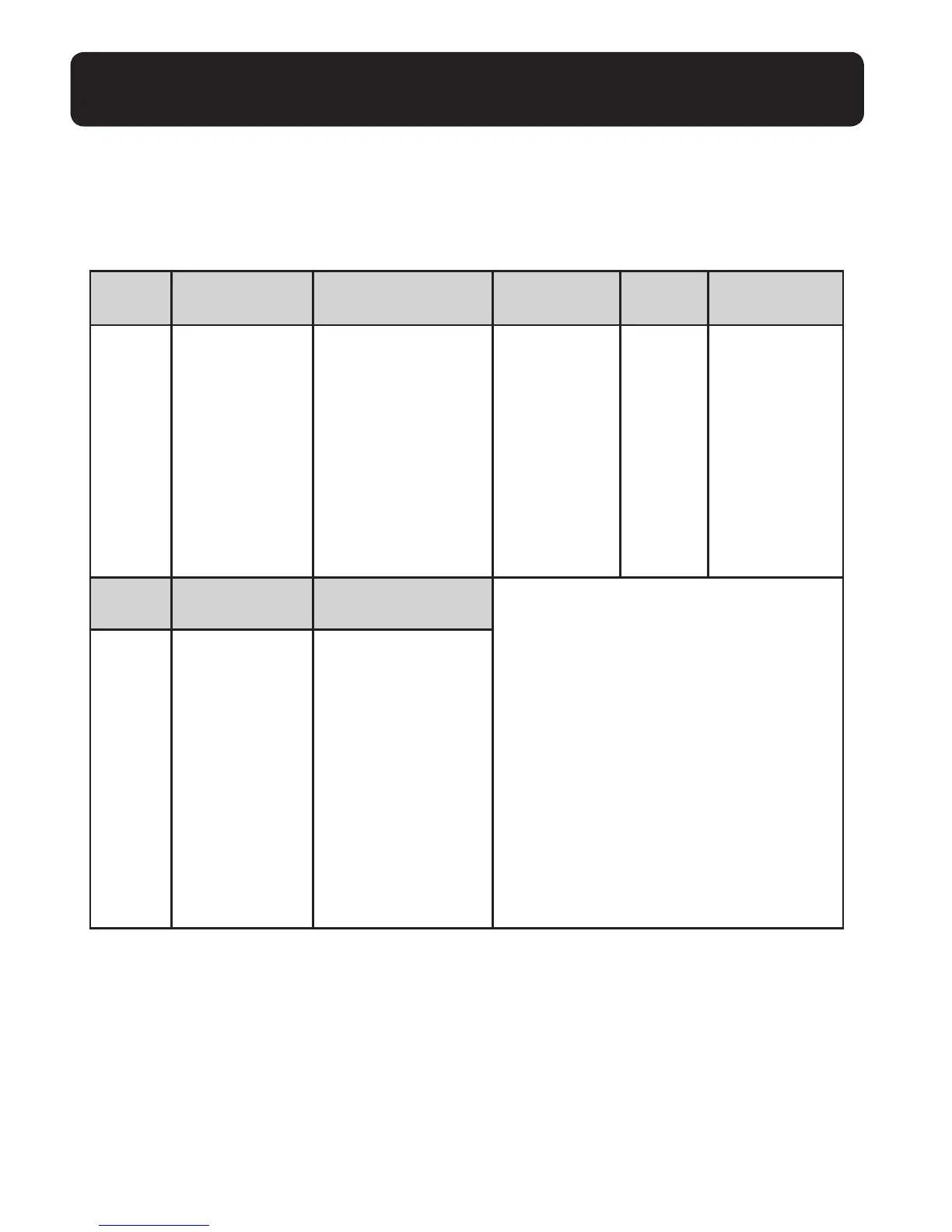
MENU STRUCTURE
In idle mode, press <MENU/SELECT>, then <UP/DOWN> to browse the menu
items. Refer to the following for the menu structure.
GETTING TO KNOW YOUR CORDLESS HANDSET
Main Play Answering Caller
Menu Messages System Directory ID Log Intercom
Sub Announcement Review Review
Menu Delete all old Add content Delete
Rec
ord memo
Spe
ed dial
all
calls
Ans
wer ON/OFF
Answe
r sys setup
– Call
screening
– # of rings
– Rem
ote code
– Msg
alert tone
– Rec
ording time
Main
Menu
Ringers Settings
Sub Ringer volume LCD language
Menu Ringer tone Clr voicemail
Key t
one
Set
date/time
Regis
ter
Hom
e area code
Dial mode
– Touc
h-tone
– Pul
se
Fla
sh time


 To Next Page