37
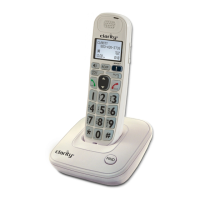
7 ALPHANUMERIC KEYPAD, * (STAR), # (POUND)
•
In idle or editing mode: Press to insert a digit/character.
•
0 key: While entering the directory names, press to insert a space.
•
1 key: While reviewing a caller ID history entry, press repeatedly to
add or remove 1 in front of the telephone number before dialing or
saving it in the directory.
•
* key during a call: Press to send touch-tone signals temporarily.
•
# key When reviewing a caller ID history entry: Press repeatedly
to view the dialing options.
8 MICROPHONE
9 TALK ON / FLASH
• Press to make or answer a call.
•
During a call: Press to answer an incoming call when you receive a
call waiting alert.
10 MENU / SELECT
•
In idle mode: Press to access menu items
•
In menu mode: Press to select an items, save an entry or setting.
11 SPEAKER (ON/OFF)
•
In idle / pre-dial mode: Press to make a call with the speakerphone.
•
During a call: Press to toggle between the speakerphone and
the earpiece.
•
In Call List / directory/redial list entry: Press to make a call with
the speakerphone.
•
During ringing: Press to answer a call with the speakerphone.
12 TONE
• During a call: Press to change the quality of the audio to best suits
your hearing.
13 VISUAL RINGER LIGHT
• Flashes when there is an incoming outside call or the telephone base is
paging all handsets.
GETTING TO KNOW YOUR CORDLESS HANDSET


 To Next Page