36
1 RD/P (REDIAL/PAUSE)
•
In idle mode: Press repeatedly to view the last numbers dialed.
•
While entering numbers: Press and hold to insert a dialing pause (P).
2
BOO
ST
•
During a call: Press to enhance the clarity and loudness of your
cal
ler’s voice.
3 MUTE / X (REMOVE)
•
During a call: Press to mute the microphone.
•
While predialing: press to delete a digit.
•
While reviewing the redial list, directory, speed dial list or
caller ID history: Press to delete and individual entry.
•
When ringing: Press to turn off the handset ringer temporarily.
4
V
O
LUME
UP / DI
RECTORY
/ SCR
O
LL UP
•
In menu mode: Press to scroll up the menu items.
•
During a call: Press to increase listening volume.
•
In idle mode: Press to access the directory.
•
While entering names or numbers in the directory: Press to
mov
e the cursor to the right.
5 TALK OFF / CLEAR
•
During a call: Press to end the call.
•
While using menus: Press to cancel an operation, return to the
pre
vious menu, or standby mode.
•
In idle mode: Press and hold to erase the missed calls indicator.
•
When ringing: Press to turn off the handset ringer temporarily.
6
V
O
LUME DO
WN
/ CALL LOG / SCR
O
LL DO
WN
•
In menu mode: Press to scroll down the menu items.
•
During a call: Press to decrease listening volume.
•
In idle mode: Press to access the call list.
•
While entering names or numbers in the directory: Press to
mov
e the cursor to the left.
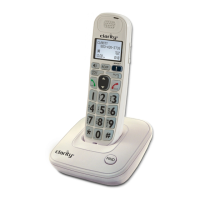
GETTING TO KNOW YOUR CORDLESS HANDSET


 To Next Page