23
English
22
ᶀ
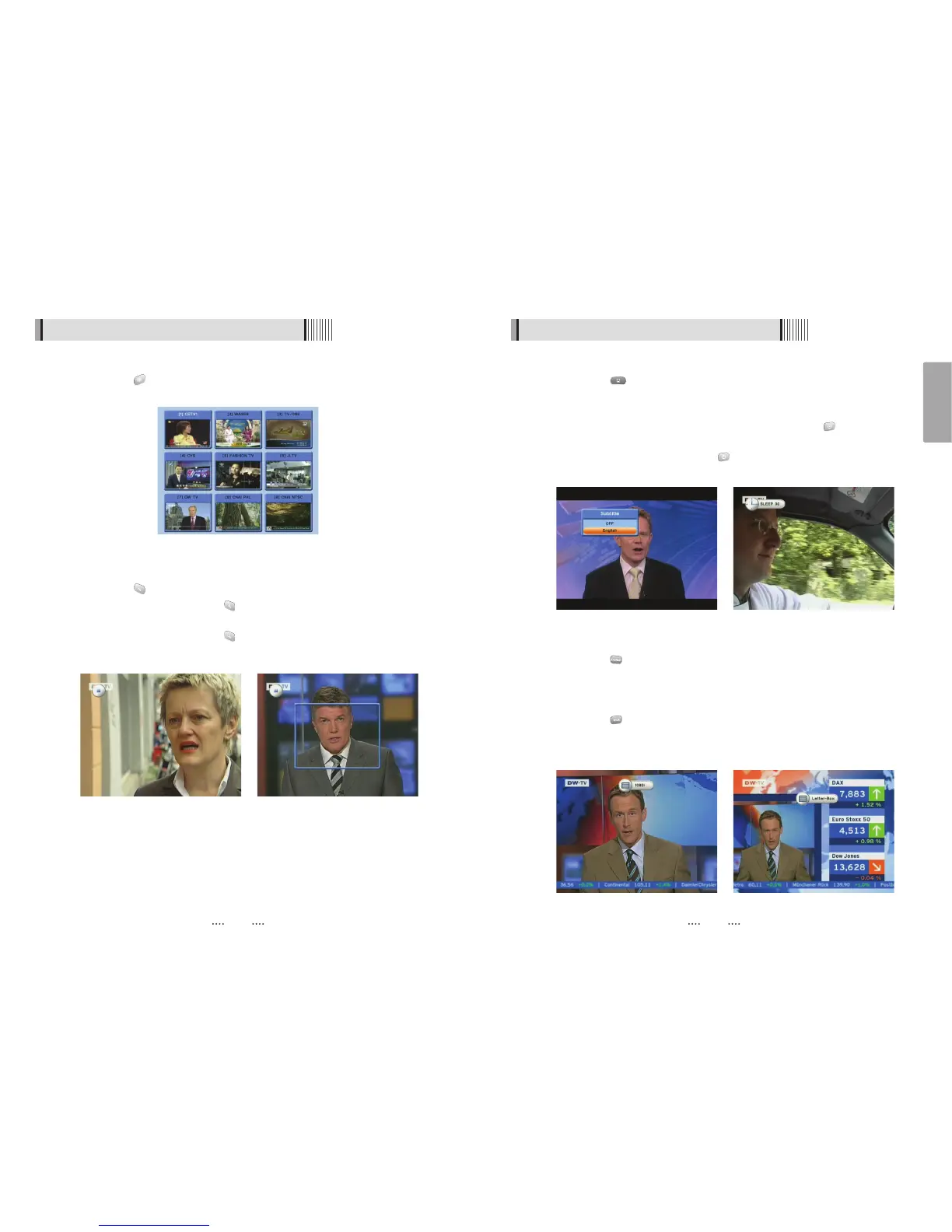
SUBTITLE <Figure 6.1.20>
You can press to select the subtitle language of current channel.
ᶀ
SLEEP <Figure 6.1.21>
You can set the your receiver to turn off after a few minutes. Press to set the sleep
timer.
- To cancel the sleep timer, please press until you set time as “0 min”.
(Disable, 10, 20, 30, 60, 100, 120 Minutes)
ᶀ
V.FORMAT <Figure 6.1.22>
You can press to change the video resoultion Select between, 1080i ᵎ 720p ᵎ
576p ᵎ 576i.
ᶀ
WIDE <Figure 6.1.23>
You can press to change the TV aspect ratio.
- 4:3 : Pan-Scan or Letter-Box
-16:9 : Full-Screen or Pillar-Box
6.1 Getting Started
<Figure 6.1.20> <Figure 6.1.21>
<Figure 6.1.22> <Figure 6.1.23>
6.1 Getting Started
ᶀ
Multi Picture Display <Figure 6.1.17>
You can press to display multiple pictures; you can choose the number of pictures
such as 1X2, 2X2, 2X3 or 3X3.
ᶀ
ZOOM
You can press to zoom in the video. <Figure 6.1.18>
⊹
Press the PAUSE button and press . You can zoom in sections of Freezed Video
<Figure 6.1.19>
⊺
While watching a program, press . You can zoom in sections of playing video.
⊻
To cancel the freeze status, please release the zoom status.
<Figure 6.1.17>
<Figure 6.1.18> <Figure 6.1.19>



 To Next Page