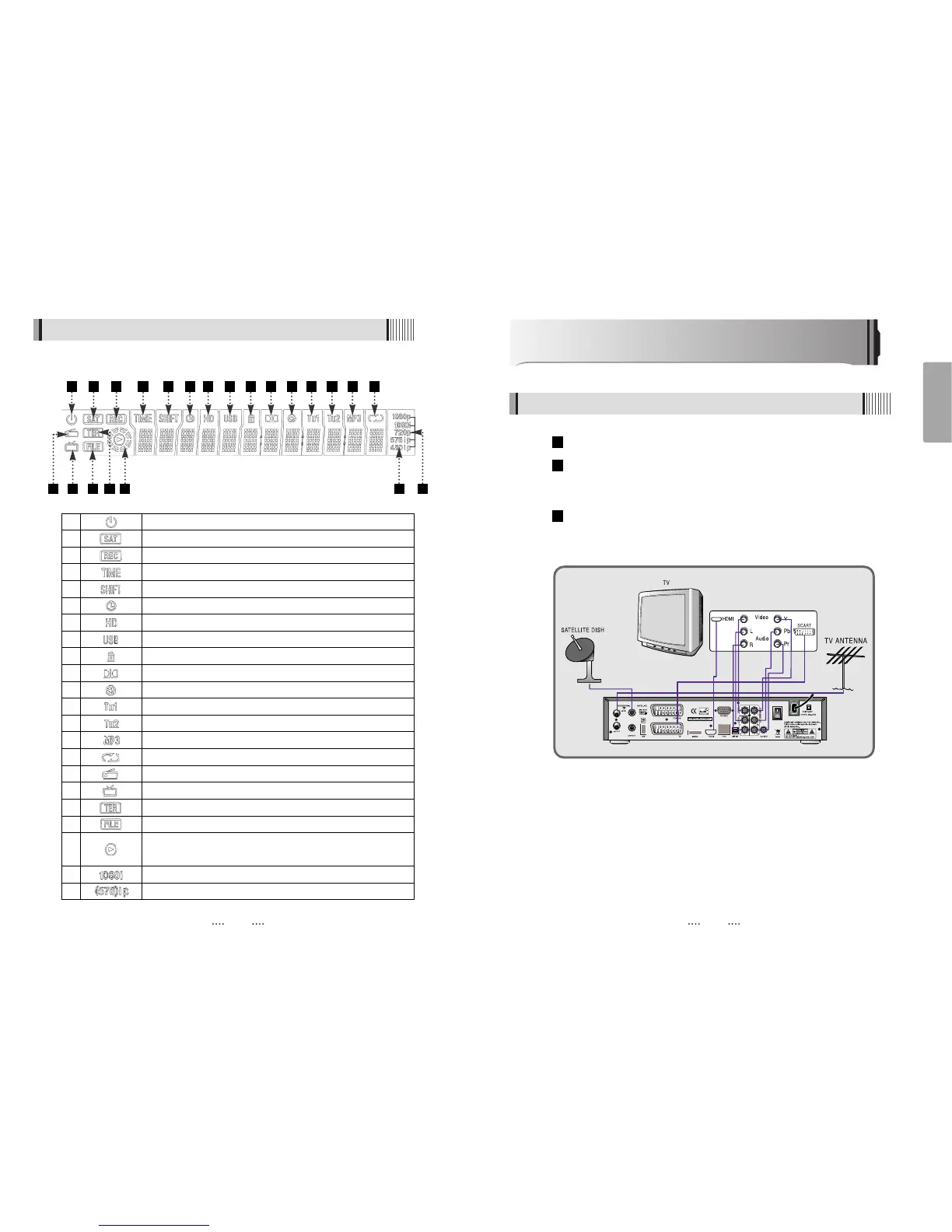
1 Indicates Power (On/Off) mode
2 Lights when the signal comes in via satellite dish
3 Lights when the current channel is recording
4 Lights when Time-Shift Mode is set to enable
5 Lights when Time-Shift Mode is set to enable
6 Lights when a timer setting in standby mode
7 Lights when the signal is HD
8 Lights when USB devices is connected
9 Indicates the current channel is set to Lock mode
10 Lights when the current chanel is Dolby audio format
11 Lights when the current sound is set to Off
12 Feature not supported
13 Feature not supported
14 Ligths when Mp3 player is enabled
15 Lights when loop mode is setting in Mp3 player
16 Lights when the current channel is Radio mode
17 Lights when the current channel is TV mode
18 Lights when the signal comes in via TV Antenna
19 Indicates when the current playback mode in file list
20 Lights when Media & Recorded file is playing and revolving on
the outer circle
21 Indicates the resolution of video ouput
22 Indicates the Progressive or interlaced scanning mode
11
English
How to Connect
When Connecting the Receiver to a TV with RF connectors
4.4 Front Display
Connect the TV antenna to TV ANT IN
Connect the Video and Audio of the TV to Video and Audio: connect the red
and white connectors to Audio R and Audio L, and the yellow connector to
Video
Connect your satellite dish
3
2
1
10
1 2 3 4 5 6 7 8 9
10 11 12 13 14 15
1716 19 20 212218



 To Next Page