25
English
24
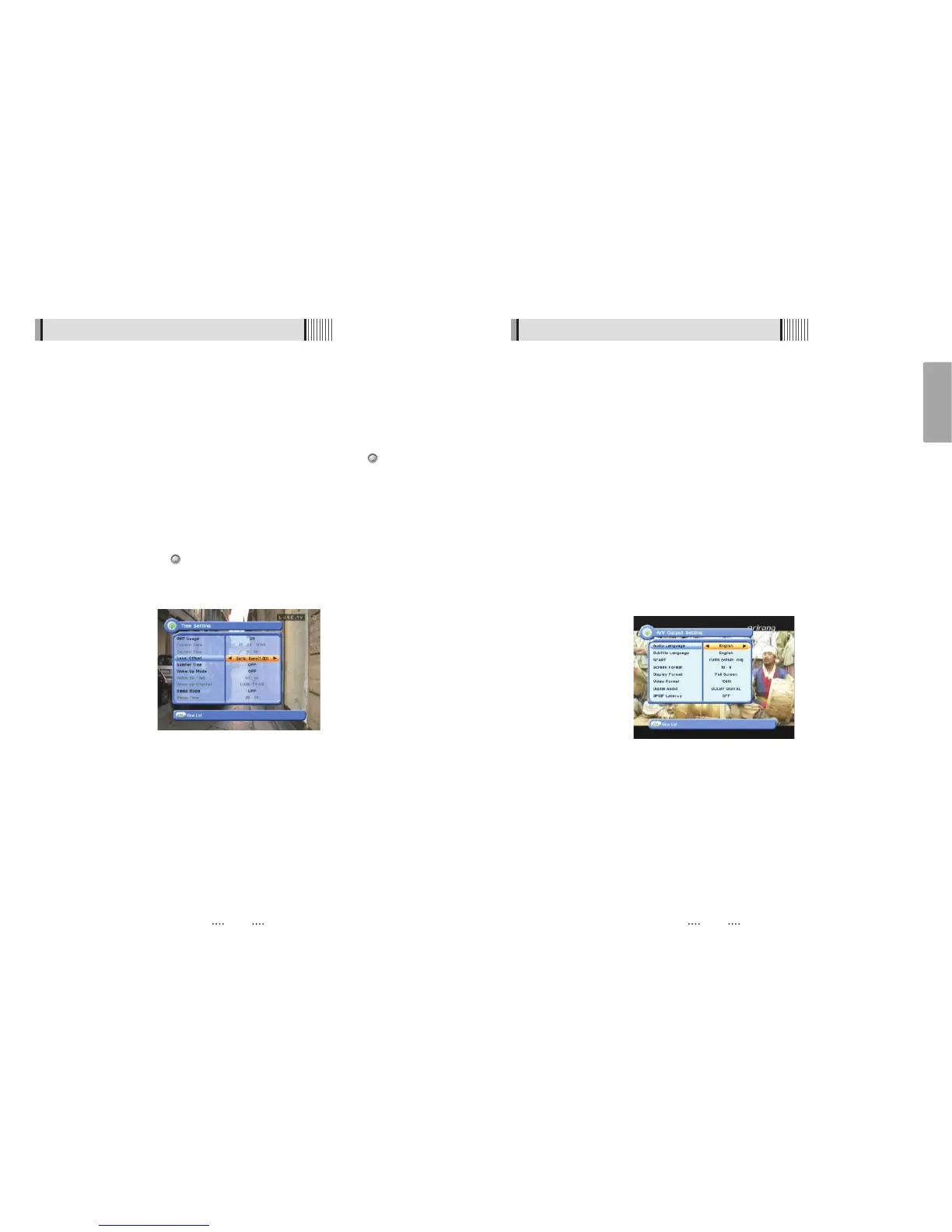
2) A/V Output Settings
This submenu allows you to specify the audio/video output. <Figure 6.2.2>
- Audio Language : Set the default audio language when selecting a channel.
- Subtitle Language : Set the default subtitle language.
- SCART : Select the SCART output.(CVBS/RGB)
- Screen Format : Select the screen format. (16:9 / 4:3)
- Display Format : Select the TV aspect ratio(Letter Box/Pan Scan, Full Screen/Pillar Box)
- Video Format : Select the Scanning type(Interaced, Progressive)
- Digital Audio : Select the Audio output type (Dolby/PCM)
PCM - Select this option only if the stereo system or amplifier cannot
decode Dolby
DOLBY DIGITAL - Select this option only if the stereo system or amplifier
can decode both Dolby Digital and Linear PCM signals.
- SPDIF Latency : Audio delay is adjustable as 10ms between 0 and 500ms(max.) at
optical output.
6.2 System Setting
<Figure 6.2.2>
6.2 System Setting
1) Time Settings
This submenu allows you to set your local time, wake up time, wake up channel and sleep
time. <Figure 6.2.1>
- GMT Usage : Set this ON for the local time to be determined by adjusting the time
difference with the GMT (Greenwich Meantime) according to your
location.
- Current Date : If GMT Usage is OFF, you can modify the date by pressing .
- Current Time : If GMT Usage is OFF, you can modify the time using the NUMERIC buttons.
- Summer Time : Select the period during which Summer Time is in force.
- Local Offset : If GMT Usage is ON, Local time is GMT time + Local Offset.
- Wake Up Mode : Select the wake up frequency. (Off/Once/Daily)
- Wake Up Time : Set the wake up time using the NUMERIC buttons.
- Wake Up Channel : Press to set the wake up channel.
- Sleep Mode : Select the Sleep frequency. (Off/Once/Daily)
- Sleep Time : Set the sleep time using the NUMERIC buttons.
<Figure 6.2.1>



 To Next Page