45
English
44
6.6 Storage
4) Disk Manager
- Default Disk : Set the pvr disk.
ҫ
Note : If External SATA is connected, External SATA can be captured in “volume0”.
Otherwise, one of other disks can be captured in “volume0”
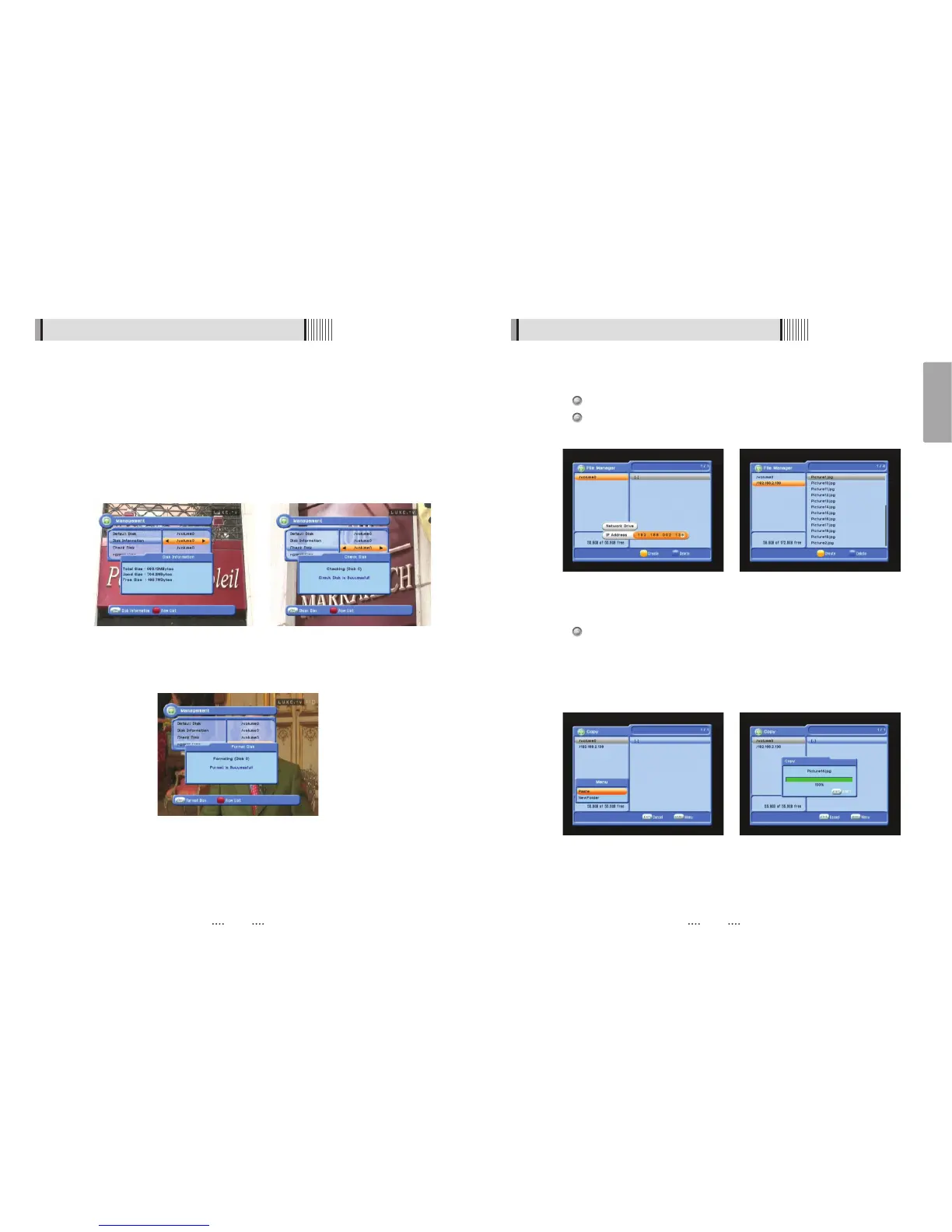
- Disk Information : Choose the Hard disk volume or usb device with USB hub. You can
view a information of usb devices (used size, total size, free size) <Fig
6.6.5>
- Chek Disk : Choose the Hard disk volume or usb device with USB hub. You can check
the usb devices. <Fig 6.6.6>
- Format Disk : You can format the usb devices. <Fig 6.6.7>
<Figure 6.6.7>
<Figure 6.6.5> <Figure 6.6.6>
6.6 Storage
5) File manager
Press YELLOW button for connect PC.
Press button after input IP address of PC.
Press button after choose target.
ҫ
Note : Have to run PC tool before connect PC.
Press Right button and Press RED for chooses files.
Press button to choose Copy/Move/NewFolder/Delete/Rename after press MENU
button.
If select copy or move, press button to move target for paste.
Press MENU button to paste taget.
Select a Paste for Copying or Moving files.
<Figure 6.6.8> <Figure 6.6.9>
<Figure 6.6.10> <Figure 6.6.11>



 To Next Page