18
Parts & Service: 020 8988 7400 / E-mail: Parts@clarkeinternational.com or Service@clarkeinternational.com
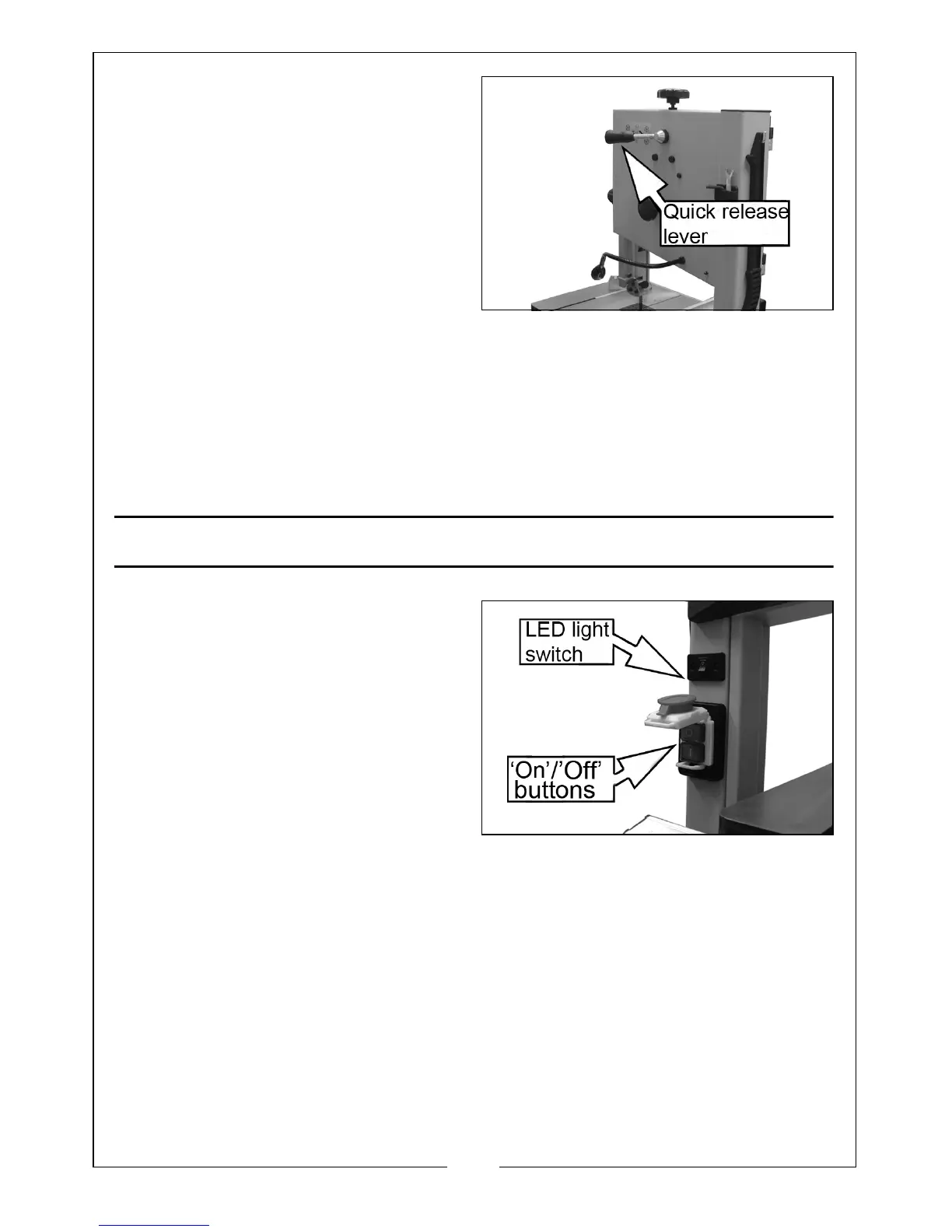
4. Loosen the quick-release lever
until the band saw blade has
slackened.
5. Remove the saw blade from the
machine.
6. Fit a fresh saw blade and centre
the blade on the rubber tyres of
the wheels.
7. Tighten the quick release lever.
8. Replace the guide rail in its original position.
9. Close the upper & lower covers.
10. Align the blade as described on page 13.
11. Adjust the blade tension as described on page 14.
12. Adjust the upper and lower blade guide as described on pages 14/15.
PREPARING FOR WORK
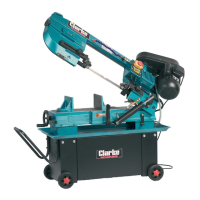
1. Lift the large red stop button,
which covers the green ‘ON’
button and press the green
button to start the bandsaw.
2. To stop the machine at any time,
press the large red stop button.
3. If required, switch the LED
worklight on or off using the rocker
switch.
4. Position the flexible LED worklight
as required.


 To Next Page