EasyManua.ls Logo

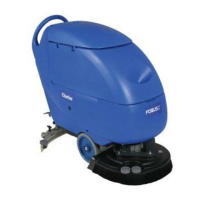
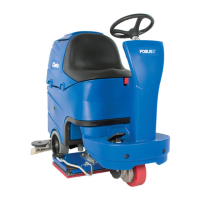
Clarke FOCUS II MICRO RIDER 26D - User Manual

Clarke FOCUS II MICRO RIDER 26D
135 pages
Print Icon
To Next Page IconTo Next Page
Loading...
Micro Rider
READ THIS BOOK
LEA ESTE MANUAL
LISEZ CE MANUEL
EN
ES
FR
English (1 - 28)
Español (29 - 56)
Français (57 - 84)
This book has important information for the use and safe operation of this machine. Failure to read this
book prior to operating or attempting any service or maintenance procedure to your Clarke machine
could result in injury to you or to other personnel; damage to the machine or to other property could
occur as well. You must have training in the operation of this machine before using it. If your operator(s)
cannot read this manual, have it explained fully before attempting to operate this machine.
All directions given in this book are as seen from the operators position at the rear of the machine.
Instructions For Use - Original Instructions / Instrucciones de uso / Instructions d’utilisation
Models: 9087278020 - 9087280020
Form No. 9099236000 - 7/11 - Revised 6/14
https://harrissupplyind.com - To Order Parts Call 608-268-8080

Table of Contents

Other manuals for Clarke FOCUS II MICRO RIDER 26D

Questions and Answers

  • J
    Jocelyn MorrisAug 15, 2025
    What to do if the dirty water vacuuming is insufficient in my Clarke Floor Machine?
    • D
      Debra HughesAug 15, 2025
      If the dirty water vacuuming is insufficient, several issues could be the cause: * The recovery tank might be full, so empty the tank. * The vacuum grid could be clogged, or the float might be closing; clean the vacuum grid. * The container with the debris collection grid might be clogged; clean it. * The hose might be disconnected from the squeegee; connect it. * The squeegee might be dirty, or the blades could be worn or damaged; clean the squeegee or turn over/replace the blades. * The tank cover might not be properly closed, or the gasket could be damaged; correctly close the cover or clean/replace the gasket.
  • T
    thomas36Aug 17, 2025
    Why the solution flow is insufficient in my Clarke Floor Machine?
    • K
      Karen GarciaAug 18, 2025
      If the solution flow is insufficient, it could be due to a few reasons: * The solution tank might be empty; refill it. * The solution filter might be dirty; clean the filter. * The Chemical Mixing System tank (if equipped) might be dirty or clogged; clean it with the drain cycle.
  • E
    Erin WilliamsAug 21, 2025
    Why the motors do not work and no warning light turns on in my Clarke FOCUS II MICRO RIDER 26D?
    • C
      Christine FloresAug 21, 2025
      If the motors aren't working and no warning light comes on, it could be due to a disconnected battery connector. Connect the battery connector. Alternatively, the batteries may be discharged, in which case you should charge them.
  • D
    donaldrobertsonAug 25, 2025
    What to do if the squeegee leaves marks on the floor when using my Clarke Floor Machine?
    • A
      Alexandria MorseAug 25, 2025
      If the squeegee leaves marks on the floor, it could be due to several reasons: * There might be debris under the squeegee blades; remove the debris. * The squeegee blades might be worn, chipped, or torn; turn over or replace the blades. * The squeegee pitch might need adjustment; adjust the squeegee.
  • J
    james65Aug 28, 2025
    Why the brushes do not work and the red warning light (62) flashes on my Clarke FOCUS II MICRO RIDER 26D?
    • I
      isimonAug 28, 2025
      If the brushes aren't working and the red warning light is flashing, the batteries may be discharged. Charge the batteries.
  • C
    Cassidy JohnsonAug 31, 2025
    What does it mean when the 3 warning lights (62) flash simultaneously on my Clarke FOCUS II MICRO RIDER 26D Floor Machine?
    • R
      Ryan FullerAug 31, 2025
      If all three warning lights are flashing together, it indicates that the brush motors are overloaded. You should use less aggressive brushes and avoid working with extra pressure. Another possible cause is foreign materials (like tangled threads) preventing the brushes from rotating. Clean the brush hubs to resolve this.
  • K
    Kelly SteeleSep 3, 2025
    What to do if the machine does not move and the display (71) shows an error code on my Clarke FOCUS II MICRO RIDER 26D Floor Machine?
    • D
      donna52Sep 3, 2025
      If the machine doesn't move and the display shows an error code, it may be because the machine was turned on by using the ignition key while keeping the pedal pressed. Release the drive pedal.
  • J
    jonathanfisherSep 7, 2025
    What to do if at the machine start-up, the LED (64) of the switch (63) flashes and the brushes do not work on my Clarke FOCUS II MICRO RIDER 26D?
    • L
      Luke EvansSep 7, 2025
      If, at start-up, the LED of the switch flashes and the brushes don't work, the machine may have been turned off without lifting the brush deck. Before turning the brushes on again by pressing the switch, wait until the deck is lifted.
  • K
    knoxgarySep 12, 2025
    What should I do if the display (71) shows an error code different from “t4” on my Clarke FOCUS II MICRO RIDER 26D?
    • S
      Sarah JohnsonSep 12, 2025
      If the display shows an error code other than “t4”, the machine's electronic control system is in an alarm condition. Turn the machine off and then on again.

Summary

Safety

General Safety Precautions

General warnings about potential dangers and the importance of operator cooperation for safety.

Machine Safety Symbols

Explains symbols on the machine and their meaning for safe operation.

Manual Safety Symbols

Defines DANGER, WARNING, CAUTION, and NOTE symbols used within the manual.

Important Safety Instructions

Covers crucial safety points like disconnecting power, operator training, battery handling, and environmental conditions.

Machine Description

Control Panel

Control Panel Layout and Functions

Details all controls, switches, and indicators on the machine's control panel for operation.

Technical Data

General Technical Specifications

Provides key technical data for the machine, including dimensions, power, speed, and sound levels.

Wiring Diagram

Use

Battery Check and Setting

Instructions for checking batteries and setting the machine's electronic board for battery type.

Battery Installation and Type Setting

Step-by-step guide for installing batteries and setting the battery type (WET or GEL/AGM).

Battery Charging Procedure

Details on how to charge the batteries and when it is necessary.

Before Machine Start-Up

Pre-Start Safety Checks

Ensures no foreign material obstructs deck/squeegee lifting upon machine start.

Machine Start and Stop

Machine Start Procedures

Steps for starting the machine, including battery checks and safety sensor engagement.

Machine Stop Procedures

Detailed steps for stopping the machine, including releasing the drive pedal and lifting the deck.

Scrubbing and Drying Operation

Instructions for operating the machine for scrubbing and drying tasks, including speed and noise reduction.

Tank Emptying Procedures

How to empty the recovery tank and the solution/clean water tank.

Safety Functions

Emergency Push-Button

Describes the function and location of the emergency stop button for immediate shutdown.

Anti-Skid Safety System

Explains how the system reduces speed during turns or lateral tilts for stability.

Maintenance

Scheduled Maintenance Schedule

Chart outlining daily, weekly, and periodic maintenance tasks for the machine.

Troubleshooting

Troubleshooting Common Issues

A guide to diagnosing and resolving common operational problems with the machine.

Clarke FOCUS II MICRO RIDER 26D Specifications

General IconGeneral
ModelFOCUS II MICRO RIDER 26D
Cleaning Width/Path26 inches
Power SourceBattery
Working Width26 inches
Voltage24 V
Brush Motor0.75 HP

Related product manuals