English
GREAT BRITAIN • customer service
tel: 020 8247 9300 e-mail customerservice@clasohlson.co.uk internet: www.clasohlson.co.uk postal: 10 – 13 Market Place, Kingston Upon Thames, Surrey, KT1 1JZ
1 2 3
4 5 6
Ver. 20160614
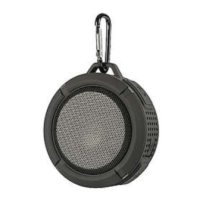
Bluetooth Speaker with LED Lights
Art.no 38-7745 Model CR-1834
Please read theentire instruction manual before using theproduct and then save
it for future reference. We reserve theright for any errors in text or images and any
necessary changes made to technicaldata. In theevent of technical problems or
other queries, please contact our Customer Services.
Safety
• This speaker can be used by children aged from 8 years and above if they have
been given supervision or instruction concerning use of theappliance in asafe
way and if they understand thehazards involved. Cleaning and user maintenance
shall not be made by children unless they are older than 8 and supervised.
Keepthespeaker and its charger lead out of reach of children under theage of 8.
• Thespeaker may be used by persons with reduced physical, sensory or
mental capability, lack of experience or knowledge which could jeopardise
their safety, provided they have been instructed in thesafe use of theproduct
and understand thehazards involved. Neverlet children play with thespeaker.
• Thespeaker should not be taken apart or modified. Nevertry to open
thecasing of thespeaker. Thecasing houses dangerous current-carrying non-
insulated components. Contact with these can lead to fire or electricshock.
• Do not cover thespeaker. Adequate ventilation, with adistance of at least
5cm between thespeaker and surrounding surfaces, is necessary to prevent
thespeaker from overheating.
• Place thespeaker on astable, flat surface.
• Do not place thespeaker where it could fall into water or other liquids.
• Do not place thespeaker in constant sunlight or near naked flames such as
wood stoves, lit candles,etc.
• Never subject thespeaker to high temperatures, damp or dusty environments,
heavy vibrations or impacts.
• Protect your hearing. Listening on high volume for prolonged periods can lead
to permanent hearingloss.
• Thespeaker must only be repaired by qualified service technicians.
Buttons and functions
4. Micro-USB port for theincluded
chargercable.
5. LED indicator for charging status and
Bluetooth connection status.
6. AUX: 3.5 mm input socket for external
audio devices.
Troubleshootingguide
Thespeaker will
not switchon.
Thebuilt-in battery may beflat. Charge if needed.
No sound from
theconnected
device.
Check thevolume level of both thespeaker and
theconnected device.
If using theAUXinput
Check that theaudio cable connecting thedevice and
thespeaker is intact and securely connected.
If using Bluetooth
• Make sure that theBluetooth connection has been
properly established.
• Test theplayback from your external device before
connecting it to thespeaker to ensure that itworks.
• Try using another file for playback. Thefile you are
attempting to play may be corrupted.
Things to consider:
• Other wireless equipment using thesame frequency
band can reduce thetransmissionrange.
• Therange of all wireless equipment depends on
thetype of obstacles located between thetransmitter
and thereceiver (e.g. aconcrete wall will interfere with
thesignal more than aplasterboard wall).
If you experience problems, try thefollowing:
• Turn off any other existing wireless equipment to check
whether this is thecause of theproblem. Reposition
thewireless equipment, shorten thedistance between
thetransmitter and thereceiver or reduce thenumber of
obstacles (walls, furniture,etc.) betweenthem.
Responsible disposal
1. [ − ] Hold in to lower thevolume, short
presses will advance you through
theplaylist when thespeaker is
connected via Bluetooth.
2. [ + ] Hold in to raise thevolume, short
presses will advance you through
theplaylist when thespeaker is
connected via Bluetooth.
3. [
] On/off, Bluetooth connection
Operating instructions
Charging
1. Connect theincluded charger lead to thecharging port (4) on thespeaker and
to acomputer or other USB charger.
2. TheLED indicator (5) will shine red steadily when thespeaker is being
charged. Theindicator will go out when thebuilt-in battery is fully charged.
Connecting anexternal Bluetooth device
1. Switch thespeaker on by holding in [ ] until thespeaker beeps and theLED
indicator flashesblue.
2. Activate Bluetooth on thedevice to be paired with thespeaker.
3. Thespeaker will appear on your device as CR-1834, select it and pair it with
your device. Onceconnection has been established theLED indicator on
thespeaker will shine asteadyblue.
4. Start playback on theexternal device. Control playback from your external
device or from thespeaker by holding in [ + ] or [ – ] to raise/lower thevolume
and quick-pressing [ + ] or [ – ] to change tracks.
Note:
• If you are prompted to enter aPIN code on your device, you should enter
0000 (four zeroes). Certain devices may also require you to approve
theconnection.
• If you have connected amobile phone to thespeaker via Bluetooth and
receive acall whilst you are listening to music, themusic will be switched off
automatically. Oncethecall has been ended, music playback will be resumed
(if your phone settings permit this).
Connecting anexternal device via theAUXinput
1. Connect a3.5 mm audio cable between your external device and theaux
input (6) on thespeaker.
2. Start playback on theexternal device.
3. Check and adjust thevolume level on theconnected device and thespeaker.
Note: Youcannot change tracks on thespeaker when anexternal device is
connected via theAUX input socket.
Care and maintenance
Clean thespeaker using alightly moistenedcloth. Useonly mild cleaning agents,
never solvents or corrosive chemicals.
This symbol indicates that this product should not be disposed of
with general householdwaste. Thisapplies throughout theentire
EU. Inorder to prevent any harm to theenvironment or health
hazards caused by incorrect waste disposal, theproduct must
be handed in for recycling so that thematerial can be disposed
of in aresponsible manner. Whenrecycling your product,
take it to your local collection facility or contact theplace of
purchase. Theywill ensure that theproduct is disposed of in
anenvironmentally sound manner.
Specifications
Battery 400mAh
Playbacktime Up to 3 hours
Chargingtime 2hours
Size 70×70×73mm
Weight 175g


 To Next Page
 Need help?
 General