12 13
English
“
1
” or “
2
” shows on the display to indicate that the alarm is active.
Note: The emergency radio must be on or in standby mode for
the alarm to go off at the set time.
Deactivating the alarm
Deactivate the alarm by selecting “Alarm 1/2 OFF” in step 4 above.
Snooze
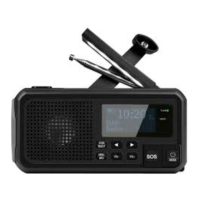
When the alarm sounds, press any of the buttons (3, 4, 5, 6, 7, 8)
to mute the alarm temporarily for 5 minutes.
Switching the alarm off
Press [ / MODE ] to switch the alarm off. “Alarm OFF!!!” will
appear on the display.
If the alarm is set for every day, it will go off at the same time
the next day.
Settings (Menu)
1. Press and hold [ MENU / INFO ] to display the menu.
2. Press [◄ ] or [ ► ] repeatedly to scroll through the menu.
3. Press [ SCAN / SELECT ] to select a menu/function.
4. Press [ MENU / INFO ] to go back one step in the menu.
The menu selection differs depending on whether the radio is
inDAB or FM mode. The settings in the radio menu marked
with an asterix (*) show the current setting.


 To Next Page