16 17
English
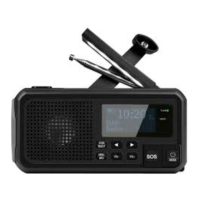
Torch function
Press the [ ] repeatedly when the radio is on to select from
3 different light modes.
Hold the [ ] when the radio is off to switch the light on.
Press repeatedly to select a light mode.
Reading light
Extend the solar panel (23) to switch on the reading light.
The light will switch off when the panel is folded down again.
USB socket 5V
The radio can be used to charge mobile phones in an emergency.
Do not use it as a normal powerbank, but only in an emergency.
1. Put the radio in standby mode or switch it off completely.
2. Open the cover and connect the USB cable supplied to
the USB OUT 5V port (21).
SOS/emergency signal
Note: The emergency signal is very loud!
1. Hold the [ SOS ] button (9) to activate the emergency signal.
2. Then press it repeatedly to select different audio/light settings.


 To Next Page