4 5
English
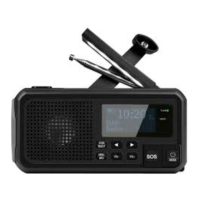
1. [ ] Press repeatedly to switch the light on/off and to select
the light setting.
2. Loudspeaker
3. [ SCAN / SELECT ] Press to select the menu and confirm
your selection. Hold to scan for radio stations.
4. [ MENU / INFO ] Press for programme information and
to exit the menu. Hold to display the menu.
5. [ ◄ ] DAB: Scroll down through the stations.
FM: Scan for a station with a lower frequency.
Press to scroll manually, hold to scan automatically.
6. [ VOL − ] Reduce the volume
7. [ ► ] DAB: Scroll up through the stations.
FM: Scan for a station with a higher frequency.
Press to scroll manually, hold to scan automatically.
8. [ VOL + ] Increase the volume
9. [ SOS ] Hold to activate the emergency signal.
10. [ / MODE ] Hold to switch the radio on/off, press to select
the radio mode: Digital (DAB) or analogue (FM).
11. Wrist strap ring.
12. Display
13. “INPUT” LED indicates that the built-in battery is charging.
14. “TUNE” LED indicates that the radio is switched on.
15. Aerial
16. Crank to generate electricity
17. Battery cover
18. Reading light
19. Torch function
20. : 3.5 mm headphone socket.
21. DC OUT: USB-A port for charging external devices.
22. DC IN: USB-C port for charging the built-in battery.
23. Solar panel


 To Next Page