User manual / Bedienungsanleitung
Page / Seite 7 clearaudio electronic GmbH 2015
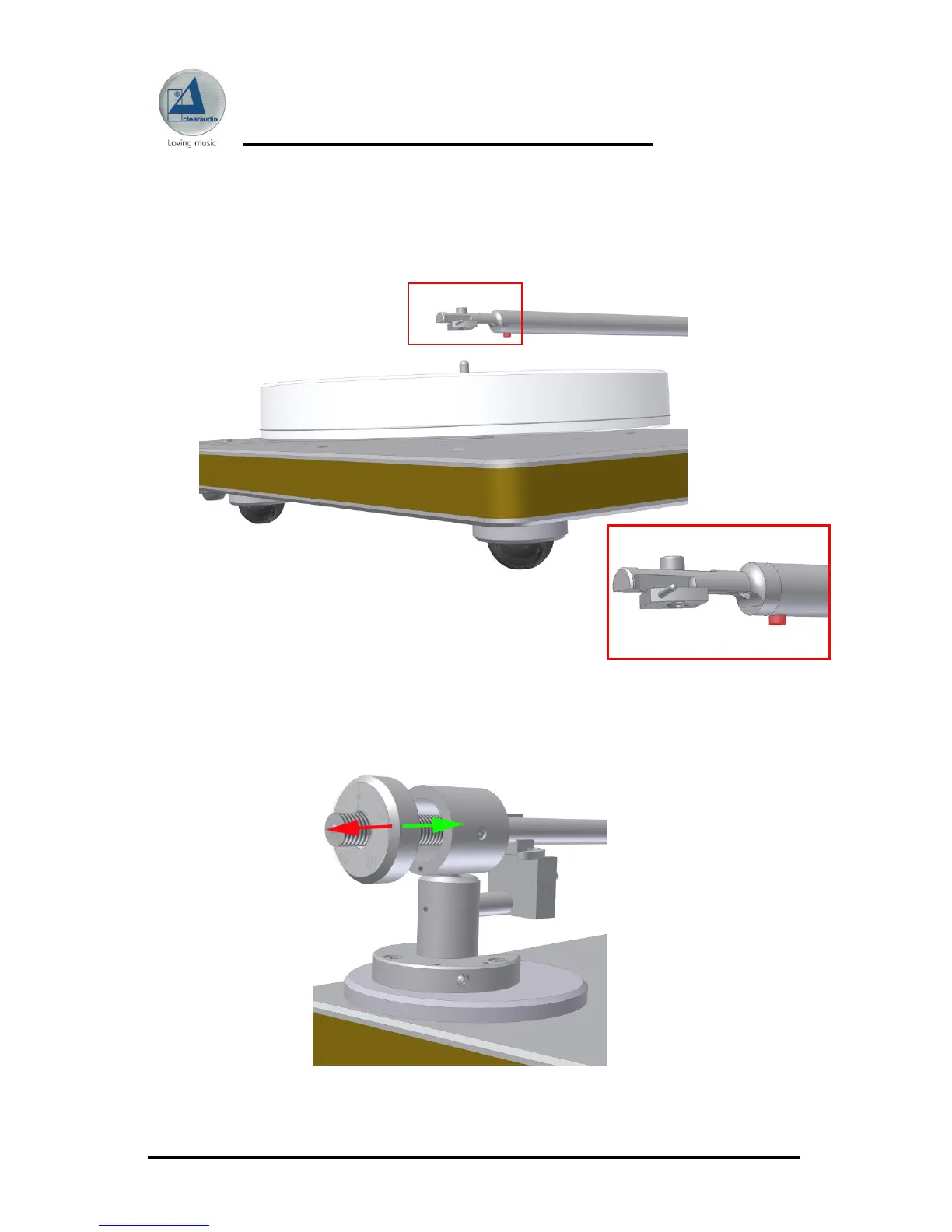
Azimuth adjustments are facilitated through the small (1,5 mm) allen screw (red marked
screw) on the bottom side of the armwand where the headshell enters the carbon fibre.
Once you loosen this screw, you´ll be able to rotate the headshell a small amount in either
direction. Be sure to tighten the screw when done.
Picture 6: Azimuth adjustment
Picture 7: Screw to adjust the
headshell
Wind the counterweight on the tonearm-tube. You can adjust the tracking force of your
cartridge by turning the counterweight (shown in the picture below)
(green arrow = more tracking force / red arrow = lesser tracking force).
Picture 8: Tracking force adjustment




 To Next Page