14 Technical Support: 800-283-5936
CONNECTING THE CHAT 150 TO A TELEPHONE
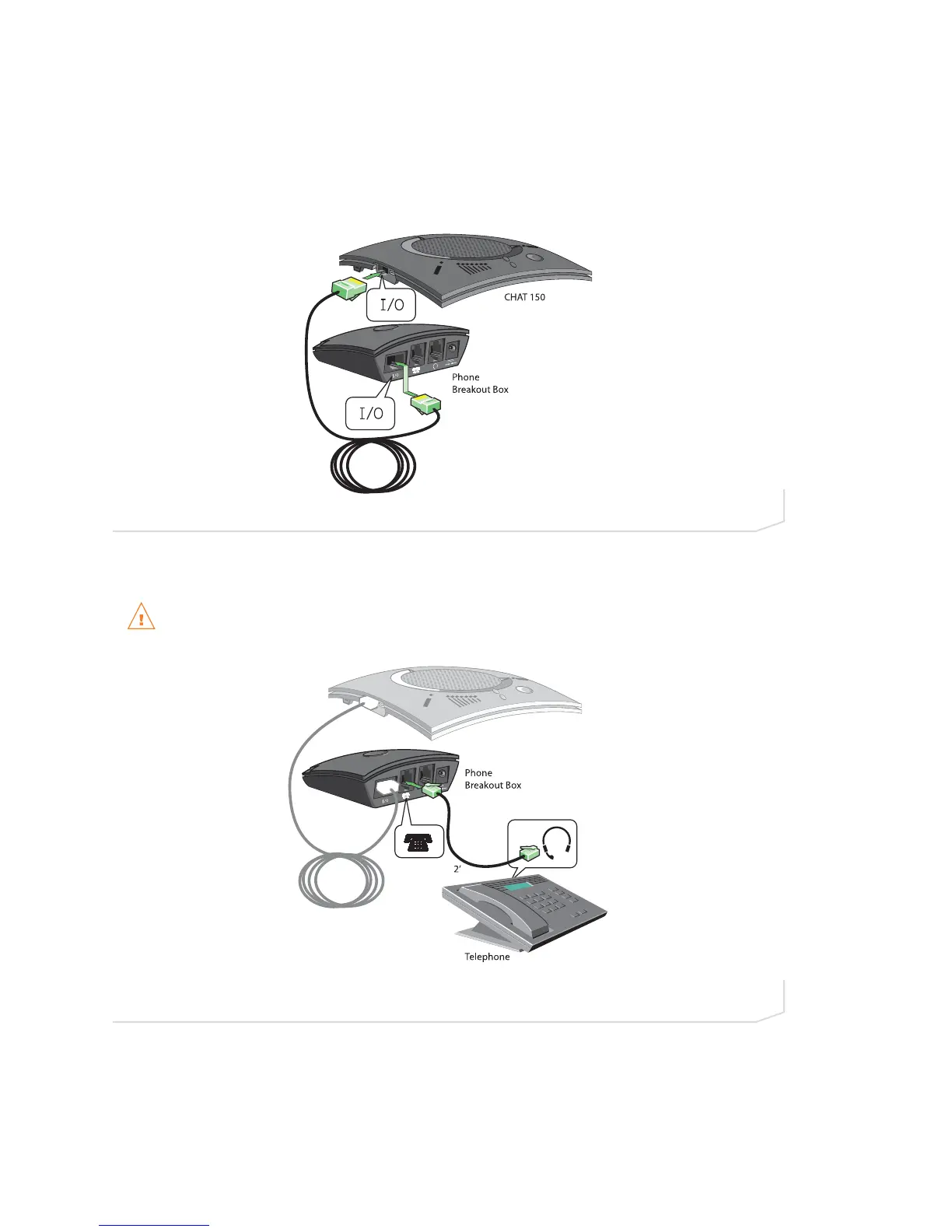
Perform the following steps to connect your Chat 150 to a telephone:
1. Using the included 25’ RJ-45 cable, connect the Phone Breakout Box to your Chat 150 (Figure 2.14).
2. Using the included 2’ RJ-9 telephone cable, connect the Phone Breakout Box’s phone jack to your
telephone’s headset jack (Figure 2.15)
DO NOT plug the cable into the telephone’s line jack, handset jack, or a telephone different from that
listed on the bottom of the Phone Breakout Box as damage to the telephone and/or Chat 150 might
occur.
FIGURE 2.14 Connecting Chat 150 to a Telephone
FIGURE 2.15 Connecting Chat 150 to a Telephone





 To Next Page