Chapter 3: Using Chat 50 Configuration Software 17
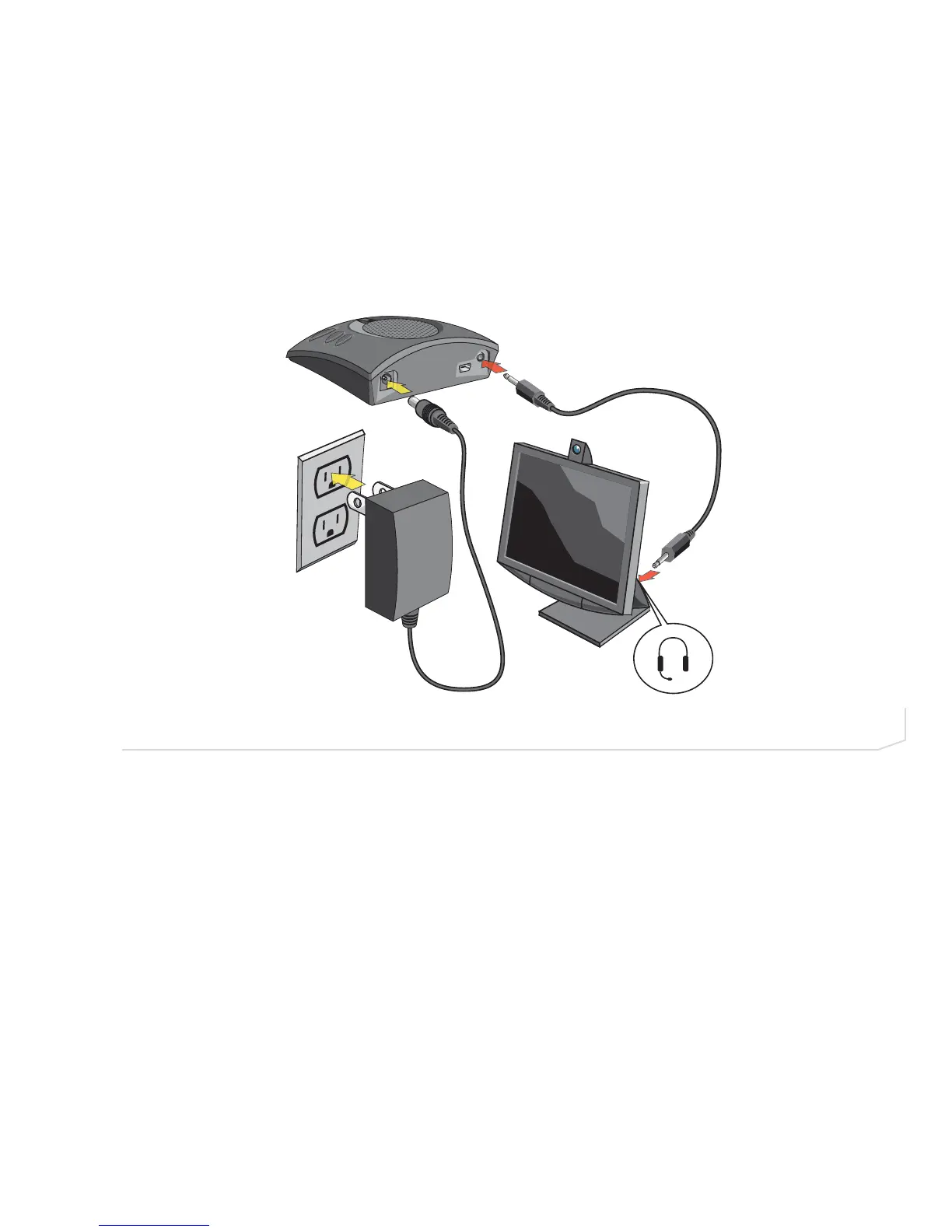
Connecting Chat 50 to a Desktop Video Conferencing Device
In addition to using the Chat 50 with PC-based webcams and video conferencing applications via USB, you
can also use it with stand-alone video conferencing devices.
1. Using the supplied power supply (USB Plus only), connect the Chat 50 to a power outlet (Figure 2.20).
2. Using a ClearOne accessory cable (available separately), connect the Chat 50’s line audio jack to the
device’s headset jack (Figure 2.19). ClearOne makes two cables for desktop video conferencing with
Chat: 3.5mm plug to dual RCA plug; and 3.5mm plug to 3.5mm plug. Contact your dealer to order cables
and other accessories.



 To Next Page