71
Operation ~ Utilities
Technical Services Group ~ 1-800-283-5936 (USA) ~ 1-801-974-3760
In the window shown in Figure 5.9, clicking the
Site 1
button transfers the
selected settings from a line selected in the Site 2 column to the corresponding line
in the Site 1 column.The Copy button copies the settings of the Site/Line above it,
allowing you to paste (with the Paste button) settings to another site, unit, or even
to a particular G-Ware parameter, such as an input.
The remaining buttons in the Document Compare window do the following:
• Refresh button updates the connection status to site(s) or unit(s).
• Select All selects everything in the Site 1/Site 2 table.
• Select None deselects anything highlighted in the table.
• Click Close to exit the Document Compare Utility.
Print Reports
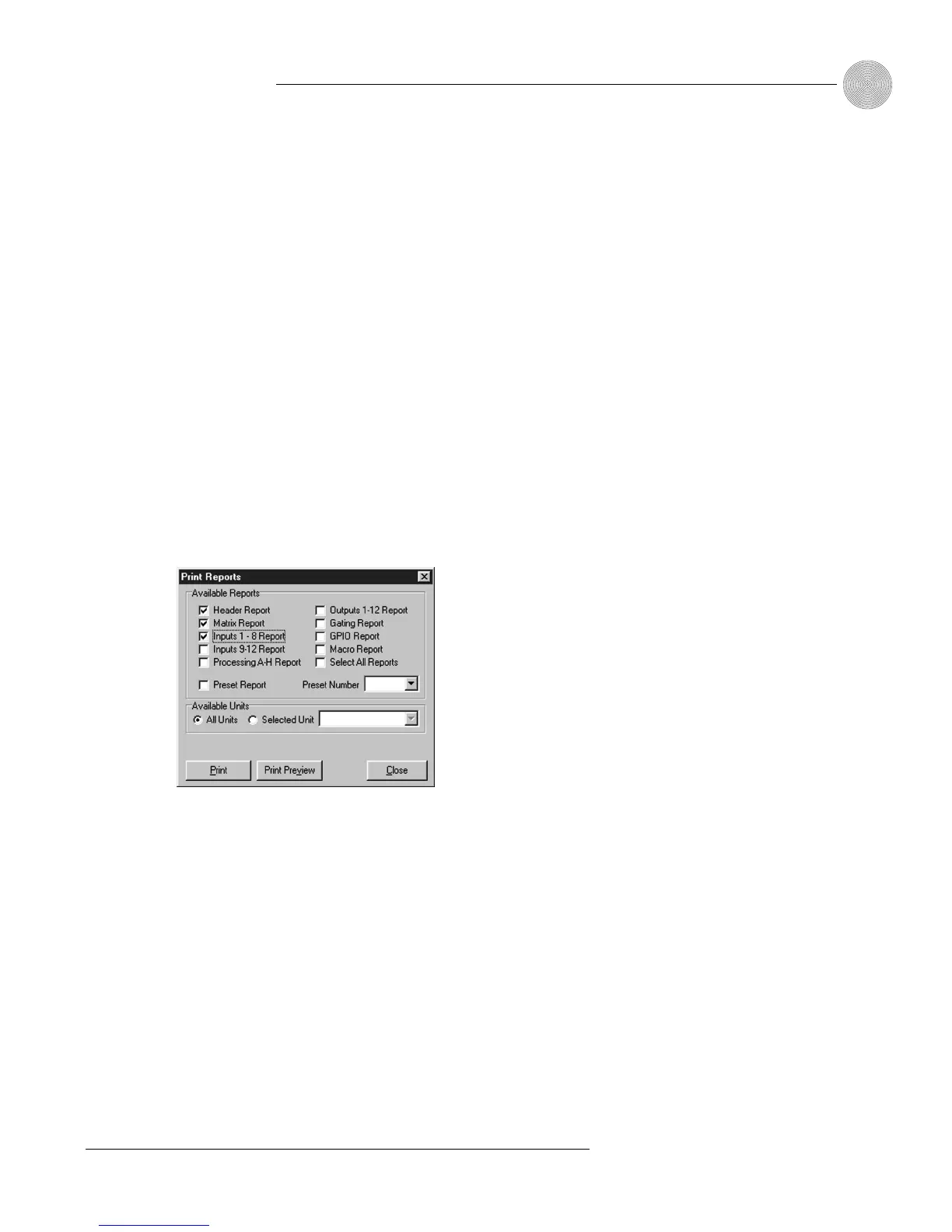
The Print Reports utility allows you to print a variety of configuration reports.To
open the Print Reports utility, select Print from the File menu.
Select the item(s) you want to print, then click Print Preview to view a
preview of the report or Print to print the report(s). For example, you could select
Inputs 1–8 Report to print a copy of the settings you’ve established for Inputs 1–8.
Figure 5.9. Print Reports window








 To Next Page