©2014 Clearpath Robotics Inc. All Rights Reserved.
GETTING STARTED
You are ready to go! This section details how to get Husky into action.
Before beginning, place Husky “up on blocks”, as described in the Safety section – make sure
the wheels are clear of the ground.
Onboard PC Setup
If you purchased a computer from Clearpath Robotics with Husky, it is already installed,
connected, and powered. Provided on this machine is the officially-supported ROS software for
Husky, joystick teleoperation, and any sensor payloads purchased.
To set up your own onboard PC, please make sure you are running Ubuntu 12.04 with ROS hydro
installed. The Husky software can be found at http://ros.org/wiki/Robots/Husky
Connecting Computer
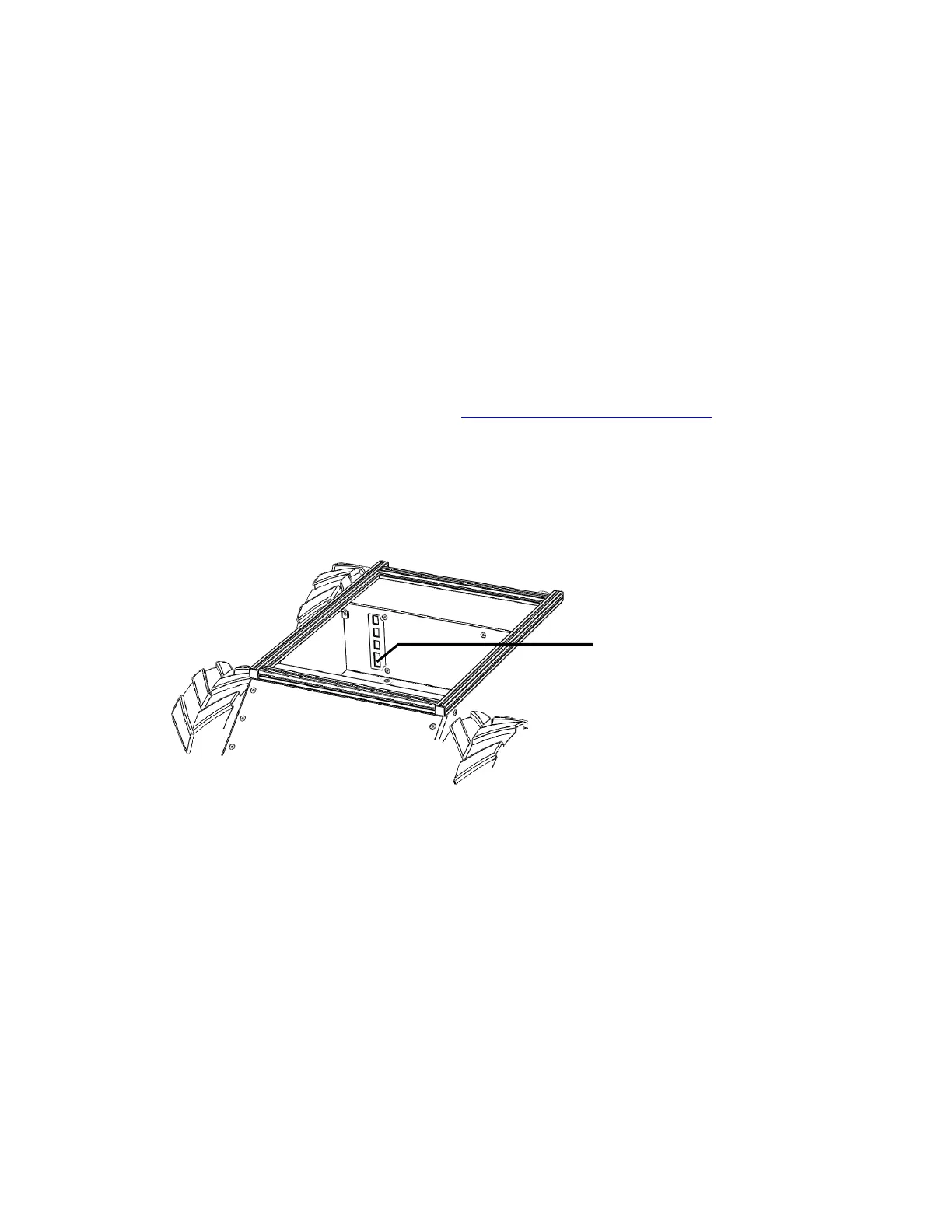
Husky’s serial port is located in the user power panel accessible from the user area, shown in
Figure 6.
The connector is a female DE9, suitable for connection directly to a USB-serial adaptor, or to a
PC serial port via a straight-through modem cable (
not
a null modem cable). How you connect
the PC to Husky depends on whether the PC has a dedicated serial port:
If your PC contains a serial port, connect the male end of the provided serial cable to the
female DE9 on Husky, and the female end of the cable to the male DE9 on the PC.
If your PC contains only USB ports, connect the USB end of a USB-serial adaptor to the PC,
and connect the male DE9 to Husky’s serial port.
Figure 6: Husky RS232 Connector



 To Next Page